
 WhatsApp: +86 16626708626
 Email:
  Phone: +86 16626708626
Description
3. Key Technical Specifications
| Parameter | Value |
| Microprocessor Type | Intel 80486DX4 |
| Clock Speed | 100 MHz |
| Total User Memory | 16 Mbytes (Shared battery-backed SRAM for logic and registers) |
| Floating Point Math | Hardware-integrated coprocessor unit |
| Discrete I/O Capacity | 12K Inputs (%I), 12K Outputs (%Q) |
| Analog I/O Capacity | 8K Inputs (%AI), 8K Outputs (%AQ) |
| Boolean Execution Speed | 0.4 ms per K |
| Backplane Interface | Standard 96-pin VME (C.1 revision) mechanical structure |
| Local Slot Width | Single slot configuration (Must reside in Slot 1) |
| Current Draw | 3.5 Amps @ +5 VDC from the backplane rail |
| Programming Software | Logicmaster 90-70, VersaPro, or Proficy Machine Edition |
| Communication Support | Configured via front-panel 3-pin serial port (PCM/CMM modules for extended networks) |
4. Product Introduction & Supply Chain Strategy
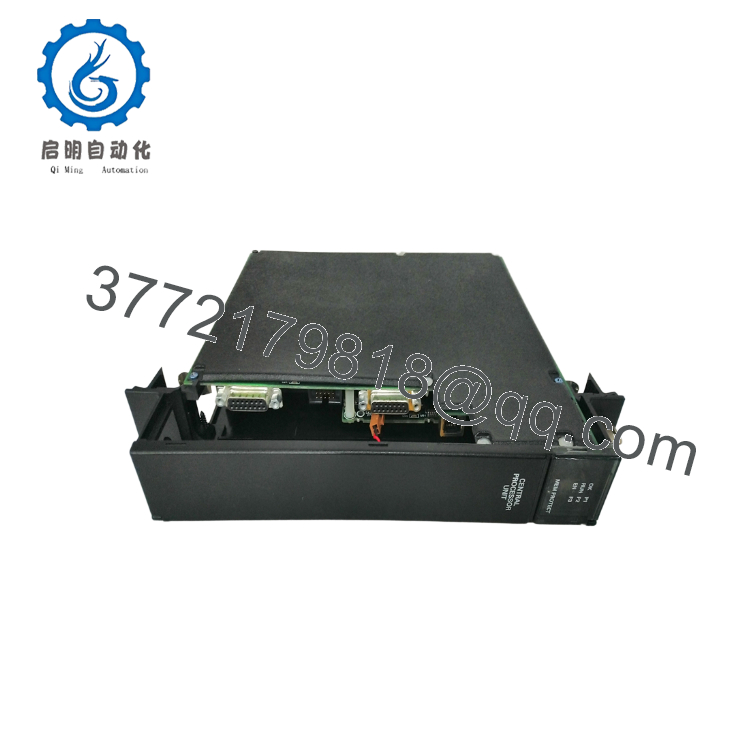
The GE Fanuc IC697CPX782 is the highest-tier 100 MHz central processing unit designed for the legacy Series 90-70 mainframe automation platform. Driven by an Intel 80486DX4 microprocessor and an integrated hardware floating-point math unit, this single-slot CPU manages massive discrete and analog control matrices with a Boolean execution speed of 0.4 ms per K. Its VME-based backplane design allows it to coordinate complex, multi-axis motion and heavy process loops across large industrial facilities.
From a lifecycle and replacement perspective, the IC697CPX782 is a critical bottleneck component. Because the Series 90-70 ecosystem is completely obsolete, a processor failure risks keeping an entire production facility offline indefinitely. Procuring a certified New Surplus module serves as a definitive security policy, shielding operations from the hidden degradation, degraded solder joins, and volatile RAM failures typical of third-party repaired cards. Holding 1–2 units of zero-hour buffer stock guarantees long-term system stability and an efficient Total Cost of Ownership (TCO) while long-term migration paths are engineered.
5. Installation & Configuration Guide
Stage 1: Pre-Installation (Prep & Safety)
Execute strict lock-out/tag-out (LOTO) protocols on the targeted Series 90-70 rack rack power supply and all connected external field interfaces. Wear a grounded ESD wrist strap and clamp its lead to an unpainted metal surface on the control cabinet frame. Before extracting the failed hardware, attach your laptop to the system and upload the current application program, configuration files, and active register tables using Proficy Machine Edition or Logicmaster 90-70.
Stage 2: Removal
Disconnect any serial programming cables or adapters attached to the front face of the CPU. Loosen the upper and lower faceplate retaining screws securing the module to the rack frame. Pivot the top and bottom extraction levers outward simultaneously to break the friction seal of the 96-pin VME backplane connection, then slide the module horizontally out of the slot tracks.
Stage 3: Installation (Clone & Seat)
Verify that the replacement IC697CPX782 has clean, unscored backplane connector pins and that its toggle configuration switches match the original card’s setup. This module must always be inserted into Slot 1 (the leftmost slot) of the primary rack chassis. Align the card with the upper and lower plastic slot guides, slide it inward, and lock the top and bottom ejector clips to seat the high-density backplane interface completely. Secure the faceplate retaining screws.
Stage 4: Power-On & Testing
Restore power to the main rack power supply assembly. Monitor the front-panel status lights: the “Module OK” LED must illuminate solid green, confirming that the internal Intel 80486DX4 core successfully completed its initial boot diagnostics. Establish a live online connection from your engineering laptop, check that the hardware configuration file aligns with the physical slots, clear any historic fault registers, and download the verified logic backup.
6. Firmware/Software Versions & Upgrade Notes
The IC697CPX782 relies on physical firmware EPROM chips mounted directly on the internal printed circuit board to handle logic compilation and backplane execution.
- Software Compatibility: Developing projects for this 16 MB processor requires legacy Logicmaster 90-70 version 6.0 or higher, or modern Proficy Machine Edition software.
- Firmware Baselines: This CPU is highly sensitive to the firmware version loaded on its internal chips (e.g., V7.00 or higher). Advanced execution functions, variable array assignments, and communications with newer alphanumeric modules require matching firmware baselines across the system.
- Downgrade Risks: Do not pull an IC697CPX782 out of storage and insert it into an active production rack without checking its chip revision number. If the replacement card carries an older firmware revision than the original module, it can cause logic compilation errors, drop communication with high-density analog modules, or lock the CPU into a continuous configuration fault. Always verify and match firmware versions on a test rack before commissioning the card.

- IC697CPX782
7. Frequently Asked Questions (FAQ)
What is the purpose of the integrated floating-point math unit on this processor?
The integrated hardware floating-point math unit offloads complex mathematical algorithms—such as PID loop calculations, trigonometric scaling, and advanced statistical filtering—from the primary Boolean logic engine. This prevents math-heavy operations from slowing down the program scan time, ensuring deterministic execution for complex processes.
Is this IC697CPX782 module brand new or a refurbished board?
This product is a Brand New Surplus unit. It is not used, not pulled from a decommissioned plant, and not refurbished. All modules undergo rigorous quality verification to ensure OEM-level reliability. Every processor is stored within sealed anti-static protective packaging, showing pristine gold edge connectors and zero track adjustments.
Can this CPU module be hot-swapped while the rack is powered up?
No. The legacy Series 90-70 VME backplane architecture does not feature hot-swap capability. Removing or inserting an IC697CPX782 card while the rack is powered up can create electrical arcs across the VME data lines. This can damage the controller board, ruin adjacent modules, or cause an immediate CPU system crash. Always turn off the rack before swapping hardware.
How does the module safeguard its 16 MB user memory buffer during a power loss?
The IC697CPX782 relies on a dedicated CMOS SRAM architecture that is maintained by a standard lithium battery connection located on the main Series 90-70 rack power supply module (transmitting power via the backplane). This battery loop keeps register values and user code intact through power cycles. If the power supply battery LED turns red, replace the battery immediately while the rack is powered to avoid losing your application data.
What warranty applies to this obsolete surplus CPU card?
We protect this New Surplus IC697CPX782 module with a comprehensive 1-year operational warranty from your date of purchase. If a component defect occurs during this window, we handle replacement or repair immediately, shielding your operating budget from the limited 30-day structural warranties typically packaged with refurbished alternative components.



