
 WhatsApp: +86 16626708626
 Email:
  Phone: +86 16626708626
Description
3. Key Technical Specifications
| Parameter | Value |
| Display Size | 6.0 inches diagonal |
| Display Type | Color STN LCD |
| Resolution | 320 x 240 pixels (QVGA) |
| Input Type | Analog resistive touchscreen |
| Input Voltage | 24 VDC (Operating range: 20.4 to 27.6 VDC) |
| Power Consumption | 24 Watts maximum |
| Processor Type | 32-bit RISC Microprocessor |
| Operating System | Microsoft Windows CE |
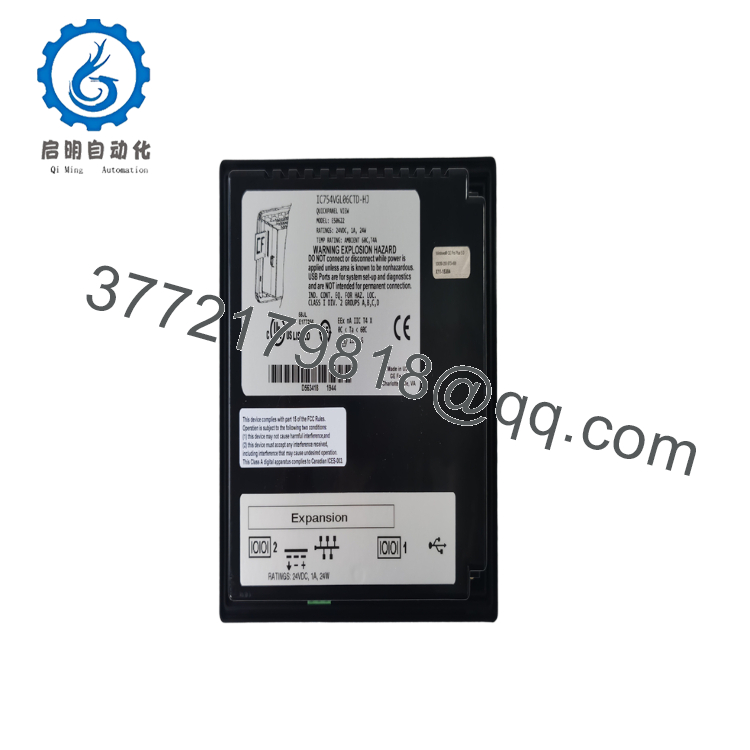
| Embedded Communication Ports | 1 x 10/100 Mbps Ethernet (RJ-45), 1 x RS-232 (9-pin D-sub), 1 x RS-485 |
| Expansion Storage | CompactFlash (CF) card slot Type I/II |
| Enclosure Rating | NEMA 4/4X/12, IP65 equivalent (front panel when mounted) |
| Configuration Software | Proficy Machine Edition (View / HMI component) |
4. Product Introduction & Supply Chain Strategy
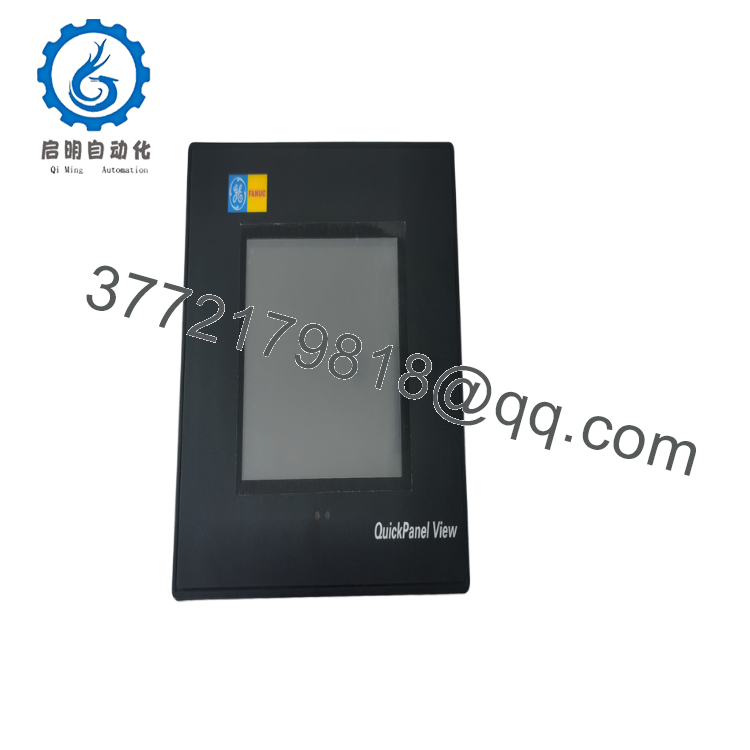
The GE Fanuc IC754VGL06CTD (specifically carrying the ES0622 manufacturing revision code) is an intermediate 6-inch QuickPanel View Human Machine Interface terminal engineered for localized machine-level data visualization. Running on a Microsoft Windows CE operating system core, this compact graphical terminal integrates discrete control data and network telemetry into an analog resistive color touchscreen. Equipped with built-in serial and 10/100 Mbps Ethernet ports, it provides drivers to communicate with legacy PLCs and modern automation nodes alike.
From a procurement perspective, the IC754VGL06CTD is a high-risk legacy component whose failure leaves operators completely blind to process parameters. Purchasing this HMI as a certified New Surplus unit is a strategic supply chain choice; third-party refurbished displays carry high risks of localized resistive touch matrix degradation, faded LCD backlights, and worn memory sectors. Keeping a factory-sealed surplus terminal in your buffer stock guarantees immediate, drop-in visual restoration while protecting your facility from high OEM markups and production disruptions.
5. Installation & Configuration Guide
Stage 1: Pre-Installation (Prep & Safety)
Isolate and lock out the primary 24 VDC incoming power supply running to the operator console desk. Put on a grounded ESD wrist strap before unboxing the unit to avoid discharging static to the rear port logic. Before pulling the faulty unit, insert a CompactFlash card or use a network connection to pull a full image backup of the runtime application (.vzp project) via Proficy Machine Edition.
Stage 2: Removal
Unplug the 24 VDC terminal block connector from the top-rear panel of the device. Disconnect all serial and RJ-45 Ethernet communication cables. Loosen the screw-driven mounting clamps positioned along the perimeter of the panel cutout. Carefully push the HMI unit forward out of the panel opening, ensuring the legacy rubber front gasket does not bind or tear against the metal cutout edges.
Stage 3: Installation (Clone & Seat)
Verify the existing panel cutout matches the 6.0-inch frame geometry cleanly. Fit the fresh neoprene sealing gasket onto the front bezel of the new IC754VGL06CTD. Insert the HMI flatly into the front panel cutout. Working from the inside of the cabinet enclosure, hook the mounting brackets into the slot tracks on the casing sides, tightening the screws evenly to achieve a water-tight NEMA 4X seal. Reattach the serial and Ethernet communication lines.
Stage 4: Power-On & Testing
Plug the 24 VDC power connector back into the input receptacle. Energize the local DC circuit breaker. The unit will execute its Windows CE boot sequence and present the calibration layout. Run through the touchscreen coordinate alignment steps. Connect your development workstation, clear any old communication diagnostic logs, and download the active runtime visualization project to begin operations.

- IC754VGL06CTD ES0622
- IC754VGL06CTD ES0622
6. Firmware/Software Versions & Upgrade Notes
The IC754VGL06CTD ES0622 terminal relies directly on its internal Windows CE operating system kernel image to initialize communication stacks and launch the HMI runtime engine.
- Software Requirements: Building or modifying graphical screens for this device requires Proficy Machine Edition (version 5.00 or higher).
- Revision Alignment: The ES0622 designation specifies the hardware assembly matrix tracking code. Ensure that your Machine Edition project target properties are configured for a 6-inch QuickPanel View color terminal to avoid memory allocation mismatch errors during project downloads.
- OS Image Stability Warning: Never interrupt power or disconnect network runs while updating the unit’s operating system image or runtime drivers. Forcing a mismatch between the base Windows CE component file and the compiled visualization application will corrupt the flash sectors, locking the HMI into a permanent bootloop that requires advanced factory-level image restoration.
7. Frequently Asked Questions (FAQ)
What does the “ES0622” suffix indicate on this specific QuickPanel unit?
The “ES0622” suffix is a manufacturer production revision code. It indicates the exact build standard, hardware version revision, component tracking baseline, and internal circuit layout configuration utilized by the factory during assembly. Units with this code are completely form-and-function compatible with standard IC754VGL06CTD nodes, allowing seamless mechanical and software drop-in replacement.
Is this HMI display brand new or a refurbished replacement panel?
This product is a Brand New Surplus unit. It is not used, not pulled from a decommissioned plant, and not refurbished. All modules undergo rigorous quality verification to ensure OEM-level reliability. The terminal ships inside its clean anti-static protective packaging, featuring a pristine front touch membrane, clear backplate ports, and completely unblemished housing brackets.
Can I load my runtime screens directly using a CompactFlash card?
Yes. The IC754VGL06CTD features an expansion Type I/II CompactFlash slot on its back panel. You can compile your visualization project within Proficy Machine Edition, export the runtime package directly onto a compatible CF card, insert it into the HMI, and use the Windows CE control manager utility to point the application launcher path to the card storage sector.
Does this operator panel support connection to non-GE PLCs?
Yes. The QuickPanel View runtime environment includes an expansive library of communication drivers. Via its RS-232, RS-485, and Ethernet interfaces, this unit can communicate directly with major third-party automation controllers, including Allen-Bradley (DF1/EtherNet/IP), Modicon (Modbus RTU/TCP), and Siemens (MPI/PPI), without requiring external interface converters.
What kind of warranty covers this legacy surplus HMI?
Every New Surplus IC754VGL06CTD terminal is backed by a comprehensive 1-year operational warranty from your date of purchase. This long-term replacement guarantee provides extensive security for your operating budget, completely surpassing the limited 30-day structural warranties typical of used or repaired alternative components.



