
 WhatsApp: +86 16626708626
 Email:
  Phone: +86 16626708626
Description
Key Technical Specifications
| Parameter | Value |
| Display Type | 12.1 Inch TFT Color LCD |
| Resolution | 800 x 600 pixels (SVGA) |
| Touchscreen Type | Analog Resistive Film |
| Input Power | 24 VDC (18 to 30 VDC range) |
| Operating System | Microsoft Windows CE |
| Onboard Memory | 64 MB DRAM, 32 MB Flash |
| Communication Ports | 1 x Ethernet (10/100 Mbps), 2 x Serial (RS-232/RS-485), 2 x USB |
| Enclosure Rating | NEMA 4/4X/12, IP65 Front Panel |
| Mounting Style | Panel cutout panel-mount with clamping brackets |
| Operating Temperature | 0 °C to 50 °C (32 °F to 122 °F) |
Product Introduction & Supply Chain Strategy
The GE Fanuc / Emerson IC754VSF12CTD is a 12.1-inch QuickPanel operator interface terminal running Windows CE. Featuring an 800 x 600 SVGA color TFT display and high-precision resistive touch screen, it provides real-time SCADA visualization, graphical alarm tracking, and multi-protocol PLC connectivity across Ethernet and serial networks.
Because the legacy QuickPanel Control/View family is no longer manufactured by the OEM, maintaining an IC754VSF12CTD as New Surplus is a high-priority risk-mitigation step. Refurbished touchscreen panels frequently exhibit backlight dimming, touchscreen calibration drift, and worn gasket seals that allow moisture or dust ingress. Sourcing factory-fresh New Surplus units eliminates screen burn-in and touch dead-zones, preventing operator error and securing continuous production line visibility.
Installation & Configuration Guide
1.Pre-Installation (Prep & Safety):Safety precautions and panel cutout verification.
Isolate 24 VDC enclosure power using standard LOTO protocols. Attach an anti-static ESD wrist strap before unboxing the IC754VSF12CTD. Measure the panel cutout dimensions, ensure the mounting gasket is intact, and verify that a verified backup of the Proficy Machine Edition View runtime application project (.GZX file) is stored on a flash drive.
2.Removal:Safe extraction techniques for flush-mount HMIs.
Disconnect the 24 VDC power plug, Ethernet patch cable, and serial communication leads from the back of the terminal. Loosen the rear panel clamping brackets surrounding the perimeter of the existing chassis. Carefully push the old display forward out of the enclosure cutout, avoiding dropping the panel or scratching adjacent surfaces.
3.Installation (Clone & Seat):Hardware mounting and seal seating.
Inspect the front panel gasket on the new IC754VSF12CTD for cracks or alignment faults. Insert the unit into the panel cutout from the front of the cabinet. Install and tighten the perimeter mounting clamp screws in a cross pattern until the rubber gasket compresses evenly against the panel surface to maintain NEMA 4X/IP65 ingress sealing.
4.Power-On & Testing:Power initialization and display calibration.
Connect 24 VDC power, Ethernet, and serial leads to the rear terminals, then re-energize the power supply. Observe the Windows CE boot screen, run the initial touchscreen alignment utility if prompted, load the runtime application via Proficy Machine Edition or USB, and confirm real-time telemetry updates with connected PLCs.
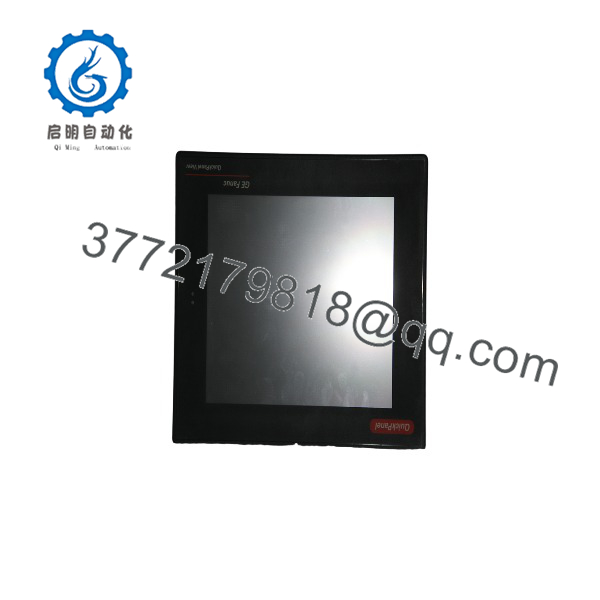
IC754VSF12CTD
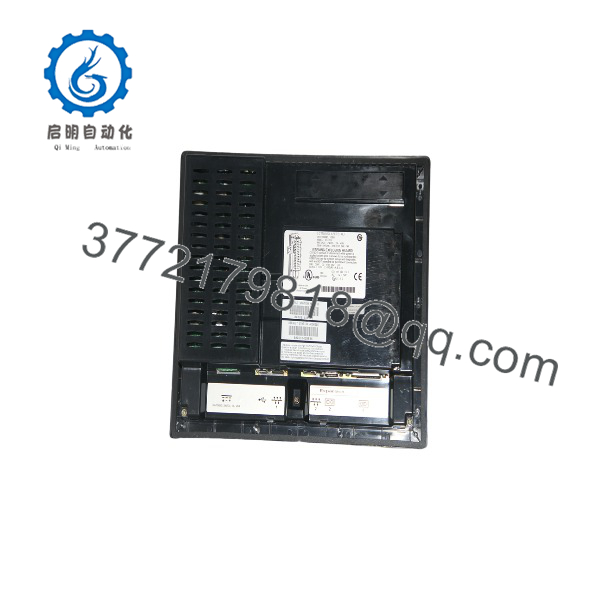
IC754VSF12CTD
Firmware/Software Versions & Upgrade Notes
- Development Software: Configured and programmed using Proficy Machine Edition (PME) View or QuickPanel View software development environment.
- OS Environment: Operates on embedded Windows CE. Ensure the runtime environment version on the replacement panel matches the runtime framework compiled in your application project.
- Touchscreen Calibration Caution: If touch targets appear misaligned after initial boot, access the Windows CE Control Panel using a USB mouse and execute the 5-point touch screen calibration utility before placing the panel in production service.
Frequently Asked Questions (FAQ)
Is the IC754VSF12CTD completely new and unused?
Yes. This product is a Brand New Surplus unit. It is not used, not pulled from a decommissioned plant, and not refurbished. All modules undergo rigorous quality verification to ensure OEM-level reliability. Original factory packaging is opened solely for visual inspection, screen seal check, and anti-counterfeit serial verification.
Why choose New Surplus over a refurbished IC754VSF12CTD unit?
Touchscreen terminals undergo significant physical wear. Refurbished HMIs often suffer from worn resistive digitizers, dimming CCFL/LED backlights, and degraded front membrane seals that invite oil and moisture penetration. Buying New Surplus ensures maximum display brightness, sharp touch response, and complete IP65 environmental protection.
What power supply rating is required for the ?
The operates on a nominal 24 VDC power supply (18 to 30 VDC operating range). Ensure the power supply provides clean, regulated direct current with a 20% power buffer to handle boot-up current spikes.
Can the connect to non-GE programmable controllers?
Yes. Through Proficy Machine Edition, the Windows CE operating system on the supports communication drivers for major industrial networks, including Modbus TCP/IP, Allen-Bradley DF1/EtherNet IP, Siemens MPI/Profibus, and Mitsubishi FX protocols.
How does this panel fit into a critical spare parts buffer strategy?
A failed HMI leaves plant operators blind to machine status, bringing production lines to an immediate halt even if the underlying PLC remains healthy. Holding 1 to 2 units of the on-site as buffer stock ensures rapid panel replacement and immediate restoration of operator control.
What warranty coverage is included with this New Surplus HMI panel?
We support this QuickPanel display with a comprehensive 1-year functional replacement warranty. If any touchscreen failure, backlight defect, or logic board fault occurs under standard operating conditions within 12 months, we will immediately supply a direct replacement unit from our stock.



