
 WhatsApp: +86 16626708626
 Email:
  Phone: +86 16626708626
Description
3. Key Technical Specifications
| Parameter | Value |
| Display Size | 12.1 inches diagonal |
| Display Type | Active Matrix Color TFT LCD |
| Resolution | 800 x 600 pixels (SVGA) |
| Input Type | High-precision analog resistive touchscreen |
| Input Voltage | 24 VDC (Operating range: 20.4 to 27.6 VDC) |
| Power Consumption | 36 Watts maximum |
| Processor Type | 32-bit RISC Microprocessor |
| Operating System | Microsoft Windows CE |
| Embedded Communication Ports | 1 x 10/100 Mbps Ethernet (RJ-45), 1 x RS-232 (9-pin D-sub), 1 x RS-485 / RS-222 configured |
| Expansion Storage | CompactFlash (CF) card slot Type I/II |
| Enclosure Rating | NEMA 4/4X/12, IP65 equivalent (front panel when mounted) |
| Configuration Software | Proficy Machine Edition (View / HMI component) |
4. Product Introduction & Supply Chain Strategy
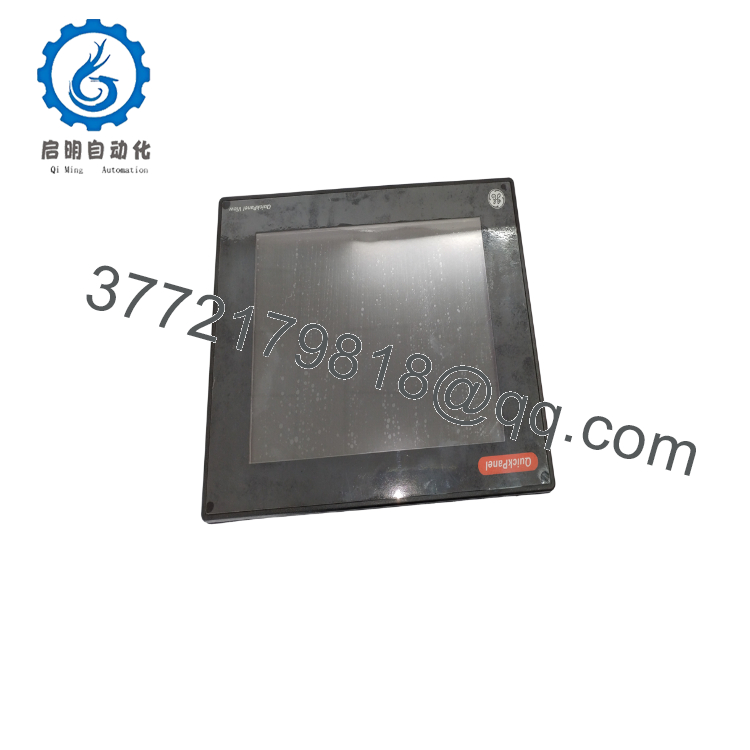
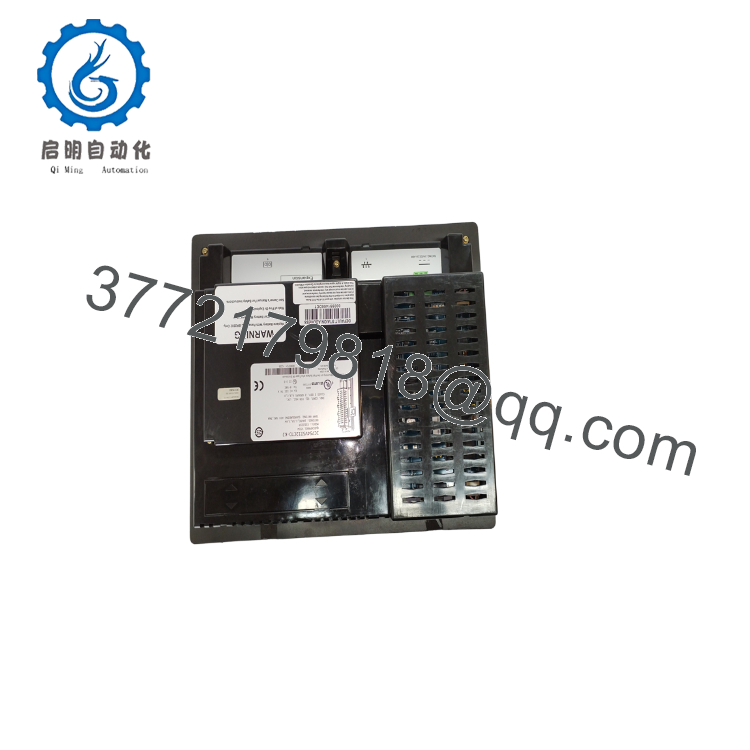
The GE Fanuc IC754VSI12CTD is a high-performance 12.1-inch QuickPanel View Human Machine Interface designed for advanced facility-level visualization and supervisory plant control. Utilizing a vibrant active-matrix TFT LCD panel with SVGA resolution, this premium industrial terminal runs a hardened Windows CE operating system kernel to handle heavy graphic object updates and concurrent driver stacks. With built-in high-speed Ethernet and serial interfaces, it serves as an interactive communications gateway between floor operators and complex automated systems.
From a vendor management perspective, the IC754VSI12CTD is a critical “Class A” visualization asset where physical failures cause immediate operator blindness and loop vulnerabilities. Sourcing this module as a certified New Surplus unit minimizes your overall Total Cost of Ownership (TCO) compared to third-party refurbished displays. Used or repaired panels frequently suffer from uneven backlight aging, brittle touch membranes, and degraded internal flash blocks. Carrying 1–2 factory-sealed surplus spares ensures your plant can complete a drop-in restoration instantly, dodging long OEM distribution lead times and high factory markups.
5. Installation & Configuration Guide
Stage 1: Pre-Installation (Prep & Safety)
Perform strict lock-out/tag-out (LOTO) protocols on the incoming 24 VDC feeder lines powering the local operator station console. Fasten a grounded ESD wrist strap to your arm and connect its clamp to an unpainted metal surface on the control cabinet frame. Before extracting the target panel, hook up a laptop or insert a CF card to capture a full backup image of the current runtime configuration database using Proficy Machine Edition.
Stage 2: Removal
Unscrew and pull out the 24 VDC terminal connector from the backplate power housing. Disconnect all networking RJ-45 lines and serial protocol cables. Back off the perimeter mounting clamps securing the HMI framework to the control desk cutout. Carefully slide the HMI unit forward out of the panel opening, taking care to pull horizontally so the structural sealing gasket does not bind or tear.
Stage 3: Installation (Clone & Seat)
Verify that the existing enclosure panel cutout matches the 12.1-inch structural dimensions cleanly and is free of burrs. Mount the fresh water-tight gasket onto the front bezel of the new IC754VSI12CTD. Push the terminal straight into the cutout, then working from the inside of the cabinet, anchor the mounting brackets into the chassis side channels. Tighten the clamping screws evenly to ensure an unyielding NEMA 4X protective seal. Reconnect the communication infrastructure lines.
Stage 4: Power-On & Testing
Insert the 24 VDC power block back into the terminal socket. Energize the local DC circuit breaker. The unit will complete its automated Windows CE boot cycle and initialize the hardware calibration program. Calibrate the resistive touch targets accurately, clear historic connection tables, and download the verified visualization runtime project file from your engineering station.

- IC754VSI12CTD
- IC754VSI12CTD
6. Firmware/Software Versions & Upgrade Notes
The IC754VSI12CTD operates using a proprietary Windows CE platform layer that serves as the foundation for the local graphic engine.
- Software Requirements: Project engineering, graphic additions, and network target adjustments require Proficy Machine Edition (version 5.00 or later).
- Driver Integration: Ensure that your development target properties specify a 12-inch QuickPanel View SVGA layout. Compiling screens under an incorrect resolution boundary will distort touch alignment vectors and throw off text bounding boxes.
- Firmware Arbitrage Warning: When restoring older automation stations, verify the OS kernel image version loaded on the new surplus card matches the historical hardware baseline. Forcing a modern project file down into an unaligned OS version can cause application lockups, driver dropout errors, or freeze the terminal into a continuous bootloop loop cycle. Always update the OS partition on a dedicated bench configuration before final installation.
7. Frequently Asked Questions (FAQ)
What is the main advantage of the TFT display over an STN version?
The IC754VSI12CTD utilizes an Active Matrix TFT (Thin Film Transistor) display, which provides significantly better visual contrast, wider viewing angles, faster screen refresh updates, and higher color accuracy than legacy passive-matrix STN alternatives. This ensures that critical plant alarms and process readouts remain legible to operators from various standing positions under changing ambient factory light conditions.
Is this 12-inch QuickPanel display brand new or a repaired unit?
This product is a Brand New Surplus unit. It is not used, not pulled from a decommissioned plant, and not refurbished. All modules undergo rigorous quality verification to ensure OEM-level reliability. Every terminal is delivered inside original factory anti-static protective packaging, featuring a pristine touchscreen surface, unscored communication jacks, and clean mounting frames.
Can I hot-swap this HMI while the main control panel is powered up?
While pulling the 24 VDC input plug will not cause backplane damage to external PLCs, you should never hot-swap the power interface if the HMI is actively writing logs or execution metrics to its flash memory card. Sudden power drops can corrupt the internal Windows CE system files or flash storage registers. Always isolate the primary 24 VDC power supply before physically removing the device.
Does this terminal require an external memory card to run its runtime graphics?
No, the IC754VSI12CTD features built-in non-volatile internal flash memory to store the primary Windows CE operating system and your compiled Proficy Machine Edition project screens. The front-accessible CompactFlash slot is designed for external data logging expansion, historic alarm archiving, trend capture, and manual project recipe loading.
What warranty applies to this obsolete surplus HMI terminal?
We protect this New Surplus IC754VGL06CTD terminal with a comprehensive 2-year operational warranty from your date of purchase. This long-term replacement guarantee provides extensive security for your operating budget, completely surpassing the limited 30-day structural warranties typical of used or repaired alternative components.



