
 WhatsApp: +86 16626708626
 Email:
  Phone: +86 16626708626
Description
Key Technical Specifications
- Parameter: Model Number: 58631-TB900576
- Parameter: Manufacturer: GE / Foxboro
- Parameter: Product Category: Industrial PC card / control interface card
- Parameter: Intended System: Legacy GE/Foxboro process-control and DCS installations
- Parameter: Primary Role: Specialized control processing, signal-interface, data-routing, or communications support
- Parameter: Mounting: Internal rack, panel, or equipment slot installation; verify the exact mating backplane before purchase
- Parameter: Power Requirement: Industrial low-voltage DC auxiliary supply; verify the installed-system voltage and connector pinout
- Parameter: Diagnostics: Installation-dependent; inspect host-rack alarms, LEDs, and controller diagnostic logs
- Parameter: Environmental Use: Indoor industrial control cabinet application
- Parameter: Service Status: Legacy/obsolete part number; exact hardware identity should be verified against the removed unit
- Parameter: Replacement Practice: Match the complete 58631-TB900576 number, board revision, connector arrangement, and firmware/configuration where applicable
- Parameter: Documentation Requirement: Confirm compatibility against the site’s OEM drawings, loop documentation, and Foxboro system records before installation
The available public listing identifies the 58631-TB900576 as a GE/Foxboro industrial PC card for industrial process-control use, but it does not provide OEM-verified voltage, dimensions, protocol, firmware, or I/O-channel data. Do not treat generic card-family values as a substitute for the OEM datasheet or the label on the installed board.
Product Introduction
The GE / Foxboro 58631-TB900576 is a legacy industrial PC card used within established Foxboro-oriented process-control architectures. It serves as an internal control-system interface or processing card, supporting the hardware path between the host rack, associated control functions, and field-side system components.
Buyers normally source this part when an installed unit has failed, suffered intermittent backplane communication faults, or must be held as a plant spare. The exact part number matters: match 58631-TB900576 character-for-character, then verify board revision, connector layout, rack location, and site configuration before putting it into service. Public product information describes it as a GE/Foxboro industrial control card, although detailed OEM electrical and protocol specifications were not available in the listing reviewed.
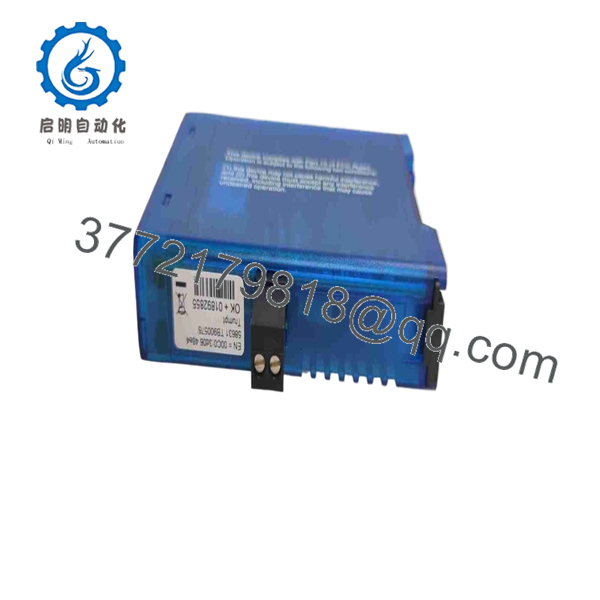
58631-TB900576
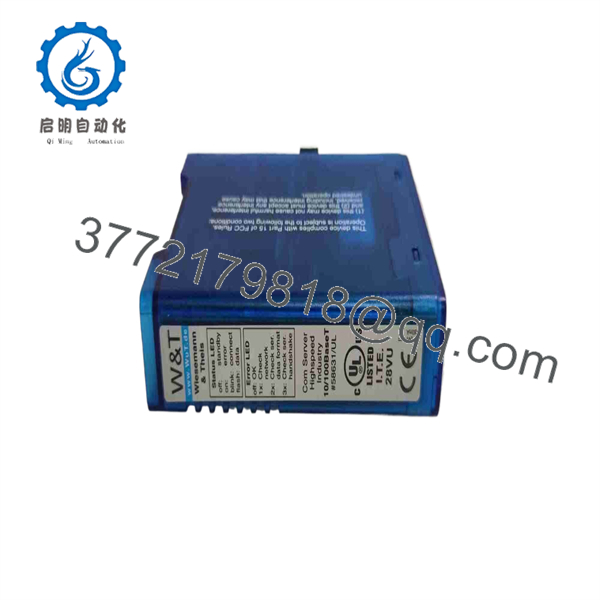
58631-TB900576
Troubleshooting Quick Reference
| Symptom | Possible Cause | Relevance to This Part | Quick Check Method | Recommendation |
|---|---|---|---|---|
| No system LEDs or no response after power-up | Missing or low rack auxiliary power, blown fuse, failed rack power supply | ❌ Low | Measure the supply at the rack power terminals using a Fluke 115 or equivalent. Check the voltage against the cabinet drawing and inspect PSU status indicators. | Confirm power and fuses before replacing the 58631-TB900576. A dead rack supply can make a good card look failed. |
| Card appears dead but adjacent cards also alarm | Backplane power, rack controller, or common communication-bus fault | ❌ Low | Compare adjacent card indicators and controller diagnostics. Inspect the rack for a shared power or bus alarm. | Diagnose the common rack fault first. Do not replace multiple cards based on one shared alarm. |
| Intermittent communication alarms | Loose seating, oxidized connector contacts, unstable DC supply, cable shielding issue | ✅ Medium | Power down under the approved plant procedure. Remove and inspect the card edge, connector pins, retaining hardware, and backplane socket. Measure DC rail stability under load. | Reseat the card once after inspection. Replace it only if alarms remain with verified power, rack, and wiring. |
| Communication timeout after replacement | Firmware/configuration mismatch, wrong card revision, incorrect switch or jumper configuration | ✅ High | Photograph the original board before removal. Compare every label, revision code, DIP switch, jumper, connector, and firmware record. Review the host diagnostic log. | Request a matching revision where possible. Restore the original switch and jumper configuration exactly. |
| Host system recognizes the card but process data is incorrect | Incorrect termination, wiring mismatch, configuration not restored, channel mapping error | ✅ Medium | Compare the installed wiring and configuration backup against current loop drawings. Verify shield termination at the designated cabinet ground point. | Do not wire from memory. Validate each signal path against approved drawings before declaring the card faulty. |
| Random resets, intermittent faults, or unstable diagnostics | DC ripple, grounding problem, thermal issue, failing power supply | ✅ Medium | Check DC power with a true-RMS meter; inspect cabinet temperature, fans, filters, grounding straps, and nearby high-noise loads. | Correct supply and environmental issues before replacing the card. A noisy auxiliary DC rail can create false hardware-failure symptoms. |
| Fault occurs only after touching or moving the board | Poor backplane contact, cracked solder joint, damaged edge connector, ESD damage | ✅ High | Inspect under magnification for bent pins, discoloration, corrosion, rework marks, and heat damage. Use ESD controls during handling. | Replace the card if a known-good rack and power supply still reproduce the fault after reseating. |
| New replacement card will not start the process | Site-specific configuration, host-controller dependency, safety permissive, or external loop condition | ✅ Medium | Review the host controller’s diagnostic buffer, permissive logic, interlock status, and event log before changing hardware again. | Confirm the fault belongs to the 58631-, not an external permissive, I/O condition, or controller configuration. |
❗ Before pulling the old card, photograph every label, DIP switch, jumper, connector, and rack position. This is the most common avoidable mistake on legacy control hardware. I have seen technicians spend two days chasing a “communication timeout” after installing a valid replacement with one address switch left at its factory setting.
❗ Do not hot-swap unless the installed Foxboro system documentation explicitly permits it. Legacy cards can share backplane power and communications. Pulling a card under power can damage connector contacts, upset the rack, or trigger a process alarm.
❗ Use ESD protection. Wear a grounded wrist strap and keep the card in an ESD-safe bag until installation. A card can pass a bench check and still be damaged by handling before it reaches the rack.
If the fault remains unclear, send technical support clear photos of the installed label, front and rear connectors, rack location, status indicators, controller diagnostics, and event logs. Keep these checks in mind and you will save yourself 90% of typical rework time.
Frequently Asked Questions (FAQ)
Is the GE Foxboro 58631- a direct replacement for every similar-looking Foxboro card?
No. The complete part number must match: . Similar GE/Foxboro cards can use different backplane contacts, firmware, signal assignments, communication behavior, or site-specific configuration. Verify the exact part number, board revision, connector arrangement, rack position, and host-system documentation before ordering.
Can I hot-swap the 58631-?
Do not assume it is hot-swappable. The public information available for this card does not confirm live insertion or removal capability. To be honest, this is a hassle on legacy control systems, but it is far cheaper than damaging a backplane or causing an unexpected control-system trip. Put the affected loop in a safe condition and follow the site’s approved isolation procedure before removing the card.
Will I lose programming or configuration when I replace this card?
Possibly. Whether settings reside on the card, host controller, engineering workstation, or separate configuration media depends on the specific Foxboro system architecture. Before removal, back up the control configuration if the system allows it, record all visible settings, photograph switch and jumper positions, and save diagnostic logs. After installation, verify communications and configuration status before returning the loop to automatic control.
Why does the installed card show a communication fault even though the card may be good?
The usual suspects are external: weak or noisy DC power, poor card seating, contaminated backplane contacts, incorrect termination, grounding problems, damaged communications wiring, or a host-controller issue. Check the rack supply, adjacent modules, connector seating, and host diagnostic buffer before replacing the 58631-. Public guidance for this part also notes that intermittent faults often relate to seating, field wiring, or supply stability rather than the card itself.
Is this part obsolete, and how does that affect availability?
The 58631- should be treated as a legacy/obsolete industrial-control part. Availability can change quickly because inventory is typically limited to surplus, recovered stock, or tested refurbished units. If your plant depends on this hardware, keep at least one verified spare and document the required board revision now rather than waiting for a breakdown.
Is the item New Surplus or Refurbished?
Confirm the exact condition on the individual quotation or product listing. New Original / New Surplus should mean unused OEM stock, normally retained from previous inventory or a discontinued project. Refurbished (tested) means a previously used unit that has been cleaned, inspected, and functionally tested. Ask for actual photos of the label, serial number, connector condition, revision marking, packaging, and test report before issuing a purchase order.
Why can surplus stock cost less than buying through an OEM channel?
Legacy inventory may come from canceled projects, excess maintenance stock, warehouse liquidations, or decommissioned systems. Lower cost does not automatically mean lower quality, but it does mean you need tighter verification. Request source traceability, detailed photos, condition confirmation, ESD-safe packaging, and a written warranty. The public listing recommends bench verification, visual inspection, simulated operation, and extended thermal testing as part of an appropriate quality-control process.
What test documentation should I request before purchase?
Request a written test report that identifies the exact 58631- unit and records, at minimum:
- Incoming visual inspection results, including connector and board-condition photos
- Serial number and hardware revision, if present
- Test-rack or simulation setup used
- Power-up and diagnostic status
- Communications check where applicable
- Continuous powered test duration and thermal observations
- Final QC sign-off date
- Warranty terms and return procedure
Test photos and videos should be available upon request. If a supplier cannot confirm the exact label, condition, and test method, treat that as a procurement risk rather than a minor paperwork issue.



