
 WhatsApp: +86 16626708626
 Email:
  Phone: +86 16626708626
Description
3. Key Technical Specifications
| Parameter | Value |
|---|---|
| Protocol | Modbus RTU or ASCII (Slave) |
| Ports | 1 × RS-232, 1 × RS-485 |
| Maximum Baud Rate | 115.2 kbaud |
| Accessible Data Tables | %M, %I, %Q, %T, %R, %AI, %AQ |
| Power Requirement | 250 mA @ 5 VDC (from 90-30 backplane) |
| Isolation | 1500 VAC field-to-logic (typical) |
| PLC Compatibility | GE Fanuc Series 90-30 (CPU version 5.01 or later) |
| Configuration | Hand-Held Programmer or Logicmaster 90 |
| Diagnostics | LED indicators for status and communication |
| Operating Temperature | 0 to 60 °C |
| Storage Temperature | –40 to 85 °C |
| Humidity | 5–95 % non-condensing |
| Weight (approx.) | 0.25–0.26 kg (0.55–0.56 lb) |
4. Product Introduction
The Horner HE693RTU900 is a Modbus slave interface module designed for the GE Fanuc Series 90-30 PLC platform. It allows a Modbus master to read from and write to the PLC’s reference tables (%M, %I, %Q, %T, %R, %AI, %AQ) as if they were standard Modbus I/O points.
The module supports both RTU and ASCII modes over RS-232 or RS-485 at baud rates up to 115.2 kbaud. Standard Modbus function codes (Read/Force Coils, Read/Preset Registers, etc.) are used, with reference ranges subdivided to map the various 90-30 data tables. Message reception LEDs and diagnostic/exception commands aid setup and troubleshooting.
A related model (HE693RTU940) adds an internal modem. The HE693RTU900 itself is discontinued.
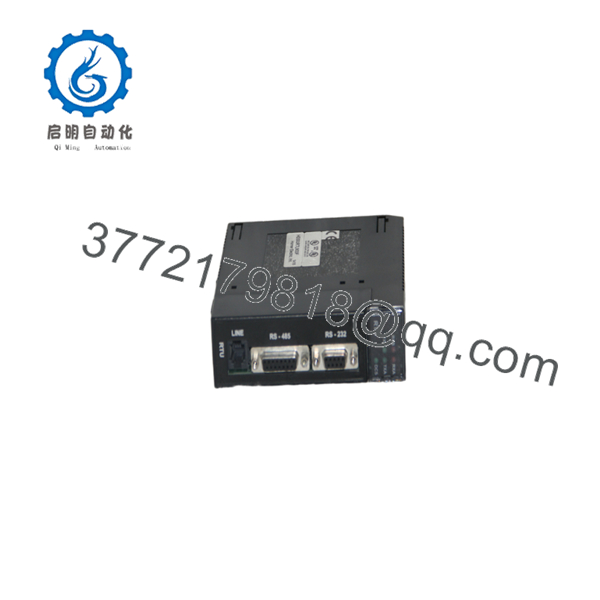
HE693RTU900
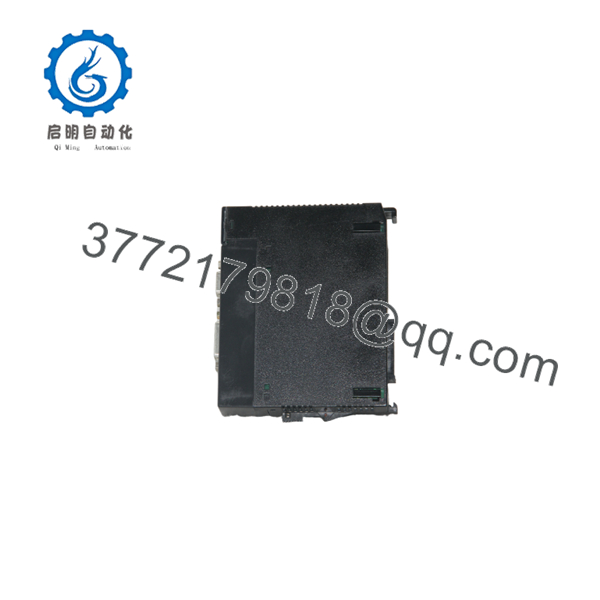
HE693RTU900
5. Installation & Configuration Guide
Stage 1: Pre-Installation Preparation (10–15 min) ⚠️ Safety First: Remove power from the Series 90-30 rack. Follow lockout/tagout. Wear an ESD wrist strap. Tools Required: ESD strap, screwdriver, RS-232 or RS-485 cable, Hand-Held Programmer or Logicmaster 90 software. Data Backup: Record existing Modbus mapping, baud rate, station address, and any related ladder logic before removal.
Stage 2: Removing the Old Module (5–10 min)
- Confirm rack power is off.
- Disconnect the RS-232 and/or RS-485 cables. Label them.
- Release the module locking tab and slide the module out of the rack slot. ⚠️ Keep the old module until the new one is fully commissioned.
Stage 3: Installing the New Module (10–15 min)
- Verify the unit is marked HE693RTU900.
- Insert the module into any available Series 90-30 I/O slot until the locking tab engages.
- Connect the RS-232 or RS-485 cable to the appropriate port. Observe proper wiring and termination for RS-485.
- Apply rack power. Self-Checklist: [ ] Module fully seated [ ] Correct port used [ ] Cable and termination correct [ ] Power restored.
Stage 4: Power-On & Testing (15–30 min)
- Configure the module (station address, baud rate, parity, mode) using the Hand-Held Programmer or Logicmaster 90.
- Map the desired 90-30 reference tables to Modbus register/coil ranges.
- Connect a Modbus master and verify read/write access to %I, %Q, %R, %AI, etc.
- Confirm LED status and check for exception responses.
- Place the system in normal operation. ⚠️ Troubleshooting Note: No response is most often caused by incorrect station address, baud rate mismatch, or missing RS-485 termination. Exception codes usually indicate an out-of-range reference or unsupported function.
6. Frequently Asked Questions (FAQ)
Q: Can the HE693RTU900 be hot-swapped? No. Always remove power from the Series 90-30 rack before inserting or removing the module.
Q: Is the HE693RTU900 still in production? No. The module is discontinued. Remaining units are new surplus or refurbished. For new designs, migrate to current Modbus communication solutions compatible with newer PLC platforms.
Q: What PLC data tables can it access? %M, %I, %Q, %T, %R, %AI, and %AQ. References are mapped into Modbus coil and register address ranges.
Q: What is the difference between HE693RTU900 and HE693RTU940? The HE693RTU940 is functionally equivalent but includes an internal 14.4 kbps modem.
Q: Why is the price lower than historical OEM list price? These are genuine surplus units from excess inventory. They are original Horner modules that have never been installed in a running system, but they are no longer available through standard channels. Functional testing and warranty are provided.
Q: What software is used for configuration? Hand-Held Programmer or Logicmaster 90. Later systems may use compatible programming software that supports Series 90-30 configuration.
Q: Does it support both RTU and ASCII modes? Yes. Both Modbus RTU and ASCII protocols are supported on the RS-232 and RS-485 ports.



