
 WhatsApp: +86 16626708626
 Email:
  Phone: +86 16626708626
Description
Key Technical Specifications
- Catalog Number: IC660BBD020
- Manufacturer: GE Fanuc / General Electric
- Product Family: Genius I/O
- Function: 24/48 VDC source discrete I/O block
- Number of Circuits: 16
- Operating Voltage: 18–56 VDC
- Nominal Voltage: 24/48 VDC
- Circuit Configuration: Input, tristate input, or output
- Output Current: 2 A steady state per circuit
- Maximum Inrush Current: 10 A for up to 10 ms
- Control Power Consumption: 150 mA typical; 300 mA maximum
- Communication: GE Genius bus
- Sensor Compatibility: 3-wire solid-state and electromechanical sensors
- Diagnostics: Short circuit, overload, overtemperature, failed switch, open wire, and no-load detection
- Isolation: 1,500 V block-to-block isolation
- Maximum Ripple: 10% of supply voltage
- Operating Temperature: Verify against the applicable GE Genius I/O manual before installation; published vendor data varies
- Weight: Approximately 1.36–1.8 kg, depending on configuration and packaging
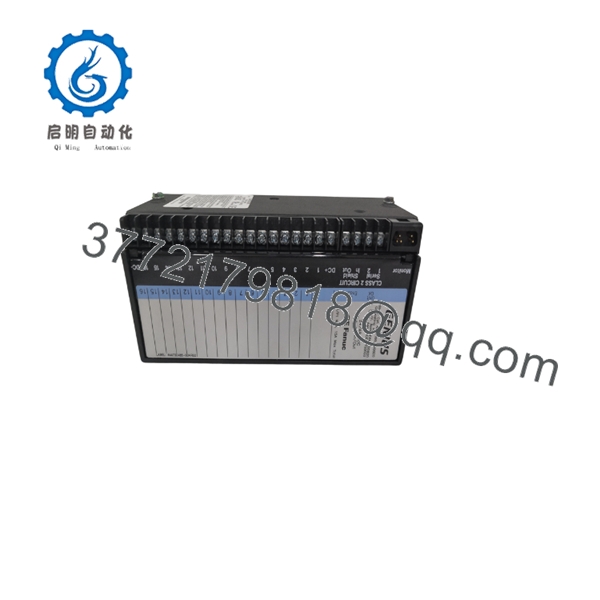
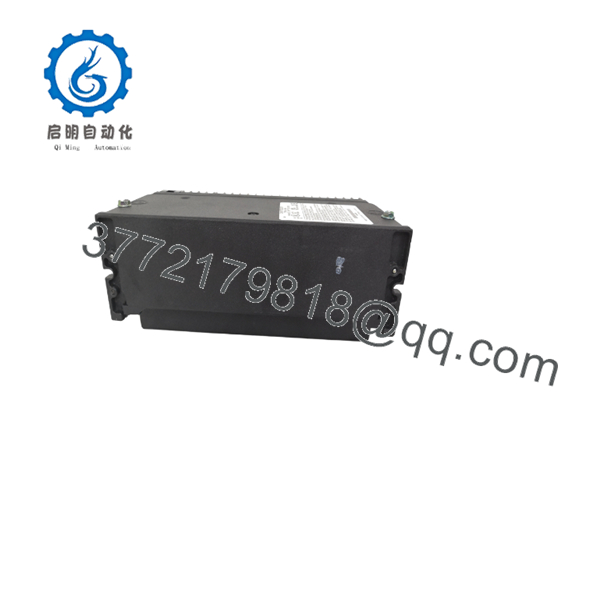
The IC660BBD020 is a GE Fanuc Genius 24/48 VDC source I/O block with 16 configurable discrete circuits. Each circuit can function as an input, tristate input, or output, allowing the block to interface with 3-wire sensors, electromechanical devices, and DC actuators. Its published operating range is 18–56 VDC, with 2 A steady-state output capability per circuit.
The block provides individual circuit indication and built-in diagnostics for conditions such as overload, short circuit, failed switching devices, open wiring, and overtemperature. It is a legacy Genius I/O component, so verify the existing Genius bus configuration, terminal assembly, firmware compatibility, and exact replacement condition before installation.
IC660BBD020
IC660BBD020
Troubleshooting Quick Reference
| Symptom | Possible Cause | Relevance to This Part | Quick Check Method | Recommendation |
|---|---|---|---|---|
| No status LEDs after power-up | Missing or low field supply voltage | ✅ High | Measure DC voltage directly at the block supply terminals; confirm it remains within 18–56 VDC under load | Check fuses, wiring polarity, supply capacity, and terminal tightness before replacing the block |
| Block does not appear on the Genius bus | Incorrect bus address, baud rate, termination, or wiring | ✅ High | Compare address and configuration switches with the original unit; verify Genius bus voltage and polarity | Photograph the original switch settings before removal; confirm bus termination and cable shield practice |
| Intermittent communication loss | Noise, poor shielding, loose terminals, or marginal power | ✅ Medium | Monitor bus diagnostics while checking supply voltage and cable continuity; inspect shield bonding | Correct wiring and grounding first; do not assume the I/O block has failed |
| One output remains off | Open load, blown field fuse, overload, or failed output switch | ✅ High | Command the point on and measure voltage at the output terminal; test with the field device disconnected | Check load current and wiring; replace the block only if the commanded output remains incorrect with a known-good load |
| Output trips repeatedly | Short circuit or excessive inrush current | ✅ High | Isolate the load and measure resistance to common; compare inrush with the 10 A, 10 ms limit | Repair the field circuit or add suitable suppression before installing another block |
| Input point never changes state | Incorrect sensor wiring, failed sensor, or wrong input reference | ✅ Medium | Measure sensor supply and input voltage at the block terminal while actuating the device | Verify the 3-wire sensor pinout, common reference, and field-device operation |
| Several points fail together | Common supply, common return, terminal assembly, or bus issue | ❌ Low | Measure voltage at the affected group and inspect shared terminals; compare adjacent blocks | Investigate the power distribution and terminal assembly before replacing the IC660BBD020 |
| Diagnostic reports overtemperature | Excessive load, enclosure heat, or poor ventilation | ✅ Medium | Measure output current, inspect enclosure temperature, and check whether multiple outputs are near 2 A | Reduce load, improve cooling, and confirm the block is not being operated beyond its thermal limits |
| Configuration appears lost after replacement | Switch settings or Genius bus address mismatch | ✅ High | Compare every address and configuration switch position with the removed unit | Mirror the original physical configuration; never configure from memory |
| Replacement powers up but will not run correctly | Firmware, Genius network, or master compatibility issue | ✅ Medium | Record the existing controller and bus configuration, then review Genius diagnostics and communication status | Confirm compatibility with the installed Genius master before ordering a replacement |
If the fault remains unclear, provide technical support with photos of the installed block, terminal wiring, switch positions, LED status, supply measurements, and controller diagnostic logs.
Frequently Asked Questions (FAQ)
What is the GE Fanuc IC660BBD020?
The IC660BBD020 is a GE Fanuc Genius 24/48 VDC source I/O block with 16 configurable discrete circuits. The circuits can be configured as inputs, tristate inputs, or outputs for compatible DC field devices.
Is the IC660BBD020 obsolete?
Treat it as a legacy component for procurement purposes. Several industrial automation suppliers identify the model as discontinued or available only through remaining inventory, so confirm stock status, date code, condition, and return terms before purchase.
Can I use it as a direct replacement?
Only after confirming the existing Genius bus address, terminal assembly, wiring, field voltage, configuration switch positions, and controller compatibility. Similar-looking Genius blocks can have different source/sink behavior, voltage ranges, or terminal requirements.
Can I hot-swap the ?
Do not assume hot-swapping is permitted. Unless the site documentation and the applicable GE Genius manual explicitly authorize the procedure, remove power before replacing the block. Hot work can damage the block, connected field devices, or the Genius network.
Will my programming remain intact after replacing the block?
The PLC program normally remains in the controller, but the replacement block must match the original network address and configuration. Record the original switch positions and confirm the controller recognizes the replacement before returning the machine to automatic operation.
Why is this part cheaper than buying from the factory?
This is a legacy product with limited original production availability. Pricing may reflect new surplus, unused inventory, refurbished stock, or tested used equipment; the supplier should state the exact condition, inspection performed, warranty period, and included terminal hardware in writing.
What should I verify before ordering?
Confirm the complete catalog number, voltage range, source/sink configuration, 16-circuit requirement, Genius bus compatibility, terminal assembly, switch settings, physical condition, warranty, and lead time. Do not rely on the model number alone if the existing installation has been modified.



