
 WhatsApp: +86 16626708626
 Email:
  Phone: +86 16626708626
Description
Key Technical Specifications
- Manufacturer: GE / GE Fanuc (GE Intelligent Platforms)
- Model Number: IC693CHS392
- Product Type: Expansion baseplate / I/O backplane
- Series: Series 90-30 (Mark I / Mark II compatible)
- Slots: 10 I/O slots (typical for CHS39x family)
- Backplane Power: 5 VDC logic rail (internal supply rating varies by chassis)
- Expansion Port: Yes — supports expansion to additional racks via expansion connector
- Mounting: DIN / panel mounting per Series 90-30 mechanical spec
- Operating Temp: Industrial range (confirm with OEM datasheet before installation)
- Dimensions: Manufacturer datasheet required for exact H×W×D values
- Weight: Varies by assembly and options — check nameplate or datasheet
- Certifications: Use within Series 90-30 system; confirm UL/CE listings per part revision
Product Introduction
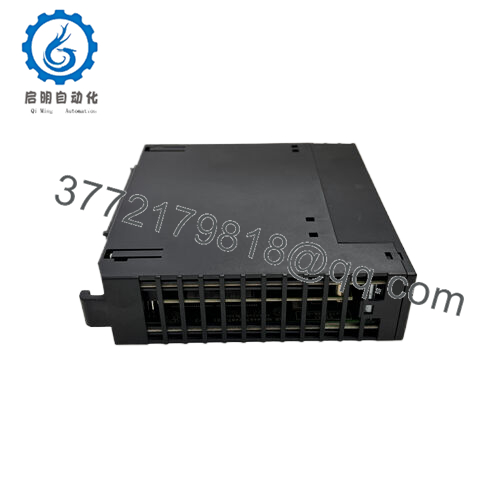
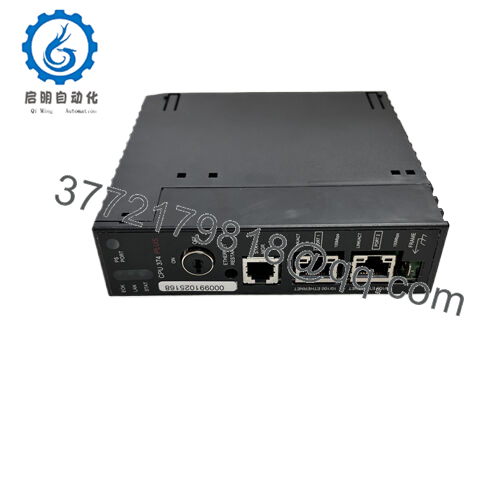
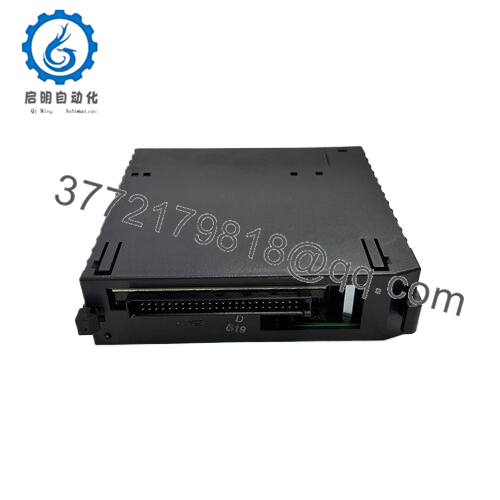
GE IC693CHS392 is an expansion baseplate for the Series 90-30 PLC family, intended to add I/O density via a 10-slot backplane and an expansion port for chained racks. It provides the mechanical and electrical bus for Series 90-30 I/O modules and expansion cabinets, and is used where additional distributed I/O is required in legacy GE control systems.
This baseplate is chosen when maintaining or extending a Series 90-30 installation because it follows GE bus pinouts and expansion protocol; however, verify exact board revision and backplane power ratings against your existing CPU/baseplate to avoid firmware or power mismatches.

- IC693CHS392
Troubleshooting Quick Reference
| Symptom | Possible Cause | Relevance to this Part | Quick Check Method | Recommendation |
|---|---|---|---|---|
| No power to I/O modules | Backplane 5 VDC supply absent or weak | ✅ High | Measure 5 VDC between backplane power terminals with modules removed | Check baseplate internal power supply, fuses, and connector seating before replacing baseplate |
| Modules not addressed or shown in software | Expansion port not recognized or bus connector fault | ✅ High | Verify expansion cable seated, check continuity on expansion connector pins | Re-seat expansion cable, inspect pins for damage, compare part revision compatibility |
| Intermittent I/O failures | Loose module connectors or intermittent bus contact | ✅ High | Visually inspect module connectors; wiggle test with power off and torque terminal screws | Clean contacts, re-seat modules, replace suspect module rather than whole backplane if localized |
| Rack fails to boot with CPU | Wrong baseplate type or missing terminator/terminator resistor | ✅ Medium | Check for required terminator or correct I/O bus termination at end of chain | Ensure proper terminator installed and verify baseplate model matches CPU requirements |
| LEDs on baseplate indicate fault | Fault codes due to bus errors or power issues | ✅ High | Capture LED pattern/photo and cross-check Series 90-30 diagnostics manual | Refer to Series 90-30 diagnostic table; replace only after ruling out wiring and power faults |
| Physical damage or bent pins | Mishandling or field damage | ✅ High | Inspect expansion port pins and module edge fingers under good light | If pins damaged, remove power and repair or replace backplane; damaged pins can short logic rails |
Note: Series 90-30 systems are sensitive to backplane power and expansion cable compatibility; always compare the baseplate part number and revision to the OEM datasheet before swapping parts. If unresolved, gather photos of the nameplate, wiring, and LED patterns and contact support with those diagnostics.
Frequently Asked Questions (FAQ)
Q: Can I hot-swap modules on IC693CHS392?
A: To be honest, hot-swapping depends on the specific module type and backplane configuration; many Series 90-30 modules are not designed for live removal without following the OEM hot-swap procedure. Kill power when in doubt — incorrect hot-swap can damage the backplane and modules.
Q: Is IC693CHS392 backward compatible with IC693CHS391 or other baseplates?
A: Compatibility is usually close within the CHS39x family, but revisions and firmware behavior can differ. Verify pinouts, power rail ratings, and expansion-port wiring against your existing hardware before swapping.
Q: Will the CPU retain program and I/O configuration when I replace this baseplate?
A: Program and CPU configuration are stored in the CPU module, not the baseplate; however, mismatched backplanes can change I/O addressing. Document DIP switch/jumper settings and take a photo of the existing rack before removal.
Q: Why do surplus/refurb units cost less than factory new?
A: Lower price often reflects excess inventory or refurbished condition; make sure the seller provides test reports, serial traceability, and a clear warranty. Ask for test images or a functional test report.
Q: What tests should a supplier perform before shipping a refurbished IC693CHS392?
A: At minimum: visual inspection, connector/pin integrity check, power rail measurement, and a functional test in a known-good Series 90-30 test rack with I/O modules to confirm bus communication. Request a photo of the test rack and LED boot sequence.
Q: What information do I need to provide for an accurate replacement quote?
A: Provide the exact part number (IC693CHS392), any revision suffix, photos of the nameplate and expansion connector, quantity, and delivery address. Include whether you need tested, refurbished, or factory-new condition.
Q: How likely is the baseplate itself to be the cause of I/O faults?
A: Frequently the root cause is wiring, power supply, or a local I/O module rather than the baseplate. Only replace the baseplate after confirming power rails and module behavior; use the quick checks above to narrow the fault.
If you want, provide the unit photos (nameplate, connector, LED patterns) and I’ll write repair/replace guidance tailored to that exact hardware and your site wiring.



