
 WhatsApp: +86 16626708626
 Email:
  Phone: +86 16626708626
Description
Key Technical Specifications
- Manufacturer: GE Fanuc Automation
- Part Number: IC693CPU323
- Product Family: Series 90-30 PLC
- Module Type: Embedded Turbo CPU Baseplate
- CPU Type: Embedded CPU
- Processor: Intel 80188
- Processor Speed: 10 MHz
- Baseplate Size: 10-slot baseplate
- CPU Location: Embedded on backplane
- User Program Memory: 12 KB maximum
- Register Memory: 2 KB
- Discrete I/O Capacity: Up to 320 points
- Analog Input Capacity: 64 words
- Analog Output Capacity: 32 words
- Timers/Counters: 340
- Typical Scan Rate: 0.6 ms per 1K Boolean instructions
- Built-in Serial Port: 1 port
- Serial Protocol Support: SNP Slave, SNP-X Slave
- Power Requirement: 5 VDC, approximately 430 mA
- Operating Temperature: 0 to 60 °C
- Programming Software Compatibility: Logicmaster 90-30, VersaPro, Proficy Machine Edition
- Expansion Capability: No expansion baseplates supported
The GE Fanuc IC693CPU323 is a Series 90-30 embedded CPU baseplate with a built-in Turbo CPU. It combines the CPU, memory, and rack backplane into one integrated unit for compact PLC applications.
Product Introduction
The GE Fanuc IC693CPU323 is an embedded CPU solution for the Series 90-30 PLC platform. Unlike modular CPU systems where the processor is installed as a separate module, the CPU is permanently integrated into the baseplate assembly. This design reduces hardware count and provides a compact control solution for smaller automation systems.
The IC693CPU323 uses an 80188 processor running at 10 MHz and provides up to 12 KB of user program memory. It supports up to 320 discrete I/O points, analog data handling, timers, counters, and standard Series 90-30 programming functions.
This CPU baseplate is commonly found in legacy machine control applications where maintaining the existing Series 90-30 architecture is required. Typical applications include packaging equipment, assembly machines, material handling systems, and standalone industrial controllers.
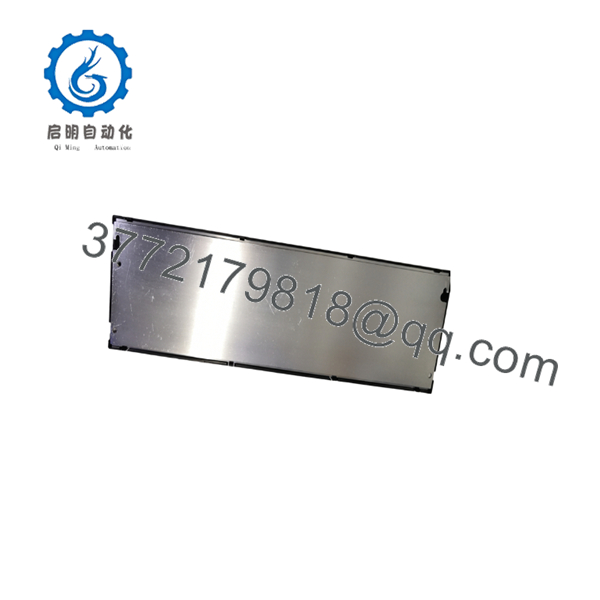
IC693CPU323
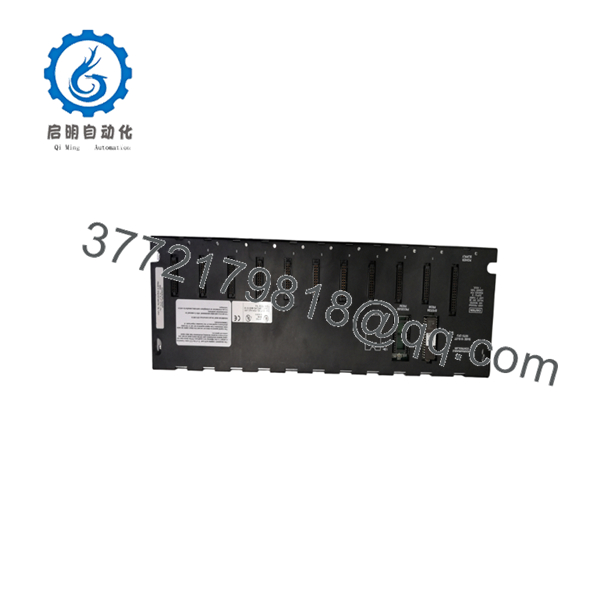
IC693CPU323
Installation & Configuration Guide
Stage 1: Pre-Installation Preparation (Approx. 15 minutes)
⚠️ Safety First
- Notify production personnel before replacing the PLC CPU assembly.
- Place the controlled equipment into a safe condition.
- Apply lockout/tagout procedures.
- Remove all PLC power before disconnecting hardware.
Tools Required
- ESD wrist strap
- Phillips screwdriver
- Digital multimeter
- Programming cable
- PLC backup software
Data Backup
Before replacement:
- Upload and save the PLC application program.
- Record CPU firmware revision.
- Document installed I/O modules.
- Record serial communication parameters.
- Photograph the existing rack wiring.
Stage 2: Removing the Existing IC693CPU323
Steps:
- Switch off PLC rack power.
- Disconnect the power supply wiring.
- Remove all connected I/O modules.
- Disconnect communication cables.
- Remove mounting screws.
- Remove the CPU baseplate assembly.
⚠️ Important:
Because the CPU is embedded into the baseplate, the complete rack assembly must be replaced if the CPU hardware fails.
Stage 3: Installing IC693CPU323
Steps:
- Wear an ESD wrist strap.
- Verify replacement model number: .
- Mount the CPU baseplate in the original cabinet location.
- Install compatible power supply and I/O modules.
- Reconnect communication wiring.
- Restore PLC configuration.
Configuration Checklist
- CPU model verified
- Program backup available
- I/O module positions matched
- Serial communication parameters restored
- Power supply compatibility confirmed
Stage 4: Power-On & Testing
Pre-Power Check
- Verify 5 VDC backplane supply.
- Check module seating.
- Confirm grounding.
- Verify communication cable connections.
Commissioning Steps
- Apply PLC power.
- Check CPU diagnostic LEDs.
- Connect programming software.
- Verify program memory.
- Confirm I/O recognition.
- Place CPU into RUN mode.
- Test machine functions.
⚠️ Troubleshooting Note
If the CPU fails to start:
- Check power supply voltage.
- Verify program memory status.
- Confirm CPU fault codes.
- Check battery-backed memory condition.
- Verify correct hardware configuration.
Frequently Asked Questions (FAQ)
Q1: Is the GE Fanuc obsolete?
Yes. The is part of the discontinued Series 90-30 PLC family. It remains in service in many industrial plants that continue operating legacy GE Fanuc control systems.
Q2: What is the main difference between and modular Series 90-30 CPUs?
The integrates the CPU directly into the baseplate. Modular CPUs use a separate CPU module installed into a rack. The embedded design reduces hardware complexity but limits expansion options.
Q3: How much program memory does have?
The provides up to 12 KB of user program memory. Earlier firmware releases may support less memory capacity.
Q4: Does support Ethernet communication?
The CPU itself does not include an Ethernet port. Ethernet communication can be added through compatible communication modules where supported by the system configuration.
Q5: Can use expansion racks?
No. The is a non-expandable embedded CPU baseplate. It is intended for standalone Series 90-30 applications.
Q6: What communication protocols are supported by the built-in serial port?
The integrated serial interface supports SNP Slave and SNP-X Slave communication protocols.
Q7: What should be verified before ordering ?
Confirm:
- Exact part number:
- System platform: GE Fanuc Series 90-30
- Embedded CPU requirement
- Required memory capacity
- Existing I/O configuration
- Serial communication requirements
- Required condition: New Original, New Surplus, or Tested Refurbished
For legacy Series 90-30 CPU replacement projects, the most important checks are program backup availability, I/O compatibility, and CPU revision matching. A physically identical CPU baseplate may still require configuration recovery before the machine can return to service.



