
 WhatsApp: +86 16626708626
 Email:
  Phone: +86 16626708626
Description
3. Key Technical Specifications
- Processor: Intel 80188 compatible
- Clock Speed: 10 MHz
- User Memory: 16 KB RAM
- I/O Capacity: Up to 512 discrete I/O points
- Analog Capacity: 128 input words / 64 output words
- System Scan Time: ~0.4 ms per 1K Boolean logic
- Communication Ports: Serial (SNP / GE protocol dependent)
- Rack Compatibility: GE Series 90-30 backplane
- Power Consumption: ~350 mA @ 5 VDC
- Operating Temperature: 0°C to 60°C typical industrial range
- Mounting: Slot 1 CPU rack insertion (backplane mounted)
- Battery Backup: RAM retention via replaceable battery
4. Product Introduction
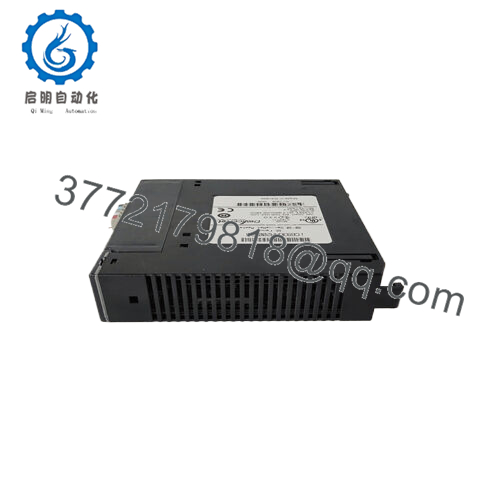
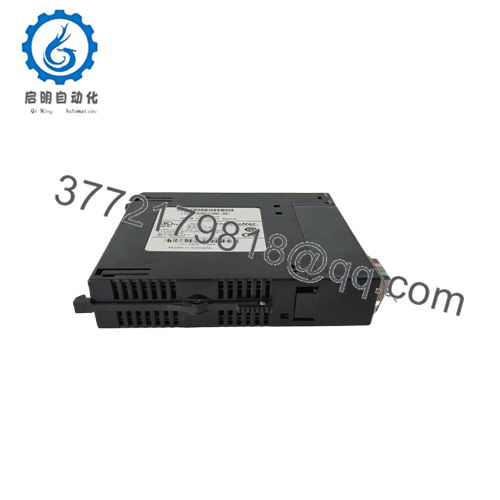
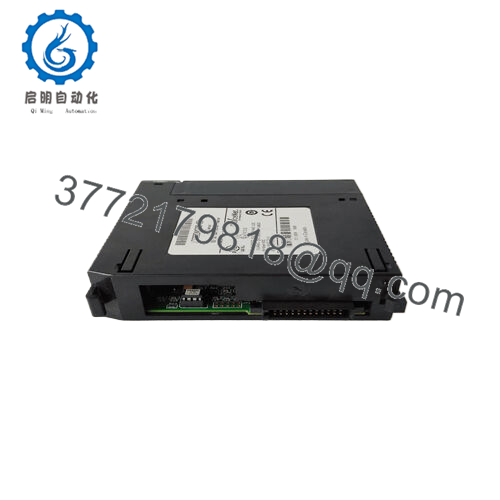
The GE IC693CPU331E is a CPU module designed for the GE Fanuc Series 90-30 PLC platform, used in industrial control systems for logic execution, I/O scanning, and communication handling across modular racks. It operates as the central processing unit in distributed automation architectures commonly found in manufacturing, utilities, and process control systems.
This module uses a 10 MHz 80188-class processor with 16 KB of user memory, supporting up to 512 discrete I/O points. It is widely used in legacy installations where system stability and rack compatibility take priority over processing expansion or modern network integration.

- IC693CPU331E
5. Installation & Configuration Guide
Stage 1: Pre-Installation Preparation
⚠️ Safety First: Confirm system shutdown, apply LOTO procedures, and verify 0 V on the backplane before handling modules. Wait at least 5 minutes for capacitor discharge.
Tools Required: ESD wrist strap, PH1 screwdriver, multimeter, label tags, phone for documentation.
Data Backup: Upload PLC program using Proficy Machine Edition (or compatible GE tool). Photograph:
- Rack layout
- CPU slot position
- DIP switches (if applicable)
- Wiring and serial port connections
Stage 2: Removing the Old Module
- Remove CPU slot cover if present
- Label and disconnect any serial/aux connections
- Release rack locking tabs
- Pull module straight out of backplane
- Inspect backplane pins for bending or contamination
⚠️ Note: Do not rock the module side-to-side; GE 90-30 backplane pins are sensitive to mechanical stress.
Stage 3: Installing the New Module
- Confirm exact model match (IC693CPU331E)
- Apply ESD grounding protection
- Insert CPU into Slot 1
- Push until locking mechanism clicks
- Reconnect serial/communication cables
- Restore original rack configuration
Self-Checklist:
- CPU seated fully in Slot 1
- Backplane connectors aligned
- Serial cable routing verified
- Rack locks engaged
Stage 4: Power-On & Testing
- Energize PLC rack only (field devices remain isolated)
- Observe LED indicators: RUN / OK / FAULT
- Connect programming software and verify CPU detection
- Confirm firmware compatibility with existing project
- Download stored program if required
- Perform dry-run I/O simulation
⚠️ Troubleshooting Note:
- Solid ERR LED → likely firmware mismatch or corrupted RAM
- No communication → check serial settings (baud, parity, SNP configuration)
Estimated commissioning time: 20–30 minutes (if configuration is documented)
6. Frequently Asked Questions (FAQ)
Can the IC693CPU331E be hot-swapped?
No. The Series 90-30 architecture is not designed for hot swapping CPUs. Removing it under power risks backplane corruption and rack-level communication faults.
Is this CPU still considered obsolete?
Yes. It belongs to the legacy GE Fanuc 90-30 platform. It is still widely used in plants, but OEM support is limited and parts are typically sourced as surplus.
Will I lose my program when replacing the CPU?
Yes, unless it is stored in battery-backed RAM or external memory. Always back up the program before replacement.
What is the direct modern replacement?
Typically migration goes toward GE RX3i (PACSystems). However, direct drop-in replacement does not exist; hardware and software conversion is required.
Why do these CPUs fail in the field?
Most failures are not silicon-level. Common issues include:
- Battery-backed RAM loss
- Backplane connector wear
- Firmware mismatch after replacement
- Corrupted memory after power instability
Is this unit plug-and-play?
Only if firmware version and rack configuration match exactly. Even small version differences can prevent successful CPU synchronization.
What condition is typically supplied?
Usually New Surplus or Tested Used. Full factory-new sealed units are rare due to platform discontinuation.



