
 WhatsApp: +86 16626708626
 Email:
  Phone: +86 16626708626
Description
3. Key Technical Specifications
- Processor: Intel 80386EX compatible
- Clock Speed: 25 MHz
- User Memory: 240 KB (RAM + Flash configuration dependent)
- Program Storage: Non-volatile Flash / battery-backed RAM
- Communication Ports:
- 1 × 10BaseT Ethernet (RJ-45)
- 1 × RS-232 serial port
- 1 × RS-485 (via system power supply interface)
- Protocols: SRTP, Modbus TCP/IP, SNP/SNP-X
- Backplane Compatibility: GE Series 90-30 rack system
- Max Baseplates Supported: Up to 8 (1 CPU + 7 expansion/remote)
- Power Consumption: ~1.5 A @ 5 VDC
- Scan Time: ~0.22 ms per 1K Boolean logic
- Operating Temperature: 0°C to 60°C
- Storage Temperature: -40°C to 85°C
- Mounting: Single-slot CPU rack insertion
- Ethernet Type: 10BaseT (legacy industrial Ethernet)
4. Product Introduction
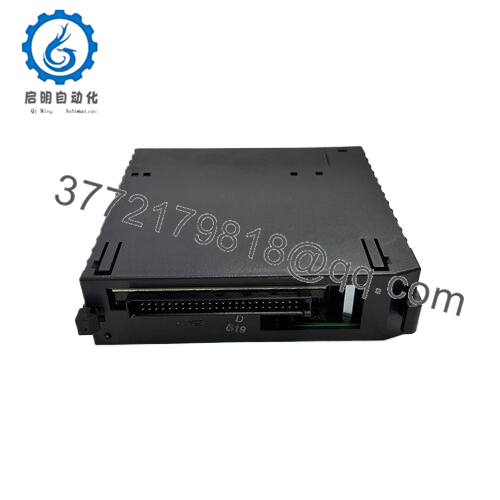
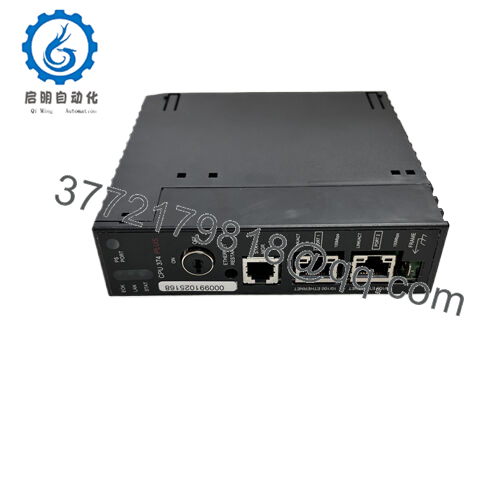
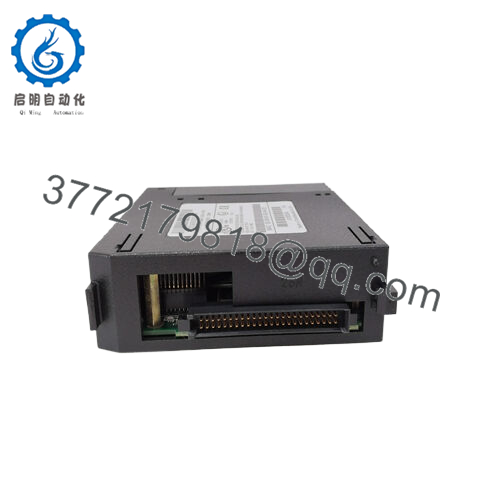
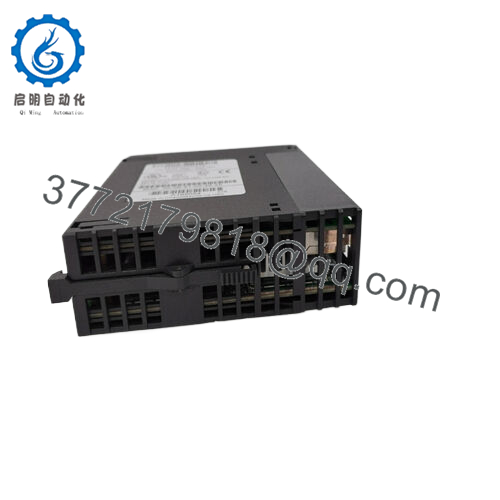
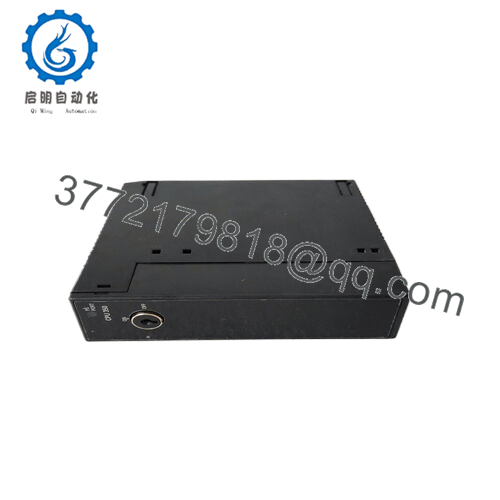
The GE IC693CPU364-CJ is a high-performance CPU module for the GE Fanuc Series 90-30 PLC platform, designed to execute ladder logic, manage distributed I/O, and handle industrial communication over Ethernet and serial networks. It acts as the central controller in modular automation systems used in manufacturing, utilities, and process control environments.
This CPU integrates a 25 MHz 80386EX processor with 240 KB configurable memory and built-in Ethernet communication. It is commonly selected for legacy system expansions where Ethernet-based monitoring and multi-rack I/O coordination are required without migrating to RX3i architecture.

- IC693CPU364-CJ
5. Installation & Configuration Guide
Stage 1: Pre-Installation Preparation
⚠️ Safety First: Shut down PLC system, apply LOTO, and verify zero voltage on backplane and field terminals before removal. Wait minimum 5–10 minutes for full capacitor discharge.
Tools Required:
ESD wrist strap, PH1 screwdriver, multimeter, labeling tape, smartphone for documentation.
Data Backup:
- Upload PLC program via Proficy Machine Edition
- Record hardware configuration (rack, slot mapping)
- Photograph Ethernet settings, serial parameters, and DIP configurations
Stage 2: Removing the Old Module
- Disconnect Ethernet and serial communication cables
- Label all connectors before removal
- Release rack locking latch
- Pull CPU straight out of backplane (no twisting)
- Inspect slot for bent pins or contamination
- Confirm no residual rack voltage anomalies
⚠️ Note: Backplane damage is irreversible; handle with axial force only.
Stage 3: Installing the New Module
- Verify exact match: IC693CPU364-CJ (firmware alignment critical)
- Apply ESD grounding protection
- Insert CPU into Slot 1 of 90-30 rack
- Push until mechanical latch engages fully
- Reconnect Ethernet and serial interfaces
- Confirm IP addressing strategy (static vs SETIP tool method)
Self-Checklist:
- CPU fully seated in Slot 1
- Ethernet link LED active
- Serial wiring correct polarity
- Rack power supply stable
Stage 4: Power-On & Testing
- Power rack only (field devices isolated)
- Observe LED indicators (RUN / OK / FAULT)
- Connect via Proficy Machine Edition
- Verify CPU firmware version compatibility
- Confirm Ethernet connectivity (ping / SRTP session)
- Download saved PLC program if required
- Perform dry-run I/O scan test
⚠️ Troubleshooting Note:
- Continuous FAULT LED → firmware mismatch or corrupted flash
- No Ethernet link → IP misconfiguration or damaged PHY
- No comms via SNP → baud/protocol mismatch on serial port
Estimated commissioning time: 20–30 minutes (documented system)
6. Frequently Asked Questions (FAQ)
Is the IC693CPU364-CJ hot-swappable?
No. The Series 90-30 CPU is not designed for hot swap operation. Removing it under power risks corrupting the backplane and halting the entire rack.
What makes the “-CJ” revision different?
The CJ suffix indicates a hardware/firmware revision variant within the CPU364 family. In practice, it may affect firmware compatibility and Ethernet stack behavior, so matching revision is important.
Does this CPU support Ethernet programming?
Yes. It includes a built-in 10BaseT Ethernet port supporting SRTP and Modbus TCP/IP communication for programming and monitoring.
Will I lose my PLC program when replacing it?
Yes, unless it is stored in flash or properly backed up. Always perform a full upload before swapping CPUs.
What is the direct replacement for this CPU?
The modern migration path is GE RX3i PACSystems CPUs. There is no direct pin-to-pin replacement; hardware and software conversion is required.
Why does this CPU have multiple communication ports?
It is designed for hybrid environments: Ethernet for modern SCADA integration and serial ports for legacy devices still using SNP or Modbus RTU.
Is this still supported by GE/Emerson?
Hardware support is limited due to platform age. Most units are maintained via surplus supply chains and third-party repair services rather than OEM production.



