
 WhatsApp: +86 16626708626
 Email:
  Phone: +86 16626708626
Description
Key Technical Specifications
| Parameter | Value |
| Processor Speed | 25 MHz (80383EX) |
| User Memory Capacity | 240 KB |
| Built-In Communications | 1 x RJ-45 Ethernet port, 1 x RS-485 serial port (via power supply) |
| Ethernet Data Rate | 10 Mbps (half or full duplex) |
| Protocols Supported | SRTP (Ethernet), Modbus TCP (Server), SNP, SNPX |
| Total I/O Capacity | 2,048 discrete inputs/outputs, 1,024 analog inputs/outputs |
| Maximum Local Racks | 8 racks total (1 CPU rack + up to 7 expansion/remote racks) |
| Current Consumption | 0.89 A from +5 VDC backplane rail |
| Operating Temperature | 0 to +60 °C (32 to 140 °F) |
Product Introduction & Supply Chain Strategy
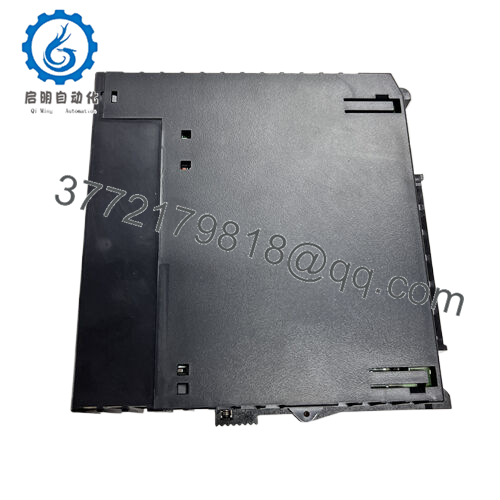
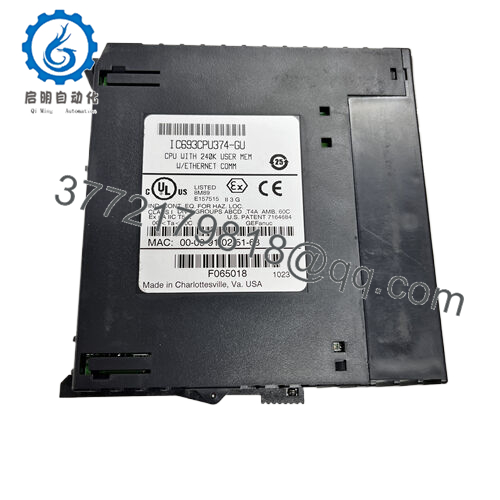
The GE Fanuc IC693CPU364-FK is a single-slot central processing unit designed for the Series 90-30 PLC platform. Equipped with an integrated 10 Mbps Ethernet port and 240 KB of configurable user memory, this module handles complex automation tasks, discrete manufacturing processes, and remote telemetry interface applications. It manages up to 2,048 local I/O points and executes control loops with deterministic precision, making it a foundational component across global water treatment plants, material handling systems, and mid-sized power generation facilities.
From an asset management perspective, securing this component as a Brand New Surplus unit is a critical risk-mitigation strategy. The Series 90-30 lifecycle is mature, meaning OEM lead times are highly volatile and list prices for scarce components carry a steep premium. Purchasing verified new surplus inventory minimizes the Total Cost of Ownership (TCO) by providing drop-in reliability without the high failure rates associated with refurbished hardware. Maintaining 1–2 units of this CPU as on-site buffer stock acts as an operational insurance policy against catastrophic downtime during emergency unscheduled outages.

- IC693CPU364-FK
Installation & Configuration Guide
Stage 1: Pre-Installation (Prep & Safety)
- Isolate all upstream power sources supplying the PLC chassis using standard lock-out/tag-out (LOTO) procedures. Verify the system is completely de-energized.
- Put on a grounded anti-static wrist strap and connect it to the unpainted metal surface of the industrial enclosure to prevent electrostatic discharge (ESD) damage.
- Document the existing hardware setup. Take clear digital photographs of any external communication cables connected to the RJ-45 or serial ports.
Stage 2: Removal
- Unplug the Ethernet cable from the front RJ-45 port by depressing the plastic retaining clip.
- Loosen the top and bottom retaining screws on the faceplate of the faulty CPU module.
- Firmly grasp the top and bottom levers of the module, press down on the release tabs, and pull the card straight out of the slot. Avoid rocking the module side-to-side to prevent bending the sensitive backplane pins.
Stage 3: Installation (Clone & Seat)
- Unbox the new surplus IC693CPU364-FK card inside the ESD-safe zone. Inspect the rear connector pins for any transport defects.
- The IC693CPU364-FK does not utilize physical DIP switches for network configurations; hardware configurations are fully software-defined. Ensure your logic configuration file matches the physical slot position (always Slot 1, adjacent to the power supply).
- Align the circuit board with the top and bottom card guides of Slot 1 in the baseplate. Slide the module smoothly inward until the backplane connector engages completely. Tighten the retaining screws to 6 in-lbs of torque.
- Reinsert the RJ-45 Ethernet network connection until it clicks securely into place.
Stage 4: Power-On & Testing
- Remove LOTO devices and apply system power.
- Observe the front panel LED indicators. The PWR LED on the power supply must be solid green, and the CPU OK LED should turn solid green after completing the power-on self-test.
- Connect your programming laptop to the network or the power supply serial port. Open Proficy Machine Edition, establish a communication handshake, and verify the CPU status is clear of system faults.
- Download the validated backup logic and configuration profile to the processor, then toggle the CPU to RUN mode. Confirm the RUN LED lights up solid green.
Firmware/Software Versions & Upgrade Notes
The IC693CPU364-FK requires specific firmware baselines depending on your engineering software version. It is highly recommended to run firmware Version 9.10 or higher to ensure full compatibility with modern Proficy Machine Edition programming environments and to resolve legacy TCP/IP stack vulnerabilities.
Upgrading firmware during a hardware replacement carries operational risks. If your existing network utilizes old SRTP drivers, upgrading to the final firmware revisions can cause protocol timeouts or communication drops if the legacy host software cannot handle faster response windows. Conversely, downgrading a new surplus card to match a legacy site standard can corrupt the boot code if executed incorrectly. Always upload and archive the active hardware configuration, including the IP address table and subnet mask, before performing any firmware modifications on the replacement processor.
Frequently Asked Questions (FAQ)
What exactly is the condition of this IC693CPU364-FK module?
This module is an authentic, brand new surplus unit. It has never been installed in an active industrial panel, never pulled from a decommissioned facility, and is completely free of component repairs or component soldering. It represents original factory stock sourced from clean, temperature-controlled environments, and it undergoes rigorous functional validation before shipment to guarantee OEM-level operational lifespans.
Why is this new surplus unit priced higher than refurbished versions online?
Refurbished parts are typically used modules that failed in service, received localized component repairs (like replacing burnt capacitors), and were cleaned up cosmetically. They carry hidden internal component degradation that severely lowers their mean time between failures (MTBF). Our pricing reflects the high cost of procuring and validating genuine, unused surplus inventory. Spending marginally more upfront prevents an unexpected breakdown that can result in thousands of dollars per hour in lost production.
Can I hot-swap this CPU module while the rack is powered?
No. The GE Series 90-30 platform does not support hot-swapping for CPU modules. Removing or inserting the IC693CPU364-FK processor while the backplane is energized creates high electrical arcing risks across the logic pins. This can permanently fry the internal ASIC chips on the CPU card or damage the baseplate itself. Always de-energize the entire rack before swapping the module.
Will this processor retain its logic program if the main power is lost?
The IC693CPU364-FK utilizes volatile RAM to store user logic, configuration settings, and register data. To prevent data loss during power loss events, the processor relies on the backup battery located inside the adjacent power supply module. If your system loses power and that battery is dead or missing, the RAM will wipe, requiring a fresh program download. We recommend changing the power supply battery every 12–24 months as a preventive maintenance measure.
What warranty comes with this new surplus processor module?
To provide complete engineering peace of mind, this unit comes backed by a comprehensive 12-month operational warranty starting from the date of shipment. If the module experiences any hardware faults or communication failures during normal operation within this window, we will provide a direct replacement or a full credit refund.



