
 WhatsApp: +86 16626708626
 Email:
  Phone: +86 16626708626
Description
3. Key Technical Specifications
- Processor: AMD SC520 / 586-class embedded CPU
- Clock Speed: 133 MHz
- User Memory: 240 KB (RAM + Flash configuration dependent)
- Program Storage: Flash + battery-backed RAM
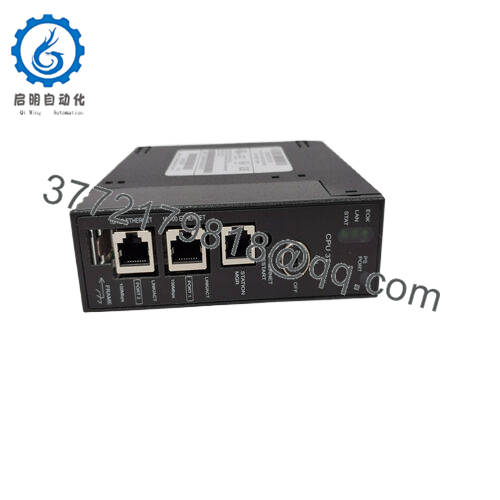
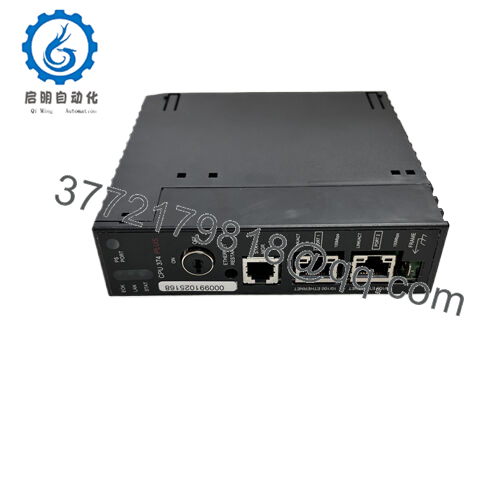
- Ethernet Ports: 2 × RJ-45 (10/100 Mbps, auto-sensing)
- Ethernet Architecture: Built-in switch (single IP handling)
- Protocols: SRTP, Ethernet Global Data (EGD), Modbus TCP/IP
- Serial Communication: RS-485 via power supply port (SNP/SNPX)
- I/O Capacity: Up to 2048 discrete points (system dependent)
- Scan Time: ~0.15 ms per 1K Boolean logic
- Power Consumption: ~7.4 W @ 5 VDC
- Baseplates Supported: Up to 8 (1 CPU + 7 expansion/remote)
- Operating Temperature: 0°C to 60°C
- Storage Temperature: -40°C to 85°C
- Mounting: Single-slot Series 90-30 rack CPU slot
- Diagnostics: RUN/STOP switch + LED status indicators
- Battery Backup: Internal + optional external battery support
4. Product Introduction
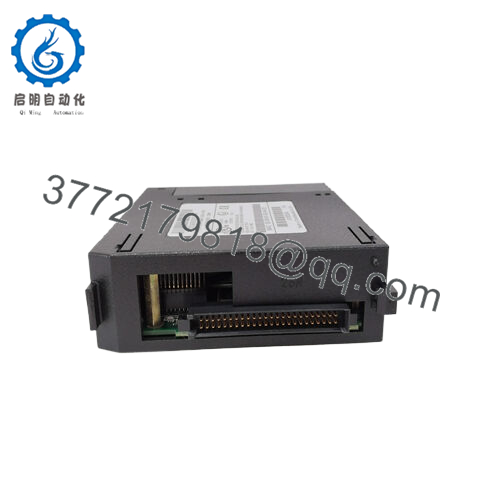
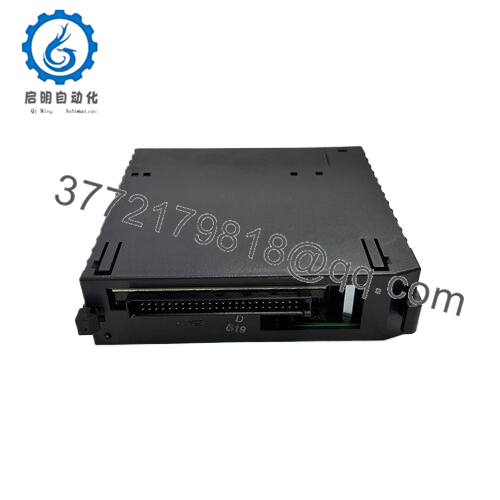
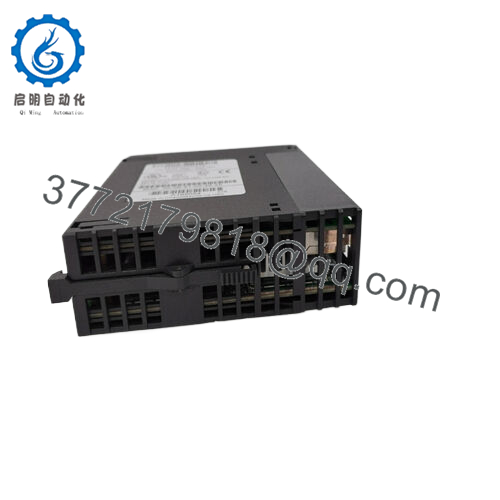
The GE IC693CPU374-GV is a high-performance CPU module for the Series 90-30 PLC platform, designed for industrial automation systems requiring fast logic execution and integrated Ethernet communication. It functions as the central controller for distributed I/O architectures in manufacturing and process control environments.
This model integrates a 133 MHz processor with 240 KB memory and dual 10/100 Mbps Ethernet ports, enabling SCADA connectivity, peer-to-peer PLC communication, and real-time control without additional communication modules.

- IC693CPU374-GV
5. Installation & Configuration Guide
Stage 1: Pre-Installation Preparation
⚠️ Safety First: Perform full system shutdown, apply LOTO, and confirm zero voltage on rack backplane and field circuits. Allow 5–10 minutes for capacitor discharge.
Tools Required: ESD wrist strap, PH1 screwdriver, multimeter, labeling tags, camera for configuration capture.
Data Backup:
- Upload PLC program via Proficy Machine Edition
- Record IP address, Ethernet settings, and serial parameters
- Photograph rack layout, CPU slot, and wiring configuration
Stage 2: Removing the Old Module
- Disconnect Ethernet and RS-485 connections
- Label all communication cables
- Release rack locking mechanism
- Pull CPU straight out of backplane (no tilting)
- Inspect connector pins for oxidation or damage
- Verify rack power stability before replacement
⚠️ Note: Lateral force can damage the 90-30 backplane connector permanently.
Stage 3: Installing the New Module
- Confirm exact match: IC693CPU374-GV (firmware-critical revision)
- Apply ESD protection
- Insert CPU into Slot 1 of Series 90-30 rack
- Push until latch fully engages
- Reconnect Ethernet (dual RJ-45 ports)
- Restore RS-485 wiring via PSU interface
Self-Checklist:
- CPU fully seated in Slot 1
- Ethernet link LEDs active
- IP configuration verified
- Serial wiring polarity confirmed
Stage 4: Power-On & Testing
- Energize PLC rack (field devices isolated)
- Observe LED sequence (RUN / OK / FAULT)
- Connect engineering workstation (Proficy Machine Edition)
- Verify Ethernet communication (ping / SRTP session)
- Confirm firmware compatibility
- Download PLC program if required
- Perform full I/O scan test
⚠️ Troubleshooting Note:
- Solid FAULT LED → firmware mismatch or corrupted memory image
- No Ethernet link → IP conflict or port hardware failure
- Intermittent comms → backplane voltage instability or grounding issue
Estimated commissioning time: 20–35 minutes (documented system)
6. Frequently Asked Questions (FAQ)
Is the IC693CPU374-GV hot-swappable?
No. The Series 90-30 CPU architecture does not support safe hot swapping. Removing it under power can crash the entire rack and corrupt memory.
What does the “-GV” suffix mean?
It typically indicates a manufacturing or firmware revision variant. Electrically compatible with CPU374 family, but firmware alignment must be verified before deployment.
Does this CPU support Ethernet programming?
Yes. It includes dual 10/100 Mbps Ethernet ports supporting SRTP and EGD protocols for SCADA, HMI, and engineering access.
Will I lose my program when replacing this CPU?
Yes, unless the logic is backed up externally or stored in non-volatile memory. Always perform a full upload before replacement.
What is the difference between CPU374 and CPU364?
CPU374 generally provides dual Ethernet ports and higher processing capability, while CPU364 typically includes a single Ethernet interface.
Is this still supported by GE/Emerson?
Hardware support is limited due to platform obsolescence. Most units are maintained through industrial surplus supply chains and third-party repair services.
What is the most common failure mode?
Field failures typically come from:
- Battery-backed RAM loss
- Ethernet PHY degradation
- Backplane connector wear
- Firmware mismatch after replacement



