
 WhatsApp: +86 16626708626
 Email:
  Phone: +86 16626708626
Description
3. Key Technical Specifications
| Parameter | Value |
|---|---|
| Manufacturer | GE Fanuc (Emerson Automation) |
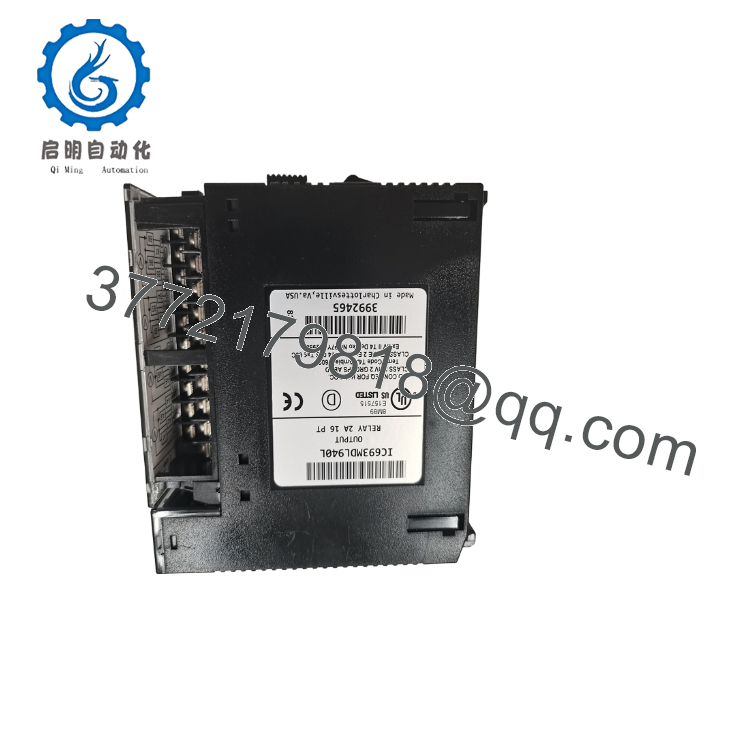
| Model | IC693MDL940L |
| Product Type | Relay Output Module |
| PLC Series | Series 90-30 |
| Number of Outputs | 16 relay outputs |
| Output Type | Normally Open (Relay) |
| Maximum Output Current | 2 A per point |
| Switching Voltage | Suitable for AC and DC loads within module ratings |
| Contact Isolation | Relay-isolated outputs |
| Status Indicators | Individual LED for each output channel |
| Backplane Power | 5 VDC via Series 90-30 baseplate |
| Installation | Any I/O slot in a Series 90-30 baseplate |
| Typical Applications | Relays, contactors, solenoids, indicator lamps, motor starters |
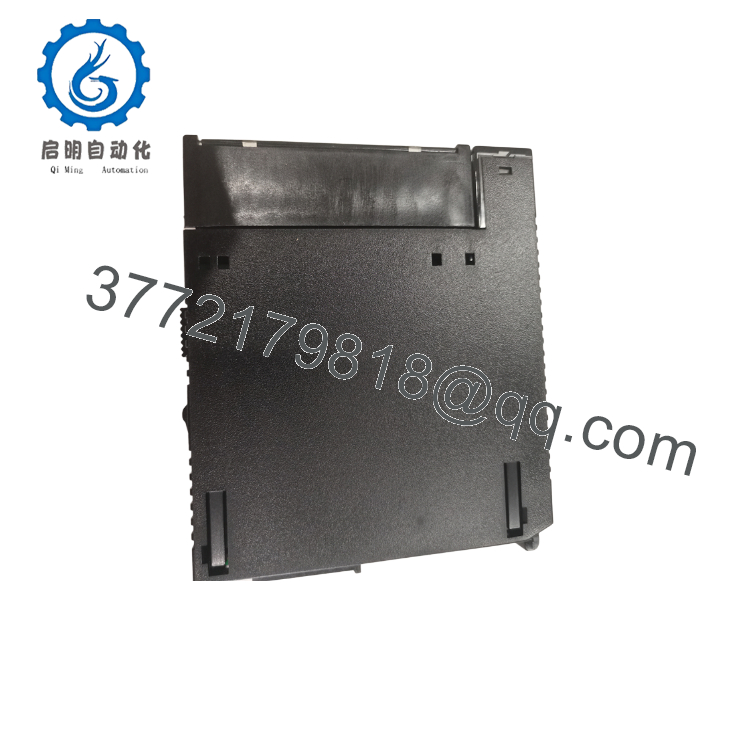
The IC693MDL940L is a 16-point, 2 A relay output module designed for the GE Fanuc Series 90-30 PLC platform. Relay outputs provide electrical isolation between the PLC and field devices, allowing the module to switch either AC or DC loads that fall within its electrical ratings.
4. Product Introduction
The GE IC693MDL940L is a 16-channel relay output module developed for the Series 90-30 PLC family. It converts PLC logic into isolated relay contacts capable of controlling contactors, solenoid valves, alarm devices, pilot lights, and other industrial loads requiring dry-contact switching.
Unlike transistor output modules, the IC693MDL940L is suitable for both AC and DC control circuits. This flexibility makes it a common choice for legacy automation systems where different field voltages exist within the same control panel. Individual output LEDs simplify commissioning and fault diagnosis during maintenance.

- IC693MDL940L
- IC693MDL940L
5. Installation & Configuration Guide
Stage 1 – Pre-Installation Preparation (10 Minutes)
⚠️ Safety First
- Notify operations before shutting down the equipment.
- Apply Lock-Out/Tag-Out (LOTO).
- Remove PLC and field power.
- Wait at least 5 minutes before servicing the rack.
Tools Required
- ESD wrist strap
- Phillips screwdriver
- Digital multimeter
- Wire labels
- Smartphone for wiring documentation
Data Backup
- Save the PLC application.
- Photograph all terminal wiring.
- Label every output conductor.
- Record the module slot location.
Stage 2 – Removing the Existing Module (5 Minutes)
- Disconnect field wiring.
- Release the module locking mechanism.
- Pull the module straight from the baseplate.
- Inspect the connector pins for contamination or damage.
⚠️ Keep the original module until all sixteen outputs have been verified.
Stage 3 – Installing the Replacement Module (10 Minutes)
- Wear an ESD wrist strap.
- Confirm the replacement part number is IC693MDL940L.
- Insert the module fully into the baseplate.
- Tighten retaining hardware if fitted.
- Reconnect all field wiring according to the recorded documentation.
Installation Checklist
- ✅ Correct module installed
- ✅ Wiring verified
- ✅ Module fully seated
- ✅ Terminal screws tightened
- ✅ Ground connection confirmed
Stage 4 – Power-On & Functional Testing (10 Minutes)
Pre-Power Checks
- Verify field voltage.
- Inspect output wiring for shorts.
- Confirm correct grounding.
Commissioning
- Power the PLC.
- Observe module LEDs during startup.
- Force each relay output individually using the programming software.
- Verify connected devices operate correctly.
- Return the system to automatic operation.
⚠️ Troubleshooting
- No outputs operate: Verify backplane power and PLC configuration.
- Single output fails: Check relay wiring and field load.
- Relay energizes but field device does not: Measure voltage across the relay contacts.
- Intermittent operation: Inspect terminal tightness and relay contact loading.
6. Frequently Asked Questions (FAQ)
Q1. Is the IC693MDL940L a relay module or a transistor output module?
It is a relay output module with 16 normally open relay outputs rated at 2 A per point. Relay outputs can switch both AC and DC loads, unlike transistor outputs that are generally limited to DC applications.
Q2. What types of field devices can this module control?
Typical applications include:
- Motor starter coils
- Solenoid valves
- Alarm horns
- Pilot lights
- Industrial relays
- Small AC or DC contactors
Relay outputs are especially useful when a control cabinet contains mixed-voltage equipment.
Q3. Can I hot-swap the IC693MDL940L?
No. Series 90-30 I/O modules are not intended for hot replacement. Remove power before installing or removing the module to prevent damage to the PLC backplane and to avoid unintended machine operation.
Q4. Is the IC693MDL940L still manufactured?
No. The IC693MDL940L belongs to the legacy Series 90-30 PLC family and has been discontinued. Current availability is typically limited to New Surplus inventory, tested used units, or professionally refurbished modules.
Q5. What is the most common installation mistake?
The most common issue is exceeding the relay contact rating. While relay contacts are versatile, switching loads above 2 A per channel or highly inductive loads without proper suppression can shorten relay life. For inductive devices such as solenoids or contactors, install flyback diodes (DC) or RC snubber networks (AC) to protect the contacts.
Q6. Will replacing the module affect my PLC program?
No. The application program is stored in the CPU. Replacing the relay output module does not erase PLC logic, provided the replacement module is installed in the same slot and the field wiring is restored correctly.
Q7. What inspections should be completed before shipment?
A professional quality inspection should include:
- OEM label and serial number verification
- Visual inspection for corrosion, cracked housings, or repair marks
- Functional testing of all 16 relay outputs
- Relay contact switching verification under load
- LED status verification
- Backplane connector inspection
- ESD-safe packaging with anti-static protection
- Final QC inspection report
For discontinued Series 90-30 hardware, requesting a 16-channel relay switching test report or a power-on demonstration video before shipment provides additional confidence that the module is ready for installation.



