
 WhatsApp: +86 16626708626
 Email:
  Phone: +86 16626708626
Description
Key Technical Specifications
- Controller Platform: PACSystems RX3i
- Module Type: Redundancy CPU
- CPU Architecture: Celeron-based PACSystems processor
- User Memory: Up to 64 MB battery-backed RAM and 64 MB non-volatile flash memory
- Redundancy Function: Hot Standby CPU redundancy (Primary/Secondary synchronization)
- Redundancy Links: Supports up to two IC695RMX128/IC695RMX228 synchronization links
- Backplane Support: RX3i PCI high-speed bus and serial backplane bus
- Serial Communication: RS-232, RS-485
- Supported Protocols: Modbus RTU Slave, SNP, Serial I/O
- Discrete Memory: %I and %Q up to 32K bits
- Analog Memory: %AI and %AQ configurable up to 32K words
- Operating Temperature: 0 to 60 °C (32 to 140 °F)
- Power Requirements: +3.3 V DC 1.0 A nominal; +5 V DC 1.2 A nominal
- Program Blocks: Up to 512 blocks, maximum 128 KB per block
- Memory Protection: ECC single-bit correction and multiple-bit error detection
- Typical Switchover Time: Maximum one logic scan, minimum approximately 3.133 ms
Product Introduction
The GE Fanuc IC695CRU320-CD is a PACSystems RX3i Redundancy CPU designed for high-availability machine and process control applications. It provides hot standby CPU operation with synchronized primary and backup controllers, supporting applications where controller availability is critical. The module communicates through RX3i dual backplane architecture and supports serial communication protocols including SNP and Modbus RTU.
The CRU320-CD is commonly installed in redundant RX3i control systems used for continuous production environments. Before replacement, verify firmware revision, RX3i backplane compatibility, and matching redundancy CPU configuration. The CRU320 does not support redundancy synchronization between different controller families such as RX3i and RX7i.
Installation & Configuration Guide
Stage 1: Pre-Installation Preparation (15–20 minutes)
⚠️ Safety First:
- Notify operations before controller maintenance.
- Place the controlled process into a safe operating condition.
- Apply lockout/tagout procedures before removing power.
- Wait at least 5 minutes after power removal for stored energy discharge.
Tools Required:
- ESD wrist strap
- PH1 screwdriver
- Digital multimeter
- Wire labels
- Smartphone or camera for configuration records
Data Backup:
- Export the PACSystems RX3i project from Proficy Machine Edition.
- Record CPU firmware revision.
- Photograph rack layout, module positions, wiring, and rotary/DIP settings.
- Document Ethernet addresses and communication settings.
⚠️ Compatibility Check:
Confirm the replacement unit is IC695CRU320-CD and verify the existing system uses compatible RX3i redundancy hardware. Firmware requirements must match the installed hardware revision.
Stage 2: Removing the Old Module (10 minutes)
Steps:
- Remove the CPU front cover if installed.
- Label all connected communication cables.
- Disconnect cables carefully without pulling on terminals.
- Release rack locking tabs.
- Pull the CPU module straight outward.
- Inspect the backplane connector for dust, bent pins, or contamination.
⚠️ Keep the removed CPU until the replacement has completed commissioning.
The old module is your reference for firmware, configuration, and troubleshooting.
Stage 3: Installing the New Module (15 minutes)
Steps:
- Wear an ESD wrist strap before handling the CPU.
- Confirm model marking: IC695CRU320-CD.
- Install the CPU into the RX3i rack slot.
- Ensure the module seats completely into the backplane connector.
- Lock the module retaining mechanism.
- Reconnect communication cables.
Configuration Clone Checklist:
☐ Firmware revision verified
☐ Redundancy configuration matched
☐ Rack position confirmed
☐ Network parameters restored
☐ Communication settings checked
Stage 4: Power-On & Testing (20–30 minutes)
Pre-Power Check:
- Measure 24 V DC supply voltage.
- Verify no short circuit exists on the control power rail.
- Confirm all modules are correctly seated.
Power-On Steps:
- Power the RX3i rack.
- Observe CPU LED indicators.
- Confirm RUN status.
- Connect Proficy Machine Edition.
- Verify firmware and hardware identification.
- Download or restore the approved project if required.
- Confirm primary/secondary redundancy synchronization.
- Perform controlled I/O testing.
⚠️ Troubleshooting Notes:
- SYS FLT LED active: Check firmware compatibility and hardware configuration.
- Redundancy synchronization failure: Verify IC695RMX128/228 link configuration.
- Communication timeout: Check serial parameters, network settings, and project configuration.
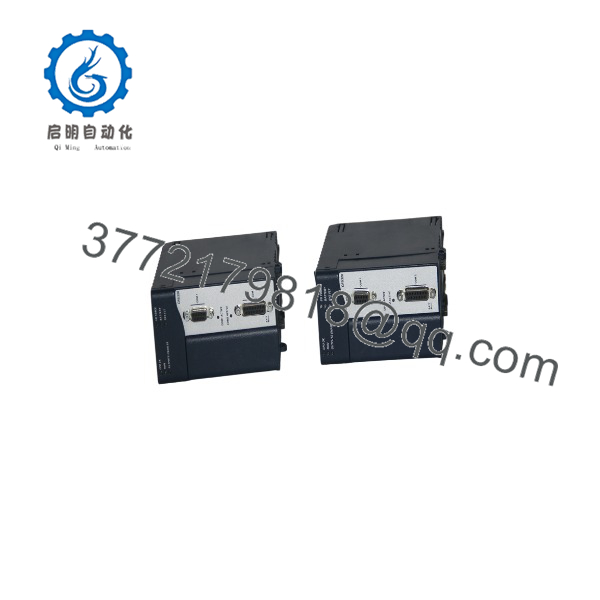
IC695CRU320-CD
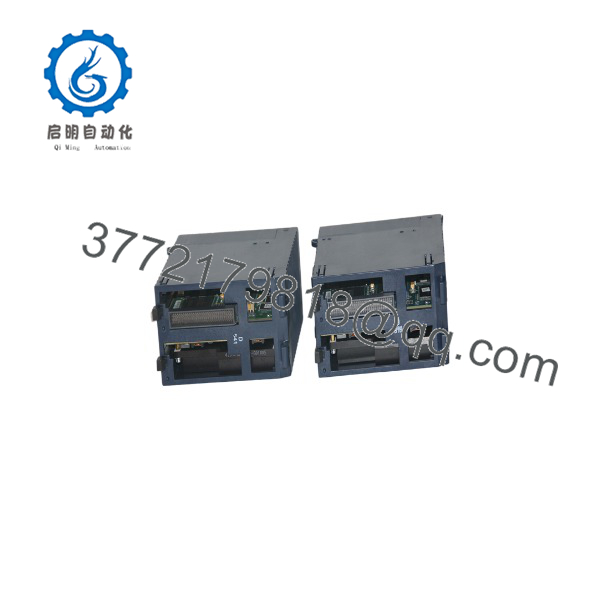
IC695CRU320-CD
Frequently Asked Questions (FAQ)
Q1: Can the GE IC695CRU320-CD be hot-swapped under power?
No. The CRU320-CD should not be removed from an energized rack unless the system design specifically allows that operation. Removing a CPU module during operation can interrupt the backplane communication and affect the redundancy state. Shut down power and follow site procedures before replacement.
Q2: Is IC695CRU320-CD obsolete?
The PACSystems RX3i CRU320 family is considered a legacy automation platform, but many industrial facilities continue operating these systems. Availability depends on surplus inventory and tested refurbished stock.
Q3: What is the direct replacement for IC695CRU320-CD?
The correct replacement depends on the existing RX3i hardware revision, firmware level, and redundancy architecture. Do not substitute another CPU model without checking the PACSystems compatibility documentation.
Q4: Will I lose my PLC program when replacing the CRU320-CD?
The CPU replacement itself does not erase the project stored in your engineering workstation. However, the replacement CPU may require the application program, hardware configuration, and redundancy settings to be downloaded again.
Always keep a verified backup before removing the original controller.
Q5: Why is surplus available below OEM pricing?
Legacy industrial control modules are often sourced from plant closures, excess inventory, and lifecycle replacement projects. Pricing depends on condition, testing history, firmware revision, and available stock.
A reliable supplier should provide inspection records and clearly identify whether the unit is New Original, New Surplus, or Refurbished.
Q6: What should I verify before ordering ?
Check:
- Existing CPU catalog number
- Hardware revision
- Firmware version
- RX3i rack model
- IC695RMX redundancy modules
- Proficy Machine Edition compatibility
A firmware mismatch or unsupported hardware combination can cause commissioning delays.
Q7: Does support RX7i redundancy systems?
No. The CRU320 redundancy system requires matching controller families. RX3i and RX7i controllers cannot operate as a redundant pair.



