
 WhatsApp: +86 16626708626
 Email:
  Phone: +86 16626708626
Description
Key Technical Specifications
| Parameter | Value |
| Module Type | Profibus-DP V1 Master Module |
| Backplane Compatibility | RX3i PCI Slots (IC695 Universal Backplane) |
| Maximum Data Rate | 12 Mbps (Auto-sensing or software configurable) |
| Supported Slaves | Up to 125 Profibus-DP slave stations |
| Data Memory | Up to 244 bytes of input data and 244 bytes of output data per slave |
| Environmental Protection | Conformal coated circuit board (-DC suffix for harsh environments) |
| Current Draw | 440 mA @ 5 VDC, 4 mA @ 3.3 VDC |
| Connector Type | 9-pin sub-D female connector |
| Network Isolation | 500 VAC continuous electrical isolation |
Product Introduction & Supply Chain Strategy
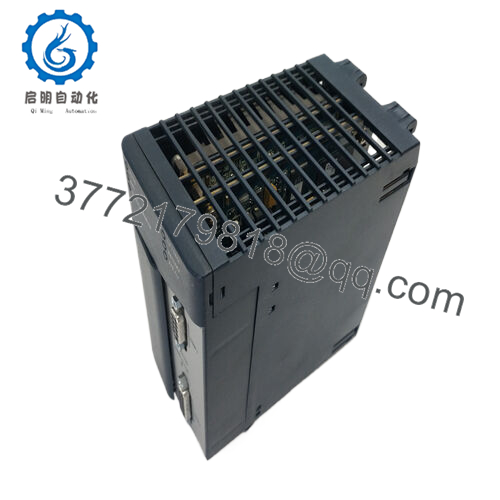
The IC695PBM300-DC is a high-performance PACSystems RX3i Profibus-DP Master module featuring a factory-applied conformal coating (-DC) to protect internal circuit traces against humidity, dust, and corrosive airborne contaminants. This module mounts directly into the RX3i PCI backplane slots, enabling an industrial processor to manage, configure, and exchange high-speed cyclical data with up to 125 decentralized Profibus-DP slave devices. It is standard hardware across demanding process environments, including chemical manufacturing, petrochemical refining, and complex wastewater processing systems.
From a supply chain standpoint, the conformal-coated versions of these master cards are critical bottleneck components. If a communication master fails due to environmental degradation, an entire localized industrial fieldbus network drops offline instantly, halting production lines. Procuring this specific model as a Brand New Surplus unit ensures your plant receives uncompromised, zero-hour silicon that has not suffered subterranean heat stresses or mechanical fatigue. Maintaining 1 unit as an on-site insurance policy mitigates the long lead times often associated with specialized, coated OEM automation hardware.
Installation & Configuration Guide
Stage 1: Pre-Installation (Prep & Safety)
- Verify the main power feed to the RX3i universal backplane is isolated using established lock-out/tag-out (LOTO) procedures.
- Fasten a grounded ESD wrist strap to your arm and clamp the other end to the structural bare-metal chassis frame of the panel enclosure.
- Review the existing PROFIBUS cable installation. Note if an end-of-line termination resistor is switched on at the module’s 9-pin Sub-D connector.
Stage 2: Removal
- Loosen the retaining thumb-screws on the 9-pin Sub-D Profibus network connector and gently pull the connector straight off the module faceplate.
- If the chassis uses locking tabs or faceplate hardware screws, loosen them completely.
- Depress the top and bottom chassis clips on the module casing. Pull the module outward from the backplane rails with a smooth, steady, horizontal motion to prevent damage to the high-density PCI gold fingers on the rear connector.
Stage 3: Installation (Clone & Seat)
- Extract the new surplus IC695PBM300-DC module from its protective anti-static packaging. Inspect the gold backplane contacts for grease or scratches.
- Note that network addressing and data rates are established via software within PAC Machine Edition; there are no hardware DIP switches to manually configure on this card.
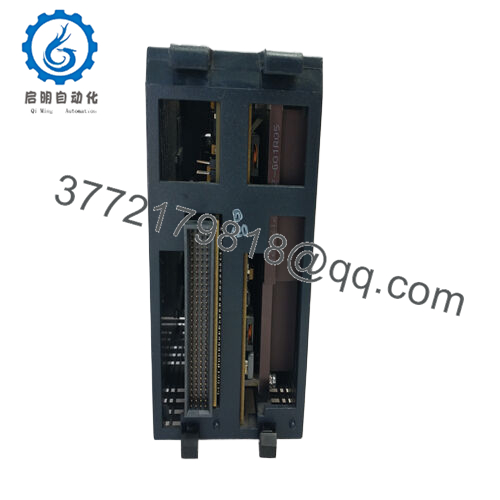
- Insert the card into the designated universal backplane slot. Slide it completely rearward until the alignment tabs and the PCI connector lock firmly into the backplane. Click the top and bottom retaining clips into place.
- Align the 9-pin Sub-D Profibus connector to the matching front port, press firmly, and secure the hardware screws.
Stage 4: Power-On & Testing
- Re-energize the RX3i rack power supply.
- Observe the front panel status LEDs during initialization. The OK LED should turn solid green, indicating successful hardware diagnostics, and the CONFIG LED will illuminate once a valid configuration file is accepted.
- Open PAC Machine Edition, go online with the controller, and check the I/O fault table to ensure no initialization errors or address conflicts are present.
- Verify the COMM LED blinks or stays solid green, indicating a steady cyclic data transfer handshake is occurring across the active slave nodes.

- IC695PBM300-DC
Firmware/Software Versions & Upgrade Notes
The IC695PBM300-DC requires PAC Machine Edition (PME) software version 5.5 or higher for standard configuration profiles. For full Profibus-DP V1 feature deployment and enhanced diagnostic message parsing, software version 8.60 or above coupled with module firmware v1.20 or later is recommended.
When completing a critical hardware replacement, checking firmware alignment is paramount. Putting a new surplus module with newer firmware into a system running a highly conservative, legacy CPU configuration can result in configuration mismatches or module rejection during boot-up. If the module is rejected, you must flash the module firmware backward to align with your system configuration file, or update your software configuration settings to match the new hardware revision level before downloading the logic.
Frequently Asked Questions (FAQ)
What does the “-DC” suffix signify on this model number?
The “-DC” designation indicates that the circuit board assemblies inside the module have been treated with a specialized conformal coating. This protective layer isolates the electronics from humidity, airborne particulate matter, and chemical vapors. It is a direct substitute for the standard IC695PBM300 card, offering enhanced survivability in harsh, corrosive, or high-moisture industrial atmospheres.
Are these units truly brand new, or are they cleaned-up used parts?
These modules are genuine New Surplus items. They are entirely unused, have never been installed in a field panel, and have never run logic in an active industrial process. They are not refurbished or repaired. Every unit originates from surplus inventories acquired from clean stockrooms, and each undergoes complete inbound tracing and visual and electronic quality checks before distribution.
Why shouldn’t I just buy a cheaper refurbished IC695PBM300-DC card?
Refurbished fieldbus master modules often carry micro-fractures in solder joints or degraded isolation components due to prolonged heat cycles in the field. Fieldbus masters run hot because they manage constant, high-frequency network traffic. A refurbished card might operate fine for a few weeks, but its remaining operational life is unpredictable. Buying a verified new surplus card eliminates the risk of an unexpected secondary failure that could result in plant-wide downtime costs far outweighing the initial purchase savings.
Does this master module require an external power supply for the Profibus loop?
No. The module derives all required internal operating voltages directly from the RX3i backplane rails (5 VDC and 3.3 VDC). The isolated 5 VDC power available on pin 6 of the 9-pin Sub-D connector is supplied internally by the module to power the network termination resistors on standard Profibus cable connectors.
What happens if the COMM LED on the front plate turns red?
A red COMM LED indicates a complete loss of communication on the Profibus network loop or a critical configuration error. This typically occurs if there is a broken physical cable, a detached connector, an unpowered slave device, a duplicate node address on the network, or a mismatch between the hardware configuration file in the CPU and the physical slave nodes attached to the line.



