
 WhatsApp: +86 16626708626
 Email:
  Phone: +86 16626708626
Description
Key Technical Specifications
- Module Type: Central Processing Unit (CPU)
- Platform: GE Fanuc Series 90-70 PLC
- Catalog Number: IC697CPX935
- Processor: 32-bit Intel 80486DX4 microprocessor
- Processor Speed: 96 MHz
- Processing Type: Floating-point calculation support
- Boolean Execution Speed: 0.4 microseconds per Boolean function
- User Memory: 1 MB battery-backed CMOS RAM
- Non-Volatile Memory: 256 KB user flash memory
- Discrete I/O Capacity: Up to 12,000 points (any mix of inputs and outputs)
- Analog I/O Capacity: Up to 8,000 points
- Backplane Interface: VME C.1 standard
- Rack Position: Single-slot CPU installation
- Serial Ports:
- Port 1: RS-232 compatible
- Port 2: RS-485 isolated
- Port 3: RS-485 non-isolated
- Supported Protocol: SNP Slave
- Clock Function: Battery-backed calendar clock
- Memory Protection: Password-controlled access and memory protection
- Battery Model: IC697ACC701 lithium battery
- Power Consumption: Approximately 3.1 A from 5 V DC backplane supply
- Operating Temperature:
- 0 °C to 50 °C without forced air
- 50 °C to 60 °C with 70 CFM forced air cooling
- Programming Software: Logicmaster 90-70, VersaPro, Proficy Machine Edition
- Compatible I/O: IC697, IC660, and IC661 Genius I/O modules
Product Introduction
The GE Fanuc IC697CPX935 is a high-performance Series 90-70 PLC CPU designed for demanding industrial control applications. It uses a 96 MHz 32-bit 80486DX4 processor with floating-point capability, 1 MB battery-backed memory, and support for up to 12K discrete I/O points. The CPU communicates with Series 90-70 I/O and intelligent modules through the VME C.1 backplane architecture.
The CPX935 is commonly installed in legacy production systems requiring faster scan performance and larger memory capacity than earlier Series 90-70 processors. Before replacement, verify CPU firmware revision, programming software compatibility, rack power capacity, and existing I/O configuration. Firmware releases such as version 8.11 introduced hardware updates while maintaining functional compatibility with earlier versions.
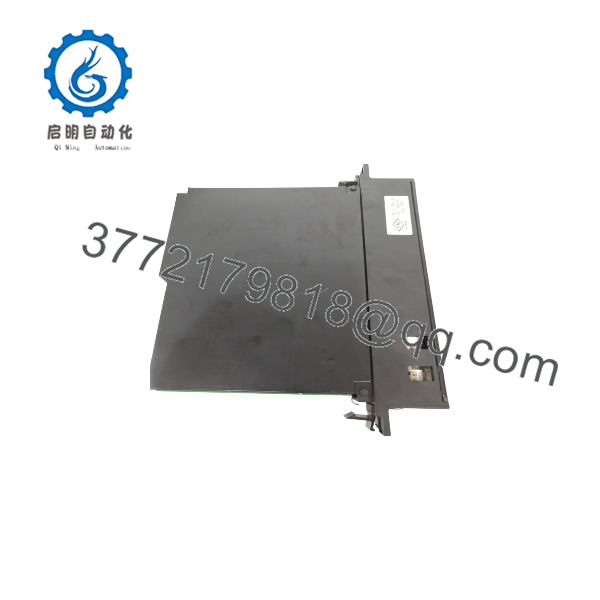
IC697CPX935
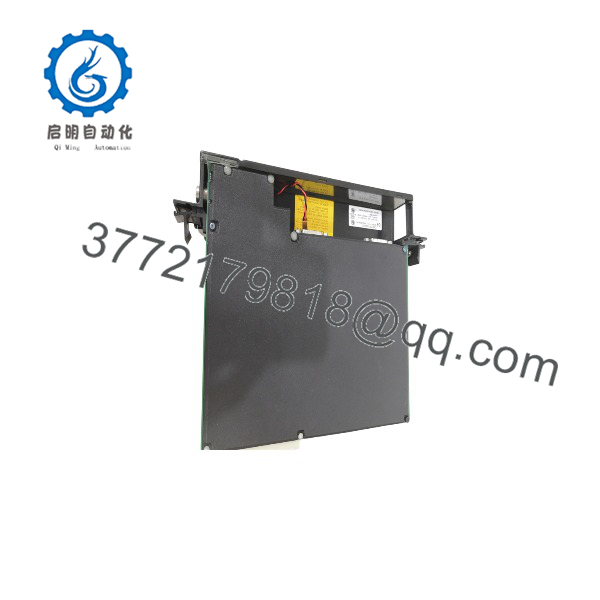
IC697CPX935
Installation & Configuration Guide
Stage 1: Pre-Installation Preparation (15–20 minutes)
⚠️ Safety First:
- Notify operations before stopping the PLC system.
- Place the controlled machine or process into a safe state.
- Apply lockout/tagout procedures before removing rack power.
- Wait for stored energy discharge before touching the module.
Tools Required:
- ESD wrist strap
- PH1 screwdriver
- Digital multimeter
- Wire labels
- Smartphone/camera for documentation
Data Backup:
- Upload and save the existing PLC application program.
- Record CPU catalog number and firmware revision.
- Document rack layout and module positions.
- Photograph serial communication wiring.
- Record memory configuration.
- Verify IC697ACC701 battery condition.
⚠️ Compatibility Check:
The IC697CPX935 requires a Series 90-70 rack with VME C.1 backplane support. It is not a direct replacement for Series 90-30, VersaMax, or PACSystems RX3i CPUs without a migration assessment.
Stage 2: Removing the Old Module (10 minutes)
Steps:
- Place the CPU in STOP mode.
- Remove rack power.
- Disconnect programmer and serial communication cables.
- Loosen the CPU retaining screws.
- Release rack clips.
- Pull the CPU module straight out.
- Inspect the backplane connector.
⚠️ Important:
Keep the removed CPU available until the replacement completes commissioning. Firmware version, memory configuration, and serial settings may be required during troubleshooting.
Stage 3: Installing the New Module (15 minutes)
Steps:
- Wear an ESD wrist strap.
- Verify the label shows IC697CPX935.
- Insert the CPU into the CPU slot.
- Tighten retaining screws.
- Install the IC697ACC701 battery if required.
- Reconnect serial communication cables.
Configuration Clone Checklist:
☐ Firmware revision verified
☐ Memory configuration checked
☐ Battery installed correctly
☐ Rack configuration restored
☐ Program backup available
☐ Serial port parameters matched
Stage 4: Power-On & Testing (20–30 minutes)
Pre-Power Check:
- Verify 5 V DC rack supply voltage.
- Confirm CPU seating.
- Check battery installation.
- Verify rack cooling requirements.
Power-On Steps:
- Restore rack power.
- Observe CPU status LEDs.
- Confirm MODULE OK indicator.
- Connect programming software.
- Verify CPU identification.
- Download or restore application logic.
- Check I/O configuration.
- Run controlled machine testing.
⚠️ Troubleshooting Notes:
- CPU fails startup: Check firmware compatibility and memory configuration.
- Low battery warning: Replace IC697ACC701 before removing power again.
- Communication failure: Verify RS-232/RS-485 port configuration.
- Unexpected scan time: Check program size and connected intelligent modules.
Frequently Asked Questions (FAQ)
Q1: What is the GE IC697CPX935 used for?
The IC697CPX935 is the main processing unit for GE Fanuc Series 90-70 PLC systems. It executes application logic and manages communication with installed I/O and option modules.
Q2: How much memory does have?
The CPU includes 1 MB of battery-backed user memory and 256 KB of built-in user flash memory.
Q3: Can replace IC697CPU771?
No direct replacement should be assumed. Although both belong to Series 90-70, the CPX935 uses a different processor architecture, memory structure, and performance level. Verify application compatibility before substitution.
Q4: Does support Genius I/O?
Yes. The CPU supports IC660 and IC661 Genius I/O through compatible Genius Bus Controller modules installed in the Series 90-70 system.
Q5: Will replacing erase my PLC program?
The replacement CPU does not automatically contain the original application. Upload the existing program before removing the old CPU and restore the project after installation.
Q6: Is obsolete?
The Series 90-70 platform is a legacy PLC family. However, many industrial plants continue using CPX935 CPUs because validated control applications, spare inventory, and downtime concerns often delay migration projects.
New Original, New Surplus, and tested refurbished units are commonly used for lifecycle support.
Q7: What firmware should I check before ordering ?
Verify the installed CPU firmware revision and hardware revision. Different releases introduced changes, including firmware version 8.11 hardware updates, while maintaining functional compatibility with previous versions.
Q8: What are common replacement mistakes with ?
Common field issues include:
- Installing a CPU with incompatible firmware
- Forgetting battery replacement procedures
- Restoring the wrong hardware configuration
- Ignoring rack power consumption
- Using outdated programming software
Always record the original CPU revision and project backup before replacement.



