
 WhatsApp: +86 16626708626
 Email:
  Phone: +86 16626708626
Description
3. Key Technical Specifications
| Parameter | Value |
|---|---|
| Manufacturer | GE Fanuc / Emerson |
| Model | IC698CMX016-ED |
| Product Series | PACSystems RX7i |
| Product Type | Control Memory Xchange (CMX) Module |
| Hardware Revision | E |
| Firmware Revision | D |
| User Memory | 16 MB SDRAM with parity |
| Network Technology | Reflective Memory |
| Fiber Interface | Dual LC multimode fiber optic ports (TX/RX) |
| Network Speed | 2.12 Gbaud |
| Maximum Network Bandwidth | Up to 174 MB/s |
| Maximum Nodes | 256 compatible reflective memory devices |
| Backplane Power | +5 VDC, 1.8 A |
| Installation | RX7i Universal Backplane |
| Maximum Modules per Rack | 4 CMX/RMX modules |
| Operating Temperature | Refer to RX7i installation specifications |
The -ED hardware/firmware revision corrects rare synchronization and bad-data reporting issues observed in earlier revisions under high-temperature conditions and large (64 KB) data transfers. Earlier -BA revisions cannot be field upgraded, while -CB and -DC revisions can be upgraded using the GE upgrade kit 44A753080-G02.
4. Product Introduction
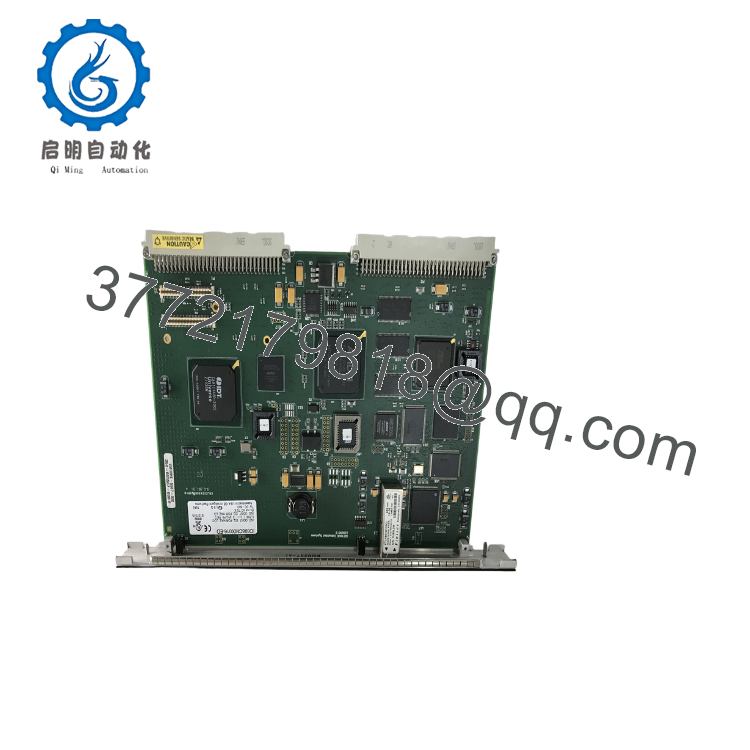
The GE IC698CMX016-ED is a Control Memory Xchange (CMX) module for the PACSystems RX7i platform. It enables deterministic, high-speed data sharing between multiple PLCs, computers, and compatible reflective memory devices using a fiber optic network. Instead of exchanging data through conventional Ethernet messaging, each node automatically mirrors shared memory, making the module well suited for turbine control, power generation, test stands, and high-speed process synchronization.
Revision -ED is the latest production hardware/firmware combination for this family. Compared with earlier revisions, it addresses rare synchronization errors encountered during heavy network traffic at elevated temperatures. Before replacing an older module, verify the installed hardware revision because some early revisions require factory replacement rather than a field firmware update.

- IC698CMX016-ED
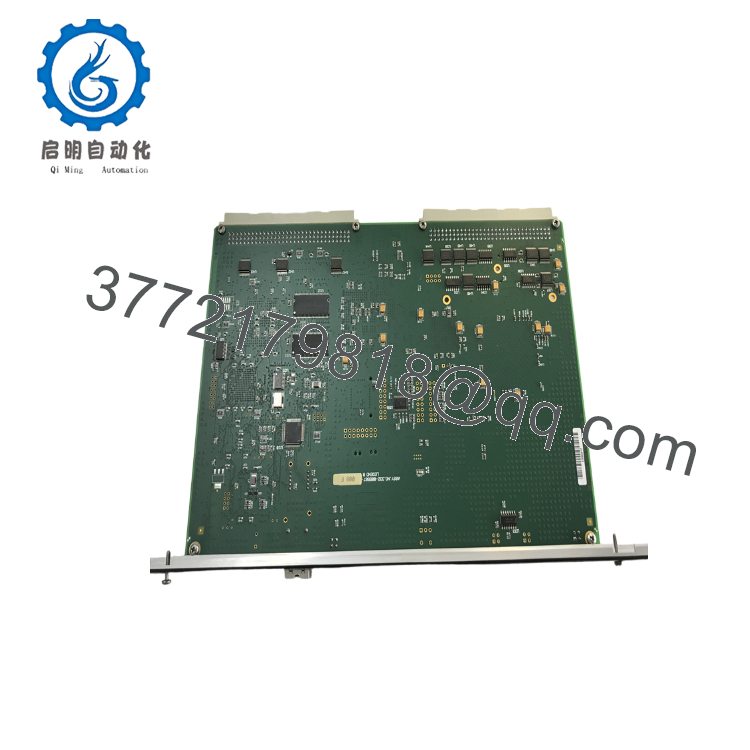
- IC698CMX016-ED
5. Installation & Configuration Guide
Stage 1 – Pre-Installation Preparation (10 Minutes)
⚠️ Safety First
- Notify plant operations of scheduled downtime.
- Place the process in a safe operating state.
- Apply Lockout/Tagout procedures.
- Remove power from the RX7i rack.
- Wait at least 5 minutes before handling modules.
Tools Required
- Grounded ESD wrist strap
- PH1 screwdriver
- Fluke 115 digital multimeter
- Fiber optic cleaning kit
- LC connector inspection microscope
- Laptop with Proficy Machine Edition
- Smartphone for documentation
Data Backup
Before removal:
- Export the PLC hardware configuration.
- Record reflective memory node assignments.
- Photograph fiber routing.
- Document firmware revision.
- Record network topology.
Stage 2 – Removing the Existing Module (5 Minutes)
- Remove rack power.
- Disconnect both LC fiber optic cables.
- Install dust caps on every fiber connector.
- Release the retaining latch.
- Remove the module straight from the rack.
Inspect:
- Fiber connectors
- Backplane connector
- LC ferrules
- Signs of overheating
- Dust contamination
⚠️ Retain the original module until the reflective memory network has been fully verified.
Stage 3 – Installing the New Module (10 Minutes)
- Wear a grounded ESD wrist strap.
- Verify the exact catalog number:
IC698CMX016-ED
- Install the module into the RX7i rack.
- Ensure the module is fully seated.
- Connect the LC transmit (TX) and receive (RX) fibers correctly.
- Clean every fiber connector before installation.
- Verify the optical loop is complete.
Installation Checklist
- Model number verified
- Hardware revision confirmed
- Fiber polarity correct
- Module fully seated
- Network loop completed
Stage 4 – Power-On & Functional Testing (20 Minutes)
Pre-Power Checks
- Verify rack power.
- Inspect fiber connectors.
- Confirm optical cable routing.
- Verify node configuration.
Startup Procedure
- Apply rack power.
- Observe front-panel LEDs:
- OK
- CONFIG
- OWN DATA
- SIGNAL DETECT
- Confirm the module appears in the hardware configuration.
- Verify reflective memory synchronization.
- Transfer test data between network nodes.
- Monitor network statistics for packet loss.
⚠️ Troubleshooting
If SIGNAL DETECT remains OFF:
- Verify TX/RX fiber orientation.
- Clean LC connectors.
- Inspect the fiber cable for excessive bend radius.
- Confirm the optical loop is complete.
- Verify every node is powered.
SOP Quality Verification
Every production-critical IC698CMX016-ED should complete documented inspection before shipment.
1. Inbound Inspection & Traceability
- Verify OEM labels and serial numbers.
- Inspect for corrosion, scratches, connector damage, and rework.
- Confirm hardware revision -ED.
- Verify traceability records.
2. Live Functional Testing
Testing should be completed using a genuine PACSystems RX7i rack.
Verification includes:
- Power-on self-test
- LED verification
- Reflective memory synchronization
- Fiber optic communication test
- Multi-node data exchange
- Continuous operation exceeding 24 hours
- Thermal monitoring under sustained traffic
- Functional test report generation
Test photographs and communication videos should be available upon request.
3. Electrical Verification
- 500 V insulation resistance test (>10 MΩ)
- Ground continuity verification
- Backplane current measurement
4. Firmware Verification
- Record firmware revision.
- Verify hardware revision E and firmware D.
- Confirm compatibility with existing RX7i CPUs.
5. Final QC
- QC inspector approval
- Anti-static packaging
- Bubble-wrap protection
- Heavy-duty shipping carton
- QC Passed label with inspection date
Technical Pitfalls & Survival Guide
❗ Hardware Revision Matters
One lesson from field upgrades is that not every IC698CMX016 can be updated in place.
Modules with -BA and earlier revisions cannot be upgraded to -ED in the field. Only -CB and -DC revisions support the approved upgrade kit. Always verify the hardware label before ordering replacement parts.
❗ Fiber Polarity
This is probably the most common commissioning mistake.
The TX port of one module must connect to the RX port of the next device in the reflective memory loop. One reversed fiber can prevent the entire network from synchronizing.
❗ Network Saturation
I’ve seen engineers assume reflective memory has unlimited bandwidth.
It doesn’t.
The maximum bandwidth is approximately 174 MB/s. If several nodes transmit large memory blocks simultaneously, receive FIFOs can become saturated. Balance network traffic instead of transmitting large data blocks from every controller at once.
❗ Dirty Fiber Connectors
Many communication failures are caused by contaminated LC connectors rather than defective hardware.
Always inspect and clean fiber ends before reconnecting them. Dust particles that are invisible to the naked eye can reduce optical signal quality enough to prevent synchronization.
❗ Electrostatic Discharge (ESD)
Although the communication path is optical, the module contains high-speed electronic components that remain vulnerable to static discharge.
Always wear a grounded wrist strap and handle the module only on an ESD-safe work surface.
Keep these checks in mind and you’ll eliminate most reflective memory commissioning problems before they become extended outages.
6. Frequently Asked Questions (FAQ)
Q1. What does the IC698CMX016-ED do?
It provides deterministic, high-speed data sharing between PACSystems RX7i controllers and compatible reflective memory devices using a fiber optic reflective memory network. Every node automatically receives updated shared memory without conventional polling or messaging.
Q2. How many nodes can one reflective memory network support?
A properly configured reflective memory network supports up to 256 compatible nodes connected in a fiber optic loop.
Q3. Can I hot-swap the IC698CMX016-ED?
No.
The module is not intended for hot replacement. Remove rack power before replacing the module to avoid communication faults or backplane damage.
Q4. Is the -ED revision important?
Yes.
Revision -ED resolves synchronization and bad-data reporting issues found in certain earlier hardware revisions under high-temperature, high-bandwidth operating conditions. For production systems, the -ED revision is generally preferred.
Q5. Why isn’t my reflective memory network synchronizing?
The most common causes are:
- Reversed TX/RX fiber connections
- Dirty LC fiber connectors
- Incomplete optical loop
- Network bandwidth saturation
- Mixed hardware revisions
- Incorrect node configuration
In my experience, fiber connection issues are far more common than actual hardware failures.
Q6. What inspections should I request before shipment?
For production-critical systems, request:
- OEM serial number verification
- Visual inspection for connector damage
- Functional testing in a genuine RX7i rack
- Fiber optic communication verification
- Reflective memory synchronization testing
- 24-hour burn-in under network load
- Firmware and hardware revision documentation
- ESD-safe packaging
- Complete QC test report
Requesting synchronization test results and network communication videos before shipment can substantially reduce commissioning risk when maintaining high-availability RX7i control systems.



