
 WhatsApp: +86 16626708626
 Email:
  Phone: +86 16626708626
Description
Key Technical Specifications
- Model: IC698CPE020-AA
- Series: PACSystems RX7i
- Processor: 700 MHz Pentium III-class CPU
- Program Memory: 10 MB battery-backed user memory
- Flash Memory: 10 MB non-volatile user memory
- Power Requirements: +5 V DC 4.5 A nominal, +12 V DC 0.042 A nominal, -12 V DC 0.008 A nominal
- Ethernet: 10/100 Mb/sec, RJ-45
- Serial Port: Dedicated RS-232 Station Manager port
- Operating Temperature: 0 to 60°C with fan tray required
- Boolean Execution Speed: 0.14 ms per 1,000 Boolean contacts/coils
- Compatibility: RX7i rack system; not for Series 90-70 rack operation
- Firmware: Field-upgradable CPU firmware support
Product Introduction
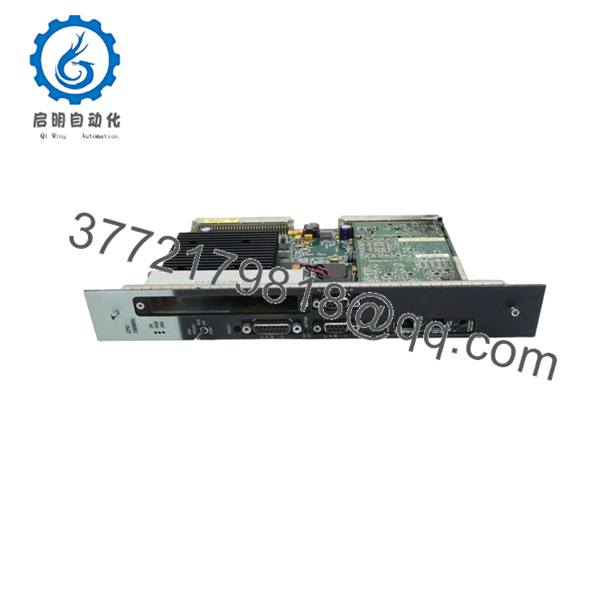
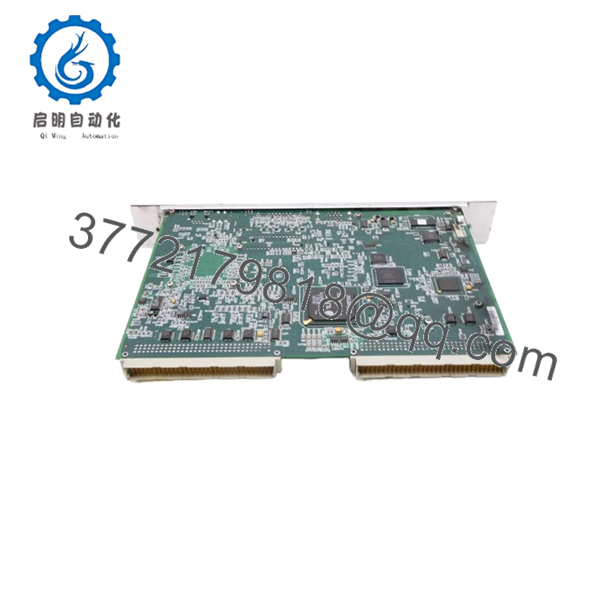
GE IC698CPE020-AA is a PACSystems RX7i CPU module used in industrial PLC and machine-control systems. It handles logic execution, Ethernet communications, and program storage in a rack-based control architecture.
This 700 MHz CPU includes 10 MB battery-backed RAM and 10 MB flash memory, plus 10/100 Ethernet and RS-232 station management access. Buyers usually choose it for RX7i replacement work where exact model match, firmware range, and rack compatibility matter more than generic CPU spec claims.
Troubleshooting Quick Reference
| Symptom | Possible Cause | Relevance to this Part | Quick Check Method | Recommendation |
|---|---|---|---|---|
| No power-up LEDs | Backplane power missing, PSU issue, or rack fault | ❌ Low | Measure +5 V, +12 V, and -12 V at the rack power terminals with a multimeter | Check the rack PSU and backplane before replacing the CPU |
| CPU LED stays faulted or red | Firmware mismatch, corrupt logic, or hardware fault | ✅ High | Read the diagnostic buffer and firmware revision in the programming software | Verify firmware range first; replace only after logs confirm CPU failure |
| Ethernet link present but no comms | IP setup, cabling, EGD config, or switch issue | ⚠️ Medium | Check RJ-45 link LEDs, ping the module, and confirm IP settings | Replace the CPU only after confirming network configuration |
| PLC scan time is abnormally slow | Program changes, loaded logic, or memory pressure | ⚠️ Medium | Compare current scan time against the last saved baseline in software | Recheck the application first; this is not usually a dead CPU |
| Cannot retain program after power loss | Battery failure or memory retention issue | ✅ High | Check battery status and inspect nonvolatile memory settings | Replace battery first; then verify memory retention |
| Module boots, but field I/O is dead | I/O rack, power rail, or wiring issue | ❌ Low | Test adjacent modules and verify rack-side signals at the terminal blocks | Do not blame the CPU until the rack and wiring are confirmed |
If you get stuck, send photos of the front panel, rack layout, firmware screen, and diagnostic logs to technical support.

- IC698CPE020-AA
- IC698CPE020-AA
Frequently Asked Questions
Can I drop this in as a direct replacement?
Yes, if your system uses the RX7i platform and the part number matches exactly. In the field, the failure point is usually not the CPU itself but a mismatch in firmware, rack type, or configuration details. Verify the exact revision before ordering.
Is this module hot-swappable?
No, do not treat it like a hot-swap part. Kill power first and follow the rack procedure, or you risk backplane damage and a bad day in maintenance.
Will my existing program stay in the CPU after replacement?
Not something I would assume. If the old unit is still readable, back up the project first and save the hardware configuration before pulling the module.
Why is this cheaper than buying new from the factory?
Because this is typically sold as New Surplus or New Original stock, not fresh factory production. That keeps the price down, but you still need to confirm condition, firmware, and included accessories before install.
Does it need a fan tray?
Yes, the CPE020 operating range is tied to fan-tray use for the higher temperature range. If the cabinet cooling is marginal, check airflow before you blame the CPU.
What firmware issues should I watch for?
Firmware revision mismatch is a real trap. I have seen a module swap turn into a two-day communication timeout because the new revision did not match the existing master’s expectations.
What should I check before installing it?
Take a photo of the DIP switches, check the terminal block layout, verify rack current draw, and use an ESD strap. Keep those checks in mind and you will avoid most of the rework that burns time on these replacements.



