
 WhatsApp: +86 16626708626
 Email:
  Phone: +86 16626708626
Description
Key Technical Specifications
- Model: IC752CBT010-CC
- Brand: GE Fanuc
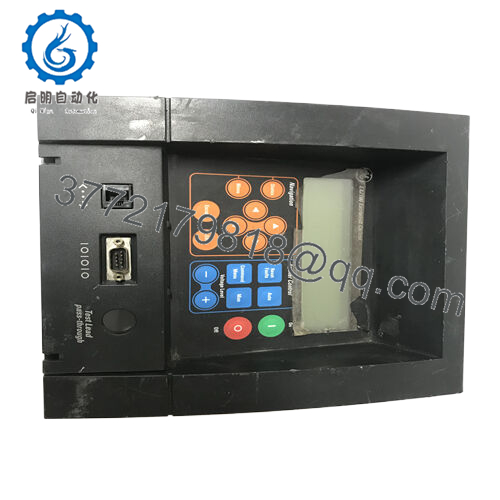
- Product Type: Industrial HMI touch screen
- Interface: Operator panel with touchscreen
- Form Factor: Panel-mount HMI
- Application: Machine and process control interface
- Use Case: Local operator monitoring and command entry
- Condition: New Surplus / OEM stock, depending on seller
- Mounting: Front-panel installation
- Compatibility: Verify exact controller and firmware match before installation
- Part Family: GE Fanuc IC752 series
Product Introduction
GE IC752CBT010-CC is an industrial HMI touch screen used as an operator interface for machine control and process monitoring. It sits in the GE Fanuc IC752 family and is typically used where a local display, touch input, and panel mounting are required.
Buyers usually source this part for replacement projects, retrofit work, or spare stock. The main point is compatibility: confirm the exact suffix, display size, and controller match before purchase, because HMI revisions can vary by hardware and software image.

- IC752CBT010-CC
Troubleshooting Quick Reference
| Symptom | Possible Cause | Relevance to this Part | Quick Check Method | Recommendation |
|---|---|---|---|---|
| Screen stays blank | No panel power or failed backlight | High | Measure input voltage at the power terminals and check fuse output | Verify power first before blaming the HMI |
| Touch input ignored | Touch panel calibration or digitizer fault | High | Test on-screen response and compare against known-good calibration | Recalibrate or replace if touch layer fails |
| Boot screen freezes | Corrupt project, storage issue, or firmware mismatch | High | Power cycle and note where startup stops | Reload project or check firmware/image compatibility |
| Communications lost | Cable, port, or protocol mismatch | High | Check Ethernet/serial link lights and read controller comms status | Confirm protocol settings and cable pinout |
| Random resets | Weak power supply or unstable input voltage | Medium | Measure supply under load with a multimeter | Check PSU stability before replacing the panel |
| Dim or flickering display | Backlight aging or inverter fault | High | Observe brightness at startup and during warm-up | Replace display assembly if backlight is failing |
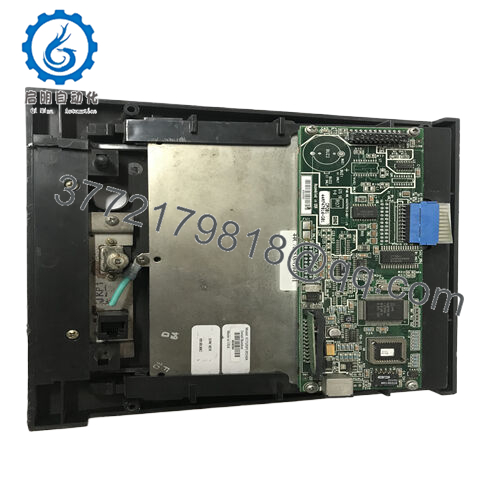
Contact technical support with photos of the front label, rear connectors, power readings, and any boot or alarm messages if the fault is not obvious.
Frequently Asked Questions
Q: Is IC752CBT010-CC the full part number I should order?
Yes, use the full suffix exactly as printed. On HMI parts, a missing suffix can mean a different hardware revision, bezel, or firmware image.
Q: Can I swap this into an existing GE Fanuc HMI cutout?
Usually yes if the panel cutout and mounting depth match, but do not assume it. Check the mechanical drawing, connector clearance, and rear-space requirements first.
Q: Does this keep my project file when I replace the panel?
Not automatically. Project retention depends on how the original HMI was configured, so back up the application before removal.
Q: Is this hot-swappable?
No. Power it down before disconnecting anything. Live removal can damage the panel, the controller link, or the supply.
Q: Why is this listed as new surplus instead of factory-new?
Because this type of GE Fanuc hardware is often discontinued or moved through secondary stock channels. New surplus usually means unused inventory, not current OEM production.
Q: What should I verify before installation?
Check power input, communication protocol, connector type, display size, and the exact suffix. I’ve seen plenty of failed swaps caused by one wrong digit in the part number.



