
 WhatsApp: +86 16626708626
 Email:
  Phone: +86 16626708626
Description
3. Key Technical Specifications
| Parameter | Value |
|---|---|
| Manufacturer | GE Fanuc (Emerson) |
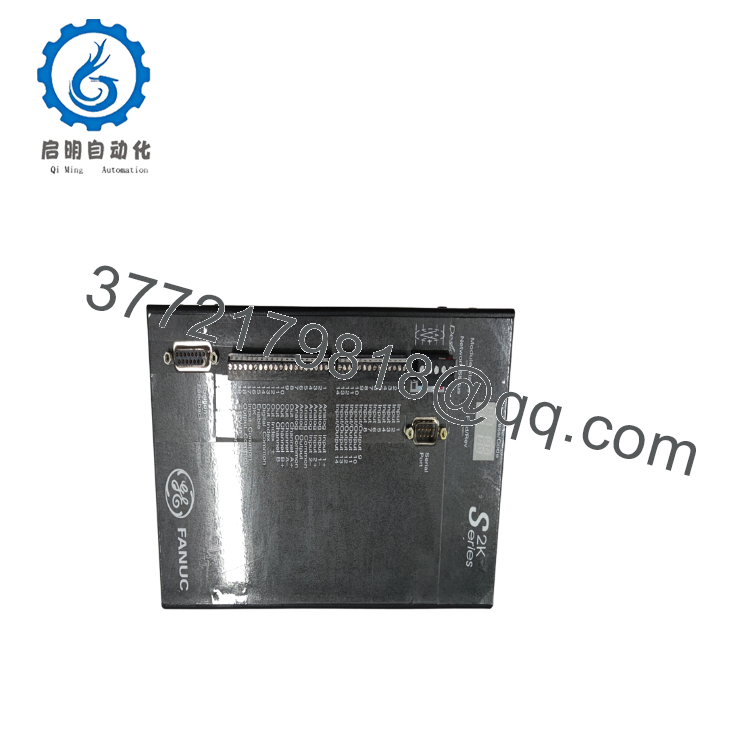
| Model | IC800SSI228RD2 |
| Product Series | S2K Motion Controller |
| Product Type | Digital Servo Controller |
| Rated Input Voltage | 230 VAC, Three-Phase |
| Continuous Output Current | 28 A |
| Motor Feedback | Resolver |
| Communication Interface | DeviceNet |
| Compatible Motors | GE Fanuc MTR-Series Resolver Servo Motors |
| Motion Control | Position, Velocity, Torque |
| Configuration Software | Motion Developer |
| Digital I/O | Integrated User-Configurable I/O |
| Mounting | Control Cabinet Panel Mount |
| Operating Mode | Standalone Motion Controller |
| Operating Temperature | Refer to OEM installation manual |
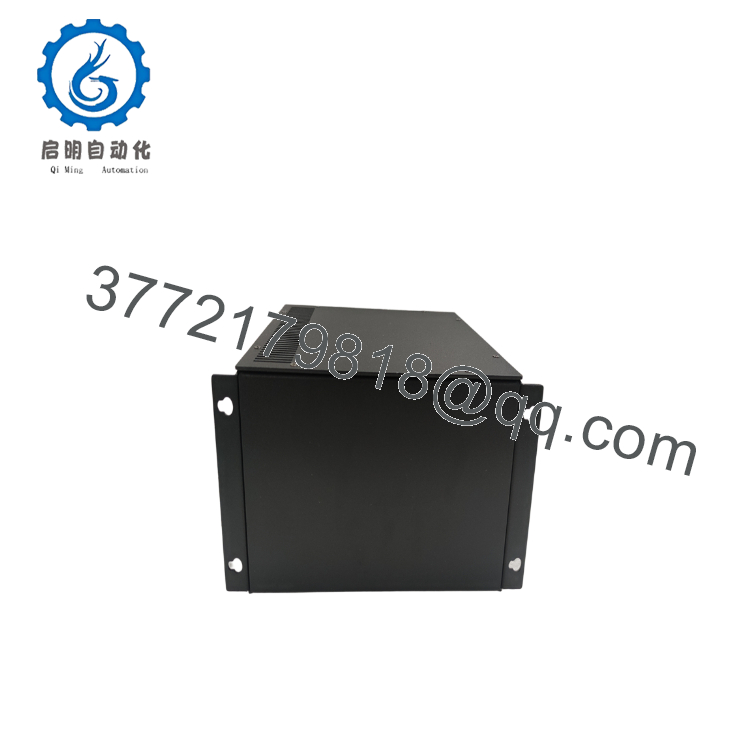
The IC800SSI228RD2 is a 28 A, 230 VAC S2K servo controller configured for resolver feedback and DeviceNet communication. It belongs to GE Fanuc’s S2K family of standalone digital motion controllers and is intended for high-performance positioning and coordinated motion applications.
4. Product Introduction
The GE IC800SSI228RD2 is a standalone digital servo controller designed for demanding industrial motion applications requiring accurate position, speed, and torque control. The controller combines a high-performance servo amplifier, motion processor, configurable I/O, and DeviceNet communications into a single unit, reducing the amount of external hardware required for machine automation.
Unlike conventional servo amplifiers that rely entirely on a PLC for trajectory generation, the S2K platform executes motion profiles locally. This architecture reduces network latency and provides deterministic axis control for packaging machinery, CNC equipment, material handling systems, robotics, and automated assembly machines. Resolver feedback also provides reliable operation in electrically noisy industrial environments.
5. Installation & Configuration Guide
Stage 1 – Pre-Installation Preparation (15 Minutes)
⚠️ Safety First
- Notify operations personnel of scheduled downtime.
- Bring all controlled axes to a safe stop.
- Apply Lockout/Tagout (LOTO).
- Disconnect incoming three-phase power.
- Wait at least 5 minutes for the DC bus capacitors to discharge.
Tools Required
- Grounded ESD wrist strap
- Insulated screwdrivers
- Fluke 115 digital multimeter
- Torque screwdriver
- Motion Developer software
- Laptop with DeviceNet interface
- Smartphone for documentation
Data Backup
Before removal:
- Upload the motion program.
- Save all drive parameters.
- Record DeviceNet node address.
- Photograph all resolver wiring.
- Record motor model and feedback type.
- Save I/O assignments.
Stage 2 – Removing the Existing Controller (10 Minutes)
- Verify the DC bus voltage has fallen to a safe level.
- Disconnect motor power cables.
- Disconnect resolver feedback cables.
- Disconnect DeviceNet and control wiring.
- Remove mounting hardware.
- Carefully remove the controller.
Inspect:
- Power terminals
- Resolver connector
- DeviceNet connector
- Cooling fins
- Fan openings
- Signs of overheating
⚠️ Keep the original controller until the replacement has completed full motion testing.
Stage 3 – Installing the New Controller (15 Minutes)
- Wear an ESD wrist strap.
- Verify the exact model:
IC800SSI228RD2
- Mount the controller securely.
- Reconnect motor power cables.
- Connect resolver feedback.
- Connect DeviceNet.
- Restore the saved configuration using Motion Developer.
Installation Checklist
- Model verified
- Resolver wiring confirmed
- DeviceNet address correct
- Motor parameters restored
- Ground connection verified
Stage 4 – Power-On & Functional Testing (30 Minutes)
Pre-Power Checks
- Verify incoming three-phase voltage.
- Measure protective earth continuity.
- Confirm motor insulation resistance.
- Verify resolver cable shielding.
Startup Procedure
- Apply control power.
- Verify controller initialization.
- Connect Motion Developer.
- Confirm firmware revision.
- Verify DeviceNet communication.
- Perform motor auto-configuration if required.
- Execute low-speed jog testing.
- Verify encoder/resolver feedback direction.
- Test acceleration, deceleration, and positioning accuracy.
⚠️ Troubleshooting Note
If the axis oscillates or reports position errors:
- Verify resolver wiring.
- Confirm motor parameters.
- Check DeviceNet communication.
- Verify current loop tuning.
- Inspect mechanical coupling for backlash.
SOP Quality Verification
1. Inbound Inspection & Traceability
- Verify OEM labels and serial numbers.
- Inspect housing for impact damage.
- Check connectors for bent pins.
- Confirm hardware identification.
- Review traceability documentation.
2. Live Functional Testing
Testing should be performed using a genuine GE S2K motion test bench.
Verification includes:
- Power-on self-test
- Resolver feedback verification
- DeviceNet communication
- Digital I/O testing
- Motor current monitoring
- Closed-loop positioning test
- Continuous operation exceeding 24 hours
- Thermal monitoring under rated load
A formal test report should be generated for every production-critical unit.
Test photographs and operation videos should be available upon request.
3. Electrical Parameter Testing
- 500 V insulation resistance test (>10 MΩ)
- Ground continuity verification
- Input current measurement
- Output current verification under load
4. Firmware & Configuration Verification
- Record firmware revision.
- Verify resolver feedback operation.
- Confirm DeviceNet communication.
- Save parameter backup.
5. Final QC & Packaging
- QC inspector approval
- Anti-static packaging
- Connector protection caps
- Bubble-wrap protection
- Heavy-duty corrugated carton
- QC Passed label with inspection date

- IC800SSI228RD2
- IC800SSI228RD2
Technical Pitfalls & Survival Guide
❗ Resolver Feedback Must Match the Motor
One of the easiest mistakes is replacing the controller while assuming all GE servo motors use identical feedback devices.
The IC800SSI228RD2 is designed for resolver-feedback systems. Connecting it to a serial encoder motor without the correct hardware configuration will prevent successful commissioning. Verify the motor model before ordering the replacement.
❗ DeviceNet Node Address
I’ve seen maintenance crews spend hours troubleshooting a controller that was operating normally.
The problem turned out to be two devices sharing the same DeviceNet node address. Record the existing address before removing the old controller and duplicate it on the replacement.
❗ Restore Motion Parameters
Factory-default tuning rarely matches the installed machine.
Before removing the original controller, back up:
- Current loop gains
- Velocity tuning
- Position loop parameters
- Motion limits
- Homing configuration
Those settings are often more valuable than the hardware itself.
❗ Verify Motor Compatibility
This controller is intended for compatible GE Fanuc MTR-Series resolver servo motors.
Do not assume another resolver-equipped motor will operate correctly without confirming electrical ratings and resolver characteristics. GE specifically recommends verifying compatibility when using third-party motors.
❗ Electrostatic Discharge (ESD)
The motion processor, power electronics, and communication circuitry are sensitive to electrostatic discharge.
Always use a grounded wrist strap and perform installation on an ESD-safe work surface.
Keep these checks in mind and you’ll eliminate most commissioning problems before they become costly production downtime.
6. Frequently Asked Questions (FAQ)
Q1. What is the IC800SSI228RD2 used for?
The IC800SSI228RD2 is a standalone digital servo motion controller that provides closed-loop position, velocity, and torque control for industrial automation systems. It integrates the servo amplifier, motion controller, and configurable I/O into one unit.
Q2. Which motors are compatible?
The controller is intended for GE Fanuc MTR-Series resolver-feedback servo motors. If you plan to use a third-party motor, verify resolver specifications and electrical ratings before installation.
Q3. Does this model support DeviceNet?
Yes.
The IC800SSI228RD2 includes an integrated DeviceNet communication interface for controller and PLC integration.
Q4. Can I hot-swap this controller?
No.
The controller contains high-voltage DC bus capacitors and power electronics. Always remove incoming power and wait for the DC bus to discharge before servicing the unit.
Q5. Why won’t the replacement servo drive enable?
The most common causes are:
- Incorrect resolver wiring
- Motor parameter mismatch
- Duplicate DeviceNet node address
- Servo tuning not restored
- Safety interlock circuit open
From field experience, configuration errors occur far more frequently than hardware failures.
Q6. What inspections should I request before shipment?
For production-critical motion systems, request:
- OEM serial number verification
- Visual inspection for connector damage
- Functional testing with a compatible resolver-feedback servo motor
- DeviceNet communication verification
- Closed-loop positioning accuracy test
- 24-hour burn-in under load
- Firmware documentation
- ESD-safe packaging
- Complete QC test report
Requesting motion test records, positioning accuracy data, and communication verification before shipment can substantially reduce commissioning risk when maintaining legacy GE S2K motion control systems.



