
 WhatsApp: +86 16626708626
 Email:
  Phone: +86 16626708626
Description
3. Key Technical Specifications
| Parameter | Value |
|---|---|
| Manufacturer | GE Industrial Systems |
| Model Number | IS200AEADH4A |
| OEM Part Number | 109W3660P001 |
| Product Type | Analog Input Module |
| Control Platform | GE Mark VI / Mark VIe |
| Application | Turbine control and monitoring |
| Input Channels | 16 analog input channels |
| Input Signal Types | Voltage, current, RTD, thermocouple (application dependent) |
| Resolution | 16-bit ADC |
| Backplane Voltage | +5 VDC |
| Maximum Current Consumption | Approximately 1.2 A |
| Communication Interface | Mark VI rack backplane interface |
| Installation Location | Mark VI VME-style I/O rack |
| Operating Temperature | -40 °C to +70 °C (reference hardware specification) |
| Configuration Software | GE ToolboxST |
| Weight | Approximately 3.1 kg (varies by configuration) |
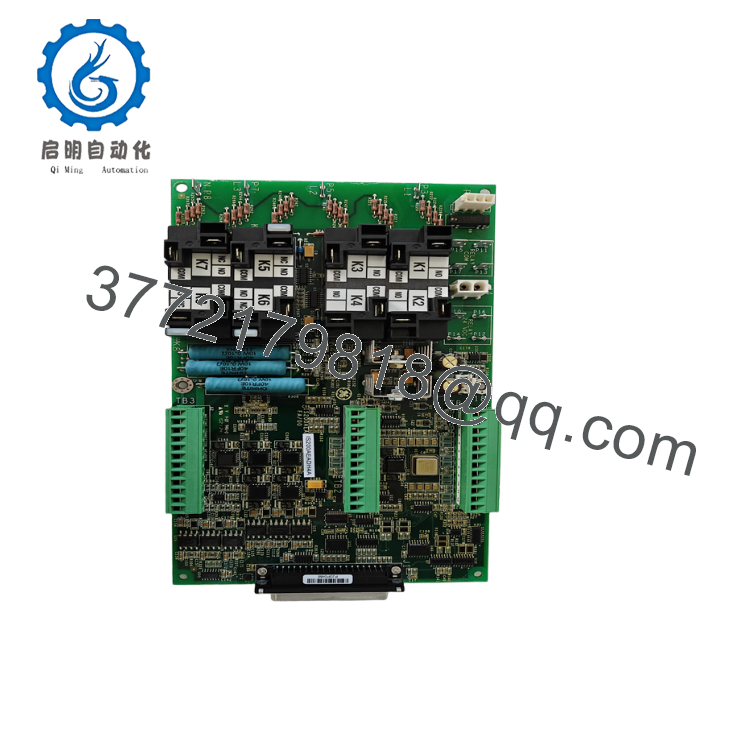
The GE IS200AEADH4A (109W3660P001) is an analog input module used in GE Mark VI turbine control systems. It collects field analog signals from sensors and transfers processed measurement data to the turbine controller for monitoring, sequencing, and protection functions.
4. Product Introduction
The GE IS200AEADH4A 109W3660P001 is a Mark VI analog input module designed for gas turbine and industrial control applications. The module interfaces field instrumentation signals, including temperature, pressure, and process monitoring devices, with the GE turbine control architecture.
This module is commonly installed in GE Speedtronic Mark VI systems where maintaining original I/O configuration is critical. Replacement requires verification of hardware revision, terminal wiring, ToolboxST configuration, and controller compatibility before installation.

- IS200AEADH4A 109W3660P001
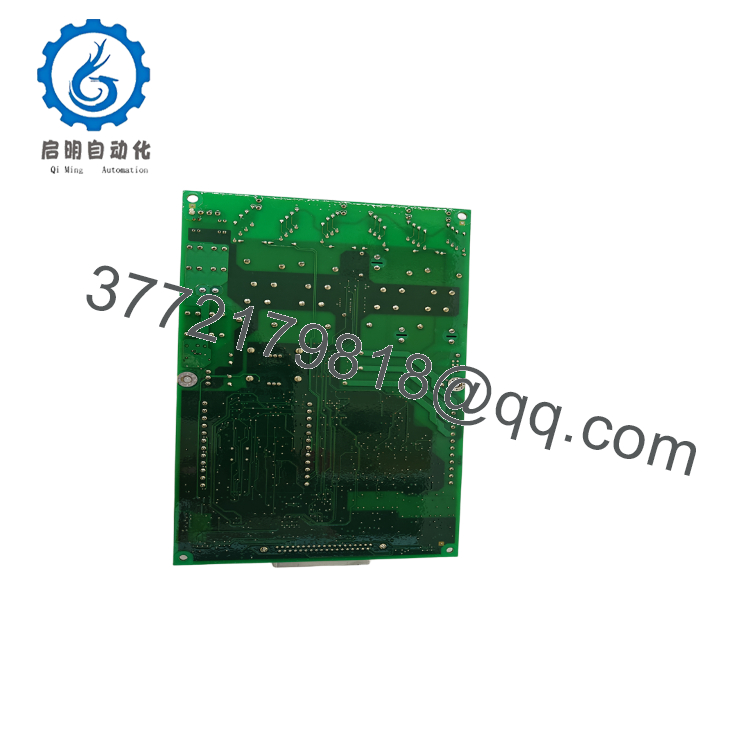
- IS200AEADH4A 109W3660P001
5. Installation & Configuration Guide
Stage 1: Pre-Installation Preparation (15 Minutes)
⚠️ Safety First
- Notify plant operations before removing the I/O module.
- Confirm turbine or driven equipment is in a safe shutdown condition.
- Apply Lockout/Tagout (LOTO).
- Isolate cabinet power.
- Wait at least 5 minutes for stored energy discharge.
Tools Required
- ESD wrist strap
- PH1 screwdriver
- Fluke 115 multimeter
- Terminal labeling markers
- Laptop with ToolboxST
- Smartphone for wiring photographs
Data Backup
Before removal:
- Export the Mark VI configuration.
- Record the current I/O assignment.
- Photograph terminal wiring.
- Record board serial number.
- Document controller rack location.
- Save ToolboxST project files.
Stage 2: Removing the Old Module (10 Minutes)
- Verify cabinet power is removed.
- Open the control cabinet.
- Remove the module front cover if installed.
- Label all field wiring connections.
- Disconnect terminal wiring carefully.
- Release rack retention hardware.
- Pull the module straight out.
Inspect:
- Backplane connector pins
- Terminal blocks
- Module edge connector
- Signs of overheating or contamination
⚠️ Keep the original IS200AEADH4A until the replacement passes complete system testing.
Stage 3: Installing the New Module (15 Minutes)
- Wear an ESD wrist strap.
- Verify replacement identification:
GE IS200AEADH4A
OEM Number: 109W3660P001
- Compare hardware revision labels.
- Insert the module into the correct Mark VI rack position.
- Ensure the board is fully seated.
- Reconnect terminal wiring.
- Verify shielding and grounding connections.
Installation Checklist
- Correct module revision confirmed
- Rack position verified
- Terminal wiring matched
- Shield grounding checked
- Module firmly seated
Stage 4: Power-On & Testing (30 Minutes)
Pre-Power Checks
- Verify cabinet supply voltage.
- Check for wiring shorts.
- Confirm grounding continuity.
- Inspect terminal torque.
Power-On Procedure
- Energize the control rack.
- Check module status LEDs.
- Verify Mark VI controller communication.
- Connect ToolboxST.
- Confirm hardware recognition.
- Verify channel configuration.
- Simulate input signals.
- Confirm engineering values match expected readings.
⚠️ Troubleshooting Note
If the module fails initialization:
- Verify hardware revision compatibility.
- Check ToolboxST configuration.
- Confirm rack slot assignment.
- Inspect terminal wiring.
- Compare old and new module configuration files.
SOP Quality Verification
1. Inbound Inspection & Traceability
Inspection includes:
- OEM label verification
- Serial number recording
- Anti-counterfeit checks
- PCB condition inspection
- Connector inspection
- Verification of no corrosion, scratches, repair marks, or UV damage
Accessories and documentation should be checked where supplied.
2. Live Functional Testing
Testing should be performed on a genuine GE Mark VI test rack.
Verification steps:
- Power-on self-test
- LED status verification
- Rack communication test
- Analog channel simulation
- Input signal verification
- Controller recognition test
- Continuous operation exceeding 24 hours
- Thermal monitoring
A formal test report should be generated.
Test photographs and videos should be available upon request.
3. Electrical Parameter Testing
Required checks:
- 500 V insulation resistance test (>10 MΩ)
- Ground continuity test
- Power consumption measurement
- Analog channel accuracy verification
4. Firmware & Configuration Verification
Record:
- Board hardware revision
- FPGA/firmware identification where applicable
- ToolboxST compatibility
- Rack configuration parameters
Backup all jumper and hardware settings before shipment.
5. Final QC & Packaging
- QC inspector approval
- Anti-static ESD bag
- Protective connector covers
- Bubble-wrap protection
- Heavy-duty corrugated packaging
- QC Passed label with inspection date
Technical Pitfalls & Survival Guide
❗ Firmware and Hardware Revision Compatibility
A common replacement mistake is assuming every IS200AEADH4A board revision is interchangeable.
Mark VI systems are sensitive to hardware revisions and configuration files. Always compare the existing board revision and ToolboxST database before installation.
❗ Terminal Wiring Verification
This is the mistake that causes the longest troubleshooting sessions.
I’ve seen engineers replace an analog card successfully but move one shield or signal wire incorrectly. The module powered up, but turbine instrumentation readings were wrong.
Always photograph the terminal arrangement before removal.
❗ Analog Input Scaling Errors
The replacement module may communicate correctly while displaying incorrect engineering values.
Verify:
- Input range
- Sensor type
- Scaling parameters
- Alarm thresholds
- Channel assignments
A 4–20 mA scaling error can look like a failed sensor.
❗ Rack Position Matters
The Mark VI controller identifies I/O modules by configured rack and slot location.
Installing a working module into the wrong slot can create configuration mismatch alarms.
❗ Electrostatic Discharge (ESD)
The analog acquisition circuitry contains sensitive semiconductor components.
Always:
- Wear a grounded wrist strap.
- Use an ESD mat.
- Avoid touching PCB components.
Keep these checks in mind and you’ll save significant commissioning time during Mark VI I/O replacement projects.
6. Frequently Asked Questions (FAQ)
Q1. What is the GE IS200AEADH4A 109W3660P001 used for?
The IS200AEADH4A is an analog input module used in GE Mark VI turbine control systems. It converts field sensor signals into digital data for turbine monitoring and control functions.
Q2. Is the IS200AEADH4A still manufactured?
No. The IS200AEADH4A belongs to the legacy GE Mark VI platform. Current market availability typically comes from New Surplus inventory or tested refurbished stock.
Q3. Can I replace this module without changing the turbine control program?
Usually, yes, if the replacement hardware revision matches and the ToolboxST configuration remains compatible.
Always verify the module definition inside the existing Mark VI project before installation.
Q4. Can this module be hot-swapped?
Only in systems specifically configured and approved for hot insertion.
For most turbine control cabinets, remove power and follow site maintenance procedures before replacing the module.
Q5. Why is this module cheaper than OEM list pricing?
Legacy industrial control modules often enter the aftermarket through surplus inventory, plant closures, system upgrades, or lifecycle support channels. Price differences do not indicate identical condition.
Always confirm:
- New Original / New Surplus status
- Serial traceability
- Functional test records
- Warranty terms
Q6. What should I request before purchasing an IS200AEADH4A?
For critical turbine applications, request:
- Serial number verification
- Hardware revision photos
- Visual inspection report
- Mark VI rack test report
- Analog channel test results
- 24-hour burn-in record
- ESD packaging confirmation
These records help reduce commissioning risk when replacing legacy GE Mark VI control hardware.



