
 WhatsApp: +86 16626708626
 Email:
  Phone: +86 16626708626
Description
3. Key Technical Specifications
| Parameter | Specification |
| Processor Type | Digital Signal Processor (DSP) |
| Bus Interface | High-speed VME-style backplane |
| Logic Devices | Field Programmable Logic Devices (PLD) |
| Communication | DLAN / Ethernet / High-speed Serial interface |
| Revision | H2D (Standard Version) |
| Diagnostic Port | Front-panel RS-232 / Serial Maintenance Port |
| Status Indicators | Multi-segment LED Fault/Status display |
| Inputs/Outputs | Isolated high-speed digital I/O |
| Power Consumption | Rated for standard Innovation Series rack supply |
| Dimensions | Standard Double-Wide VME Card Form Factor |
4. Product Introduction & Supply Chain Strategy
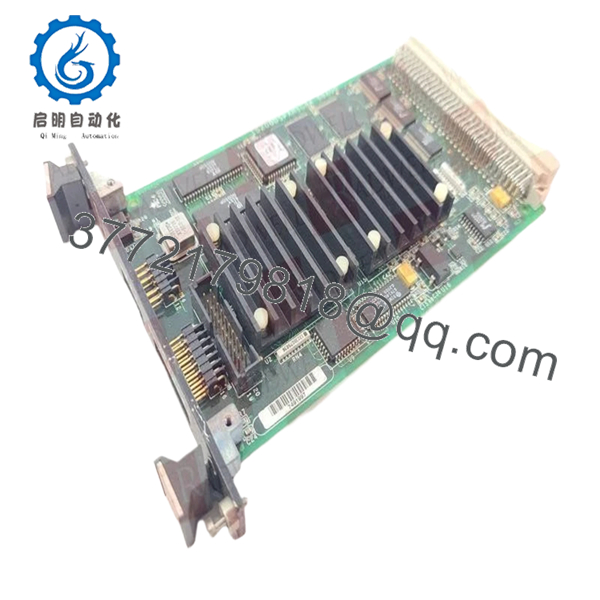
The GE IS200DSPXH2D is the “brain” of the GE Innovation Series drive and LS2100 Static Starter systems. This board performs the complex mathematical calculations required for real-time motor control, firing pulse generation, and system protection. By utilizing high-speed digital signal processing, the DSPX module ensures precise torque control and synchronization, which is critical for large-scale industrial motor applications and power plant turbine starters.
Strategically, the IS200DSPXH2D is a high-complexity module where the “Total Cost of Ownership (TCO)” is heavily influenced by reliability. Refurbished units often suffer from micro-fractures in the multilayer PCB or degraded PLD logic chips that fail only under specific thermal loads. Opting for “New Surplus” inventory mitigates these “phantom faults” that lead to intermittent system trips. Securing this genuine OEM hardware ensures that your control system maintains its original timing tolerances, avoiding the synchronization errors common with repaired or aged logic boards.
5. Installation & Configuration Guide
Stage 1: Pre-Installation (Prep & Safety)
Ensure the drive system is completely de-energized and follows standard Lock-Out/Tag-Out (LOTO) safety protocols. High-voltage DC link capacitors must be fully discharged. Wear a grounded ESD wrist strap. Use a laptop with the appropriate Toolbox software to back up the current application code and parameters from the existing controller.
Stage 2: Removal
Unscrew the top and bottom retaining screws on the front panel. Carefully pull the IS200DSPXH2D module out of the rack using the card pullers. Note the positions of any fiber optic cables or ribbon cables connected to the front of the board; label them clearly to prevent cross-wiring during re-installation.
Stage 3: Installation (Clone & Seat)
Inspect the new board for any physical damage during transit. Ensure any physical jumpers (if present) match the configuration of the board being replaced. Slide the module into the designated slot, ensuring it is fully seated in the backplane. Reconnect all front-panel communication and fiber optic cables.
Stage 4: Power-On & Testing
Power up the control rack. Observe the alpha-numeric LED display on the front panel. It should cycle through a boot sequence and settle on a “Ready” or “Run” status code. Use the GE Toolbox software to download the saved application code to the new board and verify that the firmware version matches the rest of the control lineup.

- IS200DSPXH2D
6. Firmware/Software Versions & Upgrade Notes
- Version Compatibility: The “H2D” revision is highly sensitive to the application software version. Always verify that your Control System software supports the H2D hardware profile before commissioning.
- Application Code: This board does not ship with your specific site’s application logic. You must download the site-specific configuration (via Toolbox) after physical installation.
- Firmware Risk: Avoid mismatched firmware versions between the DSPX and the associated I/O boards (such as the ACL_ or TCC_ boards). Discrepancies can lead to communication timeouts or “Illegal Instruction” faults.
7. Frequently Asked Questions (FAQ)
Does this board come pre-programmed with my turbine parameters?
No. This is a New Surplus hardware module. It contains the base BIOS/Firmware, but you must download your specific site parameters and application logic using GE’s proprietary configuration tools (e.g., Toolbox or ControlST).
How do I interpret the alphanumeric codes on the front panel?
The display provides real-time diagnostic data. “00” or similar codes usually indicate a normal state, while specific letter/number combinations indicate faults like “Loss of Phase” or “Communication Error.” Refer to your LS2100 technical manual for the full code library.
Can I replace an IS200DSPXH1D with this H2D version?
Generally, the H2D is a functional replacement for the H1D, but you must check your system’s software compatibility. Upgrading the hardware revision sometimes requires a minor update to the system configuration files to recognize the new hardware ID.
Are these boards “New Surplus” or “New from Factory”?
These are New Surplus. This means they are original GE-manufactured parts that have never been used but were sourced from excess project stock or cancelled inventory. They offer the same reliability as a factory-direct part at a more competitive price point.
What is the warranty period?
We offer a 12-month warranty on the IS200DSPXH2D. If the board fails to initialize or presents hardware defects within one year of purchase, we will provide a replacement or a full refund.



