
 WhatsApp: +86 16626708626
 Email:
  Phone: +86 16626708626
Description
3. Key Technical Specifications
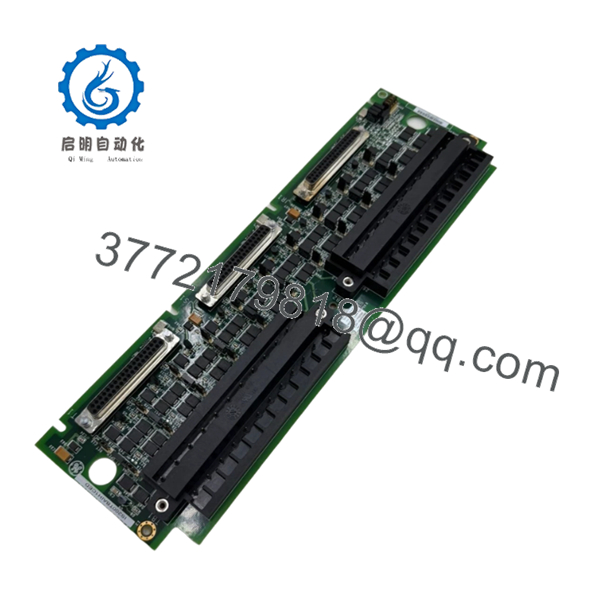
GE IS200TBAIH1C
- Manufacturer: GE (General Electric)
- Model Number: IS200TBAIH1C
- Functional Acronym: TBAI
- Product Type: Analog Terminal Board
- Series: Mark VI Speedtronic Control System
- Primary Function: Field analog signal termination and conditioning
- Analog Inputs: 10 channels
- Analog Outputs: 2 channels
- Supported Transmitters: 2-wire, 3-wire, 4-wire, externally powered transmitters
- Output Range: Configurable 0–20 mA / 0–200 mA
- Connector Interface: Three DC-37 connectors
- Mounting: DIN rail / control cabinet installation
- Configuration: Jumper selectable hardware settings
- Weight: Approx. 0.5 kg
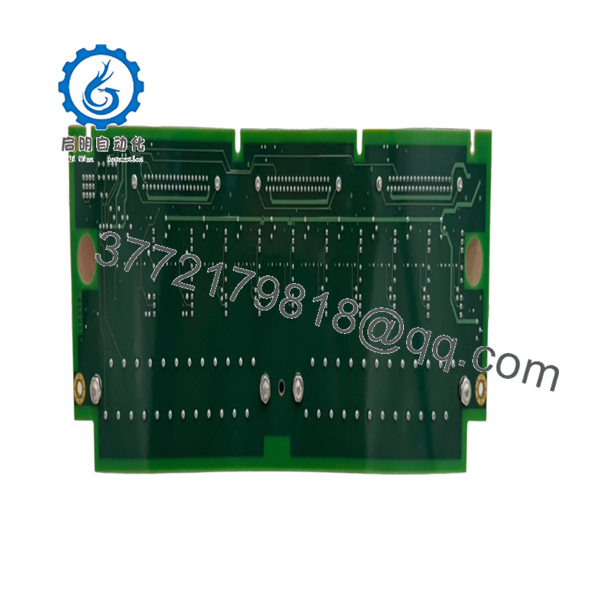
GE IS200TBAIH1CED
- Manufacturer: GE Industrial Systems
- Model Number: IS200TBAIH1CED
- Functional Acronym: TBAI
- Product Type: Analog I/O Terminal Board
- Series: EX2100 / EX2100e Excitation Control
- Functional Revision: C
- Functional Revision 2: E
- Artwork Revision: D
- PCB Protection: Conformal coating
- Analog Inputs: 10 channels
- Analog Outputs: 2 channels
- I/O Connector: Three DC-37 pin connectors
- Operating Temperature: Approx. −30 °C to +65 °C (reported)
- Dimensions: Approx. 330 mm × 100 mm
4. Product Introduction
The GE IS200TBAIH1C and IS200TBAIH1CED are Analog Input Terminal Boards used in GE Mark VI and EX2100 turbine control architectures. The TBAI board provides the field termination interface for analog measurement signals, connecting sensors and transmitters to GE I/O processors. It supports 10 analog inputs and 2 analog outputs with signal conditioning functions.
These boards are commonly stocked as replacement spares for legacy turbine control systems. Before installation, verify the exact revision, terminal wiring, jumper configuration, and compatible I/O processor type.

- IS200TBAIH1C IS200TBAIH1CED
- IS200TBAIH1C IS200TBAIH1CED
5. Installation & Configuration Guide
Stage 1: Pre-Installation Preparation (Estimated Time: 10 minutes)
⚠️ Safety First
- Notify operations before removing the terminal board.
- Place the turbine/excitation system into a safe maintenance condition.
- Apply lockout/tagout procedures.
- Remove cabinet power.
- Wait at least 5 minutes for stored energy discharge.
Tools Required
- ESD wrist strap
- PH1 screwdriver
- Digital multimeter
- Wire labels
- Smartphone/camera
Data Backup
- Record the current board location.
- Photograph:
- Terminal wiring
- Jumper positions
- Connector locations
- Board label
- Record analog channel assignments.
- Save Mark VI / EX2100 configuration.
Stage 2: Removing the Old Module (Estimated Time: 5 minutes)
- Open the control cabinet.
- Verify power isolation.
- Label all field wiring.
- Disconnect terminal blocks carefully.
- Remove mounting hardware.
- Remove the TBAI board from the panel.
Inspect:
- Terminal contacts
- DC-37 connectors
- Jumper settings
- Signs of overheating or corrosion
⚠️ Keep the original board until the replacement is tested. The old board is the best reference for field wiring.
Stage 3: Installing the New Module (Estimated Time: 10 minutes)
- Wear ESD protection.
- Confirm:
- IS200TBAIH1C or IS200TBAIH1CED
- Correct revision
- Correct application (Mark VI / EX2100)
- Copy jumper settings from the original board.
- Mount the replacement board.
- Reconnect terminal wiring.
- Verify all DC-37 connectors are fully seated.
Installation Checklist
- Correct part number
- Jumper positions matched
- Terminal wiring verified
- Connectors locked
⚠️ Common mistake: Engineers often replace a TBAI board and overlook jumper configuration. The board may power up but produce incorrect analog scaling.
Stage 4: Power-On & Testing (Estimated Time: 15 minutes)
- Check cabinet supply voltage.
- Power up the control rack.
- Verify I/O processor recognition.
- Check analog input values.
- Test analog outputs.
- Confirm alarms are cleared.
⚠️ Troubleshooting Notes
- Incorrect input values: check transmitter wiring and jumper settings.
- No channel response: verify DC-37 connection.
- Communication fault: check I/O processor compatibility.
6. Frequently Asked Questions (FAQ)
Q1: Are IS200TBAIH1C and IS200TBAIH1CED the same board?
A: They are the same TBAI board family, but IS200TBAIH1CED includes additional revision identifiers. Confirm the complete catalog number before replacement.
Q2: Can this board be hot-swapped?
A: No. Treat it as a powered-down replacement. Disconnecting terminal boards under power can damage connected I/O electronics.
Q3: What systems use the TBAI board?
A: It is used in GE Mark VI and EX2100 turbine control/excitation systems for analog field signal termination.
Q4: How many analog signals can this board handle?
A: The TBAI design supports 10 analog inputs and 2 analog outputs.
Q5: Does replacing this board remove turbine software?
A: No. The terminal board is an I/O interface device. The control application remains in the GE controller configuration, but channel settings must match.
Q6: Why are these boards available as surplus?
A: Mark VI and EX2100 systems are legacy platforms. Spare boards are commonly supplied from New Original surplus inventory or tested refurbished stock.
Q7: What should be checked before installation?
A: Verify:
- Full part number
- Revision code
- Terminal wiring
- Jumper positions
- Compatible I/O processor
A correct hardware match prevents most commissioning delays.



