
 WhatsApp: +86 16626708626
 Email:
  Phone: +86 16626708626
Description
3. Key Technical Specifications
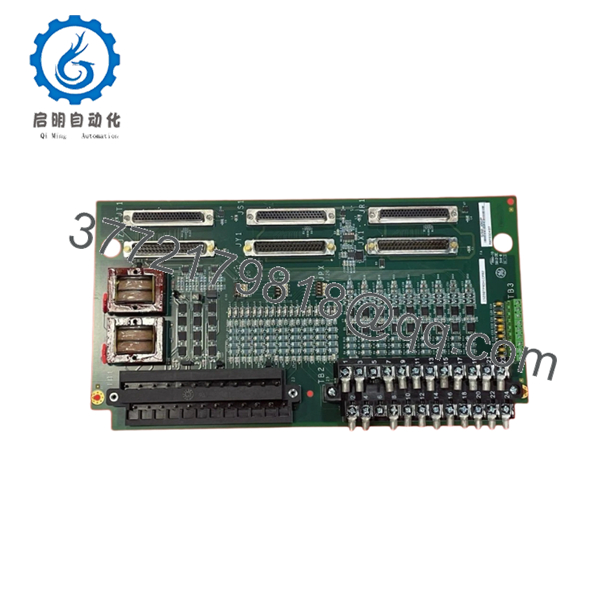
IS200TPROH1CPR2 belongs to the GE TPRO emergency protection family used in Mark VI and Mark VIe turbine protection systems. The board acts as a signal distribution and conditioning interface for overspeed and emergency shutdown functions. Public documentation for the CPR2 suffix itself is limited, so exact revision behavior should be validated against installed hardware and OEM documentation before replacement.
| Parameter | Value |
|---|---|
| Manufacturer | GE General Electric |
| Model | IS200TPROH1CPR2 |
| Functional Acronym | TPRO |
| Product Type | Emergency Protection Terminal Board |
| Series | Mark VI / Mark VIe |
| Protection Architecture | Simplex and TMR |
| Connected I/O Packs | Up to 3 PPRO I/O packs |
| Speed Inputs | Up to 9 magnetic pickup signals |
| Analog Inputs | 4–20 mA supported |
| Voltage Inputs | Generator and bus PT inputs |
| Connectors | Three DC-37 connectors |
| Terminal Type | Removable barrier terminals |
| Mounting Method | DIN rail / panel mounted carrier |
| Signal Range | Magnetic pickup: 2 Hz–20,000 Hz |
| Operating Temperature | 30 °C to 65 °C |
| Warranty | Typically 12 months |
The TPRO architecture distributes identical signals to multiple protection channels to support redundant voting logic used in turbine emergency shutdown systems.
4. Product Introduction
GE IS200TPROH1CPR2 is an Emergency Protection Terminal Board used within GE Mark VI and Mark VIe turbine control systems. The board receives speed pickup, voltage, and protection-related field signals and routes them to PPRO protection hardware for emergency overspeed and synchronization monitoring functions.
In field deployments, TPRO hardware sits directly in the protection path. This is not a board where engineers take substitution shortcuts. During outages, a mismatch in hardware revision can become visible only after turbine startup logic begins executing. That is usually a painful time to discover compatibility assumptions were wrong.

- IS200TPROH1CPR2
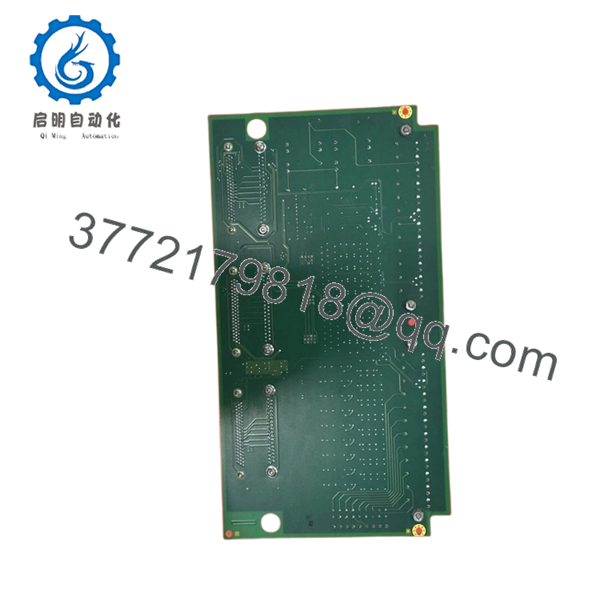
- IS200TPROH1CPR2
5. Installation & Configuration Guide
Stage 1: Pre-Installation Preparation (Estimated: 10 minutes)
⚠️ Safety First: Notify operations of downtime. Verify turbine shutdown conditions. Apply lockout/tagout procedures. Wait at least 5 minutes for capacitor discharge.
Tools Required
- ESD wrist strap
- PH1 screwdriver
- Fluke 115 multimeter
- Wire labels
- Smartphone for photos
- ESD mat
- Flashlight
Data Backup
- Export controller and protection configurations.
- Record slot locations.
- Photograph all field wiring.
- Photograph jumper positions.
- Record terminal labeling and cable routing.
⚠️ I have yet to see a legacy turbine cabinet that perfectly matched original drawings.
Stage 2: Removing the Old Module (Estimated: 5 minutes)
- Remove cabinet covers.
- Label every terminal.
- Disconnect wiring carefully.
- Release retention hardware.
- Pull module straight outward.
Inspect:
- DC-37 connectors
- Backplane condition
- Bent pins
- Heat damage
- Dust accumulation
⚠️ Keep the old board until startup completes.
I have seen teams box up old hardware immediately, then spend an hour trying to remember jumper settings.
Stage 3: Installing the New Module (Estimated: 10 minutes)
- Wear grounded ESD protection.
- Verify exact model: IS200TPROH1CPR2
- Configuration Clone (Crucial): Match every jumper and hardware setting exactly.
Check:
- PPRO connections
- Input assignments
- Terminal configuration
- Jumper selections
This is the most common rookie mistake, but it happens constantly. Take a picture before you pull it. I can’t stress this enough.
- Insert board fully into mounting hardware.
- Verify connector seating.
- Reconnect wiring.
Self-Checklist
- DIPs match
- Wiring secured
- Lock tabs engaged
Stage 4: Power-On & Testing (Estimated: 10 minutes)
Pre-Power Check
Verify no short conditions on power rails using a multimeter.
Power-up sequence:
- Energize cabinet only
- Observe startup indicators
- Verify communications
- Connect engineering workstation
- Verify protection channel health
- Test signal inputs
⚠️ Troubleshooting Note: If protection diagnostics appear immediately after startup, suspect firmware or hardware revision mismatch first.
I’ve seen projects spend two days replacing healthy boards because nobody checked revision history.
SOP Quality Transparency
Inbound Inspection & Traceability
- Verify OEM labels and shipment records.
- Perform anti-counterfeit inspections.
- Inspect serial labels and holograms.
- Check for scratches, corrosion, solder rework, and UV discoloration.
- Audit included documentation.
Live Functional Testing
Testing performed using a GE-compatible rack or simulated Mark VI environment.
Procedure:
- Power-on verification
- LED inspection
- Communication handshake testing
- Signal simulation
- Continuous operation exceeding 24 hours
- Thermal monitoring
Official Test Report generated after testing.
Electrical Parameter Testing
- 500 V Megger insulation >10 MΩ
- Ground continuity test
- Hipot testing where applicable
Firmware & Configuration Verification
- Document firmware versions
- Record hardware revisions
- Photograph jumper settings
Final QC & Packaging
- QC signoff
- ESD packaging
- Bubble wrap protection
- Heavy-duty carton
- QC date labels
Test videos and photos available upon request.
Technical Pitfall & Survival Guide
❗ Firmware Revision Mismatch
Document installed revision information before removal.
I once watched a replacement jump firmware generations. Two days disappeared chasing communication faults.
❗ DIP Switch / Jumper Errors
Take photos first.
Simple mistake. Still causes repeat startup delays every year.
❗ Terminal Wiring Assumptions
Even similar GE TPRO hardware revisions can alter assignments.
Never wire from memory.
❗ Power Draw Calculations
Maintain a minimum 20% power margin.
Additional I/O hardware accumulates faster than many engineers expect.
❗ ESD Damage
Wear a grounded wrist strap.
I watched an engineer handle a protection board during winter without grounding. Powered up the system and smoke appeared immediately. Thousands of dollars vanished in ten seconds.
Keep these checks in mind and you’ll save yourself 90% of typical rework time.
6. Frequently Asked Questions (FAQ)
Q1: Can I hot-swap this module?
No.
Protection hardware should never be removed under power. You risk backplane damage and protection system faults.
Q2: Is IS200TPROH1CPR2 obsolete?
Yes.
Current availability depends largely on surplus inventory and specialty industrial suppliers serving legacy GE turbine platforms.
Q3: Is this genuinely new or refurbished?
Depends on inventory source.
New Surplus usually means unused inventory from previous projects. Refurbished hardware was previously installed and tested. Request actual photos and test reports.
Q4: What happens if I install a different suffix revision?
Proceed carefully.
I have seen suffix differences create startup and communication issues that were invisible during installation.
Q5: Will replacing this board erase turbine logic?
Normally no.
The board handles signal interfacing and protection functions. Logic usually resides elsewhere, but always back up configuration data before shutdown.
Q6: Why are surplus prices lower than OEM pricing?
Inventory age.
Many suppliers purchased stock years ago and now distribute remaining inventory. Lower cost does not automatically indicate lower quality.
Q7: What hardware interacts directly with TPRO?
The board interfaces with PPRO I/O packs and emergency protection architecture used in Mark VI and Mark VIe systems. Verify actual site configuration against GE manuals before installation.



