
 WhatsApp: +86 16626708626
 Email:
  Phone: +86 16626708626
Description
3. Key Technical Specifications
- Manufacturer: GE (General Electric)
- Model Number: IS200VAICH1CBA
- Functional Acronym: VAIC
- Board Type: Analog Input/Output Control Board
- Control Platform: GE Mark VI Speedtronic turbine control system
- Application: Gas turbine and industrial turbine control cabinets
- Analog Input Channels: 20 channels
- Analog Output Channels: 4 channels
- Input Signal Range: 4–20 mA typical
- A/D Converter Resolution: 16-bit
- D/A Converter Resolution: 12-bit
- Communication Interface: VME backplane
- Processor: Intel Celeron 300 MHz (reported specification)
- Memory: 128 MB flash memory (reported specification)
- Ethernet Interface: 10BaseT / 100BaseTX RJ-45 (reported specification)
- Operating Temperature: 0 °C to +60 °C typical
- Dimensions: Approx. 260.4 mm height × 19.9 mm width
- Weight: Approx. 0.42 kg
- Redundancy Modes: Simplex and TMR configurations
- Diagnostics: RUN / FAIL / STATUS LED indicators
4. Product Introduction
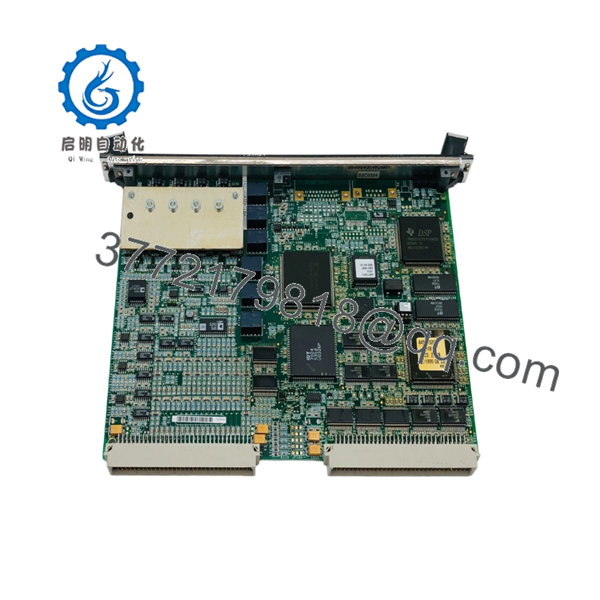
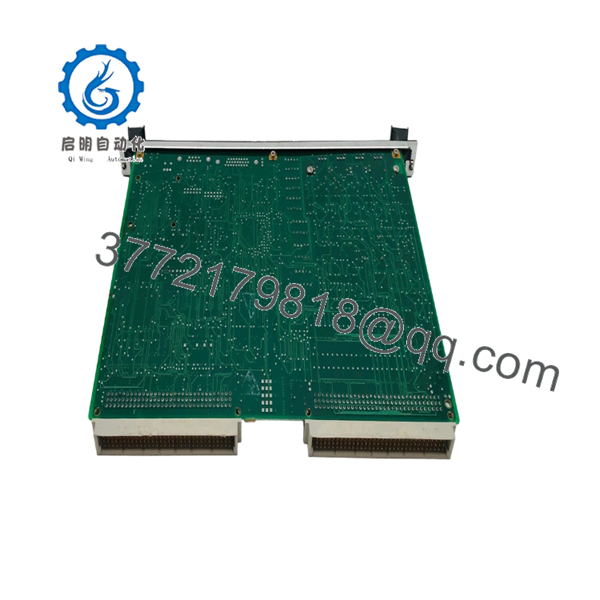
The GE IS200VAICH1CBA VAIC-H1C is an Analog Input/Output Control Board designed for GE Mark VI Speedtronic turbine control systems. It processes field analog signals through VME-based control architecture and supports turbine monitoring and control applications. The board handles 20 analog inputs and 4 analog outputs through compatible terminal board assemblies.
This module is commonly maintained as a spare for legacy GE turbine installations. Before replacement, verify the exact hardware revision, terminal board compatibility, and existing Mark VI configuration.

- IS200VAICH1CBA VAIC-H1C
- IS200VAICH1CBA VAIC-H1C
5. Installation & Configuration Guide
Stage 1: Pre-Installation Preparation (Estimated Time: 10 minutes)
⚠️ Safety First
- Notify plant operations before removing the VAIC board.
- Place the turbine control system in a safe maintenance condition.
- Apply lockout/tagout procedures.
- Remove cabinet power.
- Wait at least 5 minutes for internal discharge.
Tools Required
- ESD wrist strap
- PH1 screwdriver
- Digital multimeter
- Wire labels
- Smartphone/camera for documentation
Data Backup
- Record the VME rack location.
- Photograph:
- Front panel label
- Cable connections
- Terminal board wiring
- Existing LED status
- Save Mark VI configuration data if available.
- Record existing I/O channel assignments.
Stage 2: Removing the Old Module (Estimated Time: 5 minutes)
- Remove cabinet access cover.
- Label all cables connected to the terminal interface.
- Disconnect cables carefully.
- Release the VME board retaining screws.
- Pull the VAIC board straight out of the rack.
- Inspect the VME connectors for:
- Bent pins
- Dust contamination
- Mechanical damage
⚠️ Keep the removed board until commissioning is complete. The old card provides the fastest reference for wiring and revision verification.
Stage 3: Installing the New Module (Estimated Time: 10 minutes)
- Wear ESD protection before handling the replacement board.
- Confirm:
- IS200VAICH1CBA part number
- VAIC-H1C revision
- Compatible Mark VI rack position
- Insert the board into the correct VME slot.
- Tighten front panel retaining screws.
- Reconnect all cables.
Configuration Checklist
- Correct VME slot
- Terminal board wiring matches
- Connectors fully seated
- Board secured mechanically
⚠️ Important: A VAIC board replacement is not only a hardware swap. Channel configuration, terminal board type, and Mark VI software settings must match the existing installation.
Stage 4: Power-On & Testing (Estimated Time: 15 minutes)
- Verify 24 V DC supply condition.
- Power the control rack.
- Observe front LEDs:
- RUN: normal operation
- FAIL: fault condition
- STATUS: diagnostic indication
- Open GE Mark VI configuration software.
- Verify:
- Board recognition
- I/O channel values
- Alarm status
- Test analog inputs using simulated signals.
- Verify analog outputs against expected values.
⚠️ Troubleshooting Notes
- No board recognition: check VME seating and rack address.
- Incorrect analog values: verify terminal board wiring and channel scaling.
- FAIL LED active: check firmware compatibility and configuration database.
6. Frequently Asked Questions (FAQ)
Q1: Can the GE IS200VAICH1CBA be hot-swapped?
A: No. Treat it as a powered-down VME rack replacement unless your specific GE documentation confirms otherwise. Removing a VME board under power can damage the rack interface.
Q2: Is IS200VAICH1CBA obsolete?
A: Yes. It belongs to the legacy GE Mark VI platform. Availability is mainly through surplus inventory and industrial automation spare-part suppliers.
Q3: What systems use the VAIC-H1C board?
A: The board is used in GE Mark VI Speedtronic turbine control systems for analog input and output processing.
Q4: How many signals does this board handle?
A: The VAIC board architecture supports 20 analog inputs and 4 analog outputs. Terminal board selection determines the field wiring interface.
Q5: Will replacing the board delete my turbine logic?
A: The application logic is normally stored in the controller configuration, not the analog I/O board. However, document the existing setup before removal to avoid configuration mismatch.
Q6: Why is this part cheaper than an OEM replacement channel?
A: Legacy GE Mark VI parts are often supplied from New Original surplus inventory or tested refurbished stock. Price differences usually reflect inventory source and availability, not necessarily function.
Q7: What should be checked before installation?
A: Confirm part number, hardware revision, terminal board compatibility, channel configuration, and physical condition. A visual check alone is not enough for turbine control hardware.



