
 WhatsApp: +86 16626708626
 Email:
  Phone: +86 16626708626
Description
3. Key Technical Specifications
| Parameter | Value |
|---|---|
| Manufacturer | General Electric (GE) |
| Model Number | IS200VTURH1BAA |
| Functional Acronym | VTUR |
| Series | Mark VI Speedtronic |
| Product Type | Primary Turbine Protection Board |
| Hardware Platform | VME Control Rack |
| Architecture | Simplex / Triple Modular Redundant (TMR) |
| Speed Input Channels | 4 passive magnetic pickup inputs |
| MPU Frequency Range | 2 Hz to 20 kHz |
| MPU Accuracy | 0.05% of reading |
| Trip Solenoid Outputs | 3 channels |
| Contact Voltage Sensing | 20 V DC (HI), 6 V DC (LO) |
| Supported Terminal Boards | TRPG, TRPL, TREG, TRPS |
| Typical Function | Overspeed trip, synchronization, flame monitoring |
| Dimensions | Approx. 2.1 × 18.8 × 26.2 cm |
| Weight | Approx. 0.3 kg |
Specifications are based on GE Mark VI VTUR documentation references and industrial inventory data. Verify exact revision compatibility with the OEM documentation before installation.
4. Product Introduction
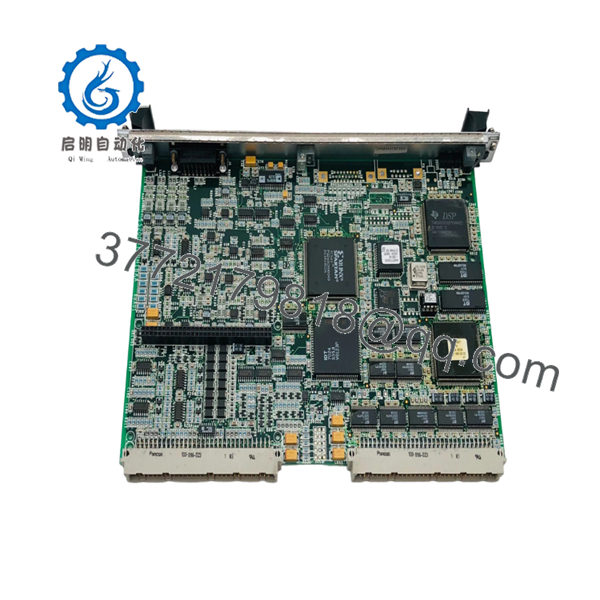
The GE IS200VTURH1BAA VTUR-H1B is a Mark VI Speedtronic primary turbine protection board installed in GE gas and steam turbine control systems. The board monitors turbine speed signals, overspeed conditions, shaft monitoring signals, and controls primary trip functions through the associated terminal boards.
The VTUR board is selected for legacy Mark VI applications requiring original VME hardware compatibility. It supports TMR protection configurations and interfaces with GE turbine protection modules including TRPG, TRPL, TREG, and TRPS.

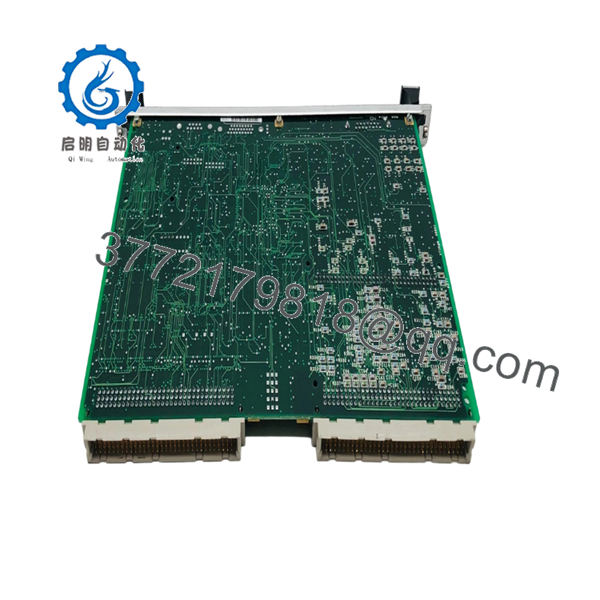
- IS200VTURH1BAA VTUR-H1B
- IS200VTURH1BAA VTUR-H1B
5. Installation & Configuration Guide
Stage 1: Pre-Installation Preparation (Approx. 10 minutes)
⚠️ Safety First
- Notify turbine operations before shutdown or maintenance activity.
- Place the turbine control system into an approved safe maintenance state.
- Apply lockout/tagout procedures.
- Verify power isolation.
- Wait at least 5 minutes for capacitor discharge.
Tools Required
- ESD wrist strap
- PH1 screwdriver
- Digital multimeter
- Wire labels
- Smartphone/camera for documentation
Data Backup
- Record the current Mark VI rack location.
- Photograph:
- VTUR board position
- Terminal board wiring
- Board labels
- Cable routing
- Record existing diagnostics and alarm status.
Stage 2: Removing the Old Module (Approx. 10 minutes)
- Remove the rack front cover if installed.
- Label all connectors before removal.
- Disconnect the J5 cable connection carefully.
- Release VME rack retention hardware.
- Pull the VTUR board straight out.
⚠️ Important
Do not discard the removed board until the replacement has completed functional testing.
Inspect:
- VME backplane pins
- Connector condition
- Signs of overheating
- Contamination or corrosion
Stage 3: Installing the New Module (Approx. 10 minutes)
- Wear an ESD strap before handling the replacement board.
- Verify:
Old Board: IS200VTURH1BAA
Replacement Board: IS200VTURH1BAA
- Check revision label compatibility.
- Insert the board into the correct VME slot.
- Confirm full seating.
- Reconnect field cables.
Self-Checklist
- Correct board revision confirmed
- VME connector fully seated
- J5 cable secured
- Rack locking hardware engaged
Stage 4: Power-On & Testing (Approx. 15–30 minutes)
Pre-Power Check
- Verify DC supply voltage.
- Check for wiring shorts.
- Confirm terminal board connections.
Power-On Steps
- Power the Mark VI rack.
- Check VTUR LED indications.
- Confirm controller communication.
- Verify board diagnostics.
- Confirm speed input readings.
- Test trip output circuits under approved maintenance procedure.
⚠️ Troubleshooting Note
If the board fails initialization:
- Check VTUR revision compatibility.
- Verify terminal board type.
- Confirm TMR/Simplex configuration.
- Review Mark VI diagnostic logs.
6. Frequently Asked Questions (FAQ)
Q1: Can the GE IS200VTURH1BAA be hot-swapped?
No. The VTUR is part of the turbine protection system and connects through the Mark VI VME architecture. Removing it under power can create protection faults or damage hardware. Always perform a controlled shutdown procedure.
Q2: Is the IS200VTURH1BAA obsolete?
Yes. The GE Mark VI platform is a legacy turbine control system. New factory production is limited, so availability usually comes from New Original surplus inventory or tested refurbished stock.
Q3: What does the VTUR-H1B board control?
The VTUR board handles primary turbine protection functions including turbine speed measurement, overspeed trip generation, trip relay control, and protection signal monitoring.
Q4: Will replacing the VTUR board erase turbine logic?
No. The board itself does not normally store the complete turbine application logic. However, configuration, revision matching, and diagnostic verification are required after replacement.
Q5: What is the direct replacement for IS200VTURH1BAA?
There is no universal replacement without checking the Mark VI cabinet configuration. Confirm:
- VTUR revision
- Terminal board type
- Simplex/TMR architecture
- Application firmware compatibility
Q6: Why is surplus GE IS200VTURH1BAA cheaper than OEM pricing?
Legacy GE Mark VI components are commonly sourced from industrial surplus inventories or exchange programs. Price differences usually reflect availability, condition, testing level, and warranty coverage.
Q7: What testing should be completed before installation?
Recommended checks:
- Visual PCB inspection
- Serial number verification
- VME connector inspection
- Power-up diagnostics
- Speed input simulation
- Trip output verification
Test records and inspection photos should be requested for critical turbine applications.



