
 WhatsApp: +86 16626708626
 Email:
  Phone: +86 16626708626
Description
3. Key Technical Specifications
| Parameter | Value |
| Series | Mark VI Speedtronic |
| Processor Type | VME-based UCVE Master Controller |
| Revision | M10A |
| Slot Requirement | Single VME Slot (Standard Rack) |
| Communication | Ethernet, RS-232 Serial, VMEbus |
| Operating System | QNX Real-Time OS (RTOS) compatibility |
| Input Voltage | 5 VDC (via VME Backplane) |
| Operating Temp | 0 to 60 °C (32 to 140 °F) |
| Onboard Memory | Flash-based logic storage |
4. Product Introduction
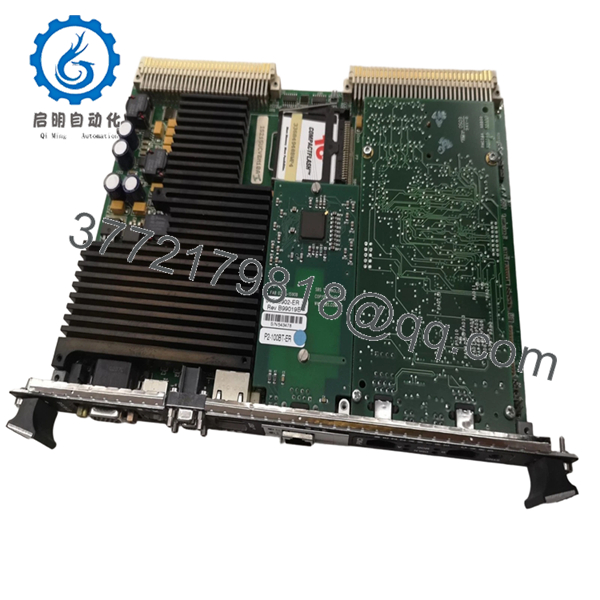
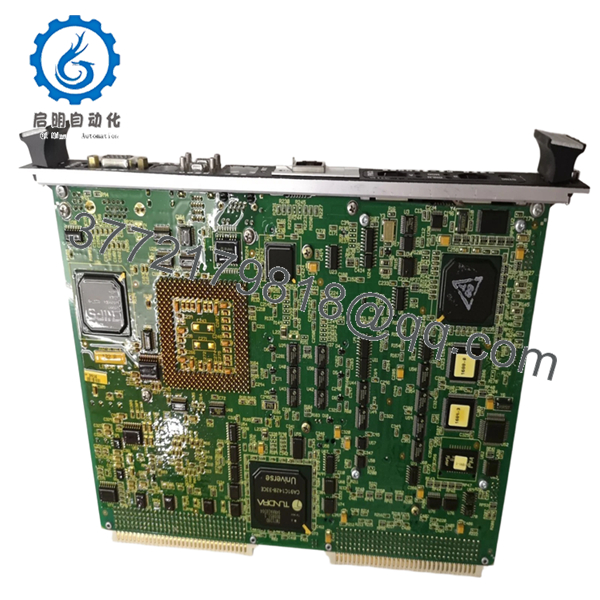
The GE IS215UCVEM10A is a central processing component of the Speedtronic Mark VI turbine control system. Functioning as a UCVE master controller, this VME-based board executes the complex control algorithms, alarm management, and communication tasks necessary for the safe operation of heavy-duty gas and steam turbines.
Engineers rely on the IS215UCVEM10A for its ability to handle high-speed I/O processing and deterministic logic execution. As a master controller, it coordinates data across the VME backplane, interfacing with various I/O packs and bridge cards to maintain precise turbine speed, load, and temperature control.
5. Installation & Configuration Guide
Stage 1: Pre-Installation Preparation
- ⚠️ Safety First: Replacing a master controller requires a complete system shutdown. Ensure the turbine is in a safe, forced-off state. Perform full Lock Out/Tag Out (LOTO) on the Mark VI control power.
- Tools Required: ESD wrist strap, PH1 screwdriver, laptop with GE Toolbox software, and a null-modem serial cable for local diagnostics.
- Data Backup: CRITICAL. Before removal, ensure you have a current backup of the application code (logic), configuration files, and IP addresses. You will need to download this logic to the new board.
Stage 2: Removing the Old Module
-
- Open the VME rack door and identify the UCVE controller (usually in the first or specific master slot).
- Disconnect any front-facing Ethernet or Serial cables. Label them clearly.
- Use the top and bottom injector/ejector handles to release the board from the backplane.
- Pull the board straight out, handling it only by the edges or handles.
- ⚠️ Note: Inspect the backplane for any bent pins or dust buildup before proceeding.
Stage 3: Installing the New Module
-
- ESD Prep: Ensure your wrist strap is grounded to the cabinet frame.
- Hardware Audit: Verify that any physical DIP switches or jumpers on the IS215UCVEM10A match the original controller exactly. This often sets the VME address or hardware mode.
- Insertion: Align the board with the rack guides. Slide it in and use the handles to firmly seat the board into the backplane connectors.
- Self-Checklist: [ ] Board seated and locked, [ ] Cables reconnected to correct ports, [ ] ESD strap used.
Stage 4: Power-On & Commissioning
-
- Power up the Mark VI rack.
- Observe the front panel LEDs. The “Status” or “Run” LEDs should indicate the boot sequence progress.
- Connect via GE Toolbox. You will likely need to set the IP address via the serial maintenance port first if the board is factory-fresh.
- Download the application code and configuration.
- Troubleshooting Note: If the “Fault” LED remains solid, check the Toolbox diagnostic buffer for firmware mismatch or hardware ID conflicts.

- IS215UCVEM10A
- IS215UCVEM10A
6. Frequently Asked Questions (FAQ)
Q: Does this board come pre-loaded with my turbine logic? A: No. These boards ship with factory-standard firmware. You must download your site-specific application logic using GE Toolbox once the board is installed and communication is established.
Q: Can I replace an IS215UCVEM05 or M06 with this M10A version? A: Generally, the M10A is a higher-order revision designed for backward compatibility, but this is not universal. You must verify your system configuration in Toolbox and ensure your current software version supports the M10A hardware profile.
Q: What happens if I pull this card while the rack is powered? A: This will cause an immediate system crash. The UCVE is the “brain” of the rack. Pulling it under power can also cause electrical arcing across the VME pins, potentially damaging the backplane or the card itself. Always power down first.
Q: Why is my new board showing a “Firmware Mismatch” error? A: The firmware on a New Surplus board may be newer or older than the rest of your Mark VI system. You will need to use GE Toolbox to “Flash” the board with the firmware version that matches your existing controllers to ensure synchronized operation.
Q: Is the IS215UCVEM10A compatible with Mark VIe? A: No. The IS215 series is for the VME-based Mark VI. The Mark VIe system uses a different architecture (UCSB/UCSA controllers) that communicates via IONet rather than a VME backplane.



