
 WhatsApp: +86 16626708626
 Email:
  Phone: +86 16626708626
Description
3. Key Technical Specifications
| Parameter | Specification Value |
| Module Type | Analog Output Control Pack (PAOC) |
| Number of Channels | 8 analog output channels (0-20 mA current loops) |
| Processor | 32-bit internal RISC processor |
| Network Interfaces | Dual redundant 100BASE-FX or 10/100 BASE-TX Ethernet ports |
| Output Load Range | Supports standard 0 to 800 \Omega loop resistance |
| Digital-to-Analog Resolution | 14-bit D/A converter per channel |
| Accuracy | Within \pm 0.1\% of full scale across full operating temperature |
| Response Time | Configurable up to 10 ms step response update rates |
| Fault Detection | Open-circuit detection, loop current readback verification, over-temperature alarms |
| Power Requirements | 28.0 V DC nominal (range: 24.0 to 30.0 V DC) |
| Terminal Board Matching | TBAO (Analog Output) or TBAOH1C terminal blocks |
4. Product Introduction & Supply Chain Strategy
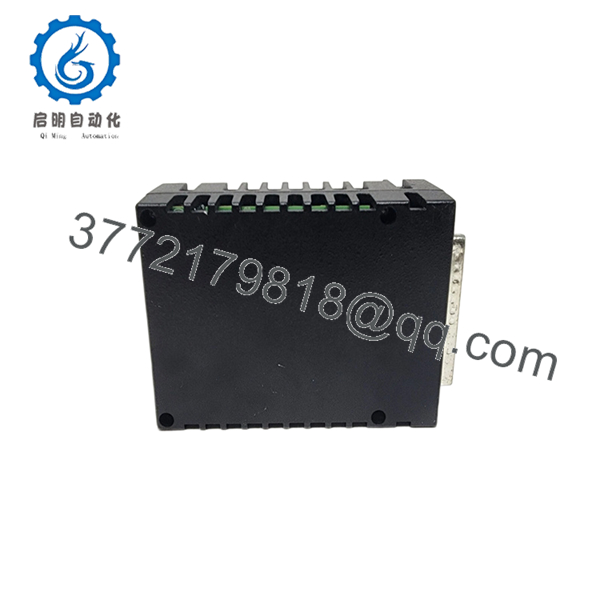
The GE IS220PAOCH1A is a high-performance analog output control pack belonging to the Mark VIe Distributed Control System (DCS) architecture. This module drives 8 independent channels of 0-20 mA current signals to control critical field actuators, process control valves, and variable frequency drives. Equipped with an onboard 32-bit RISC processor and dual-redundant Ethernet ports, the PAOC pack mounts directly to the associated terminal block, handling local digitalization, real-time diagnostic cross-checking, and rapid loop control completely at the network edge.
From an inventory management standpoint, integrating this module as a New Surplus unit is an essential safeguard against severe process disruption. Sourcing this hardware as a verified New Surplus asset ensures the internal processing architecture and power regulation circuits operate with full factory integrity. This approach completely avoids the common failure points of refurbished units—such as drift in the digital-to-analog converter (DAC) resistors or latent component breakdown—helping procurement teams reduce the Total Cost of Ownership (TCO) and eliminate the multi-thousand-dollar losses of unexpected production trips.
5. Installation & Configuration Guide
Stage 1: Pre-Installation (Prep & Safety)
- Verify that the 28 V DC power supply lines connected to the mounting terminal board are deactivated or safely isolated.
- Put on an ESD-safe wrist strap connected to a verified earth ground to prevent static discharge from damaging the internal microprocessor.
- Use a smartphone or camera to document the existing network cabling, IONet port assignments, and matching physical terminal block labels.
Stage 2: Removal
- Unplug the two RJ45 Ethernet cables connected to the ENET1 and ENET2 network ports on the side of the PAOC enclosure.
- Loosen the three captive mounting jackscrews on the pack frame using a standard flathead screwdriver.
- Pull the control pack straight up and away from the terminal board d-connector pins, avoiding any side-to-side tilting that could bend the delicate gold pins.
Stage 3: Installation (Clone & Seat)
- Inspect the terminal board male d-connector pins for any alignment issues, dust, or contamination before mounting.
- Align the IS220PAOCH1A guide pins with the terminal board mating slot and slide the control pack firmly down onto the connector.
- Alternately tighten the three captive jackscrews by hand and finish with a screwdriver until the pack is fully seated and mechanically secured.
- Reconnect the IONet Ethernet cables to their designated ENET1 and ENET2 ports.
Stage 4: Power-On & Testing
- Re-energize the 28 V DC power distribution lines to the terminal board.
- Watch the diagnostic LEDs located on the pack housing. Wait for the initialization sequence to finish until the status indicator switches to a steady blinking green, signaling a proper network connection.
- Open the ToolboxST software tool to verify online node discovery, run a configuration handshake, and confirm that the active loop feedback metrics indicate zero current deviation faults.

- IS220PAOCH1A
6. Firmware/Software Versions & Upgrade Notes
- Firmware Synchronization: The IS220PAOCH1A downloads its operational firmware baseline over the IONet infrastructure directly from the master controller. It is critical to ensure that the block firmware definition configured inside ToolboxST matches your primary system application code release.
- Compatibility Requirements: The H1A revision level relies on specific internal hardware components that require matching software block configurations. Operating mismatched firmware baselines on a shared network layer can cause communication drops or signal lag across the analog control loop.
- Upgrade Risks: Avoid performing firmware downloads or controller updates while the process loop is live or online. Forcing a configuration download during production interrupts the digital-to-analog converter (DAC) processing loop, which will instantly freeze the 4-20 mA field signals and cause critical process control valves to fail-safe or fail-last.
7. Frequently Asked Questions (FAQ)
What defines a “New Surplus” asset compared to a standard refurbished module?
Our New Surplus items are authentic, factory-fresh GE products that have never been put into active service on an industrial plant floor. They are often procured from excess corporate construction stocks or capital project spares. Kept in climate-controlled warehouses, these modules have never experienced structural thermal cycles, solder crystallization, or component drift. This separates them completely from refurbished alternatives, which are used components cleaned up to look new.
Why is this module more expensive than a refurbished alternative but cheaper than the factory list price?
This price point represents an investment in long-term reliability. Refurbished analog cards often suffer from component degradation, which can lead to unpredictable signal drift and sudden valve positioning faults. This New Surplus module provides a brand-new, zero-hour control circuit at a substantial savings relative to factory list pricing, protecting your facility from the high costs of unplanned downtime.
Does the IS220PAOCH1A support online hot-swapping?
Yes, the Mark VIe platform architecture allows the IS220PAOCH1A to be hot-swapped under power, provided the associated loop is configured for Triple Modular Redundant (TMR) control. When working in a TMR configuration, removing one pack causes the remaining two active control packs to seamlessly maintain the correct current output. However, if your system is built with a Simplex configuration, pulling the pack will immediately open the current loop, causing the field actuator to drop to its fail-safe state.
How does the module handle a lost connection on one of its network ports?
The PAOC pack uses dual-redundant 10/100M Ethernet interfaces connected to separate IONet switches (typically called the R, S, or T networks). If one network cable is damaged or experiences a signal drop, the internal processor instantly switches communication to the secondary port without dropping a single data frame. This automated network switchover happens without any disruption to the analog loop outputs.
What are the main warning signs that an active PAOC module is beginning to fail?
Analog loop issues usually show up first as diagnostic alarms within your ToolboxST interface. Watch for frequent “Loop Current Feedback Error” notifications, which reveal an unexpected difference between the commanded output value and the physical current loop readback. Additionally, persistent internal over-temperature faults or communication dropouts on the IONet interface are strong indicators that the control pack should be replaced with a backup unit during your next scheduled maintenance window.



