
 WhatsApp: +86 16626708626
 Email:
  Phone: +86 16626708626
Description
- Key Technical Specifications
- Manufacturer: GE
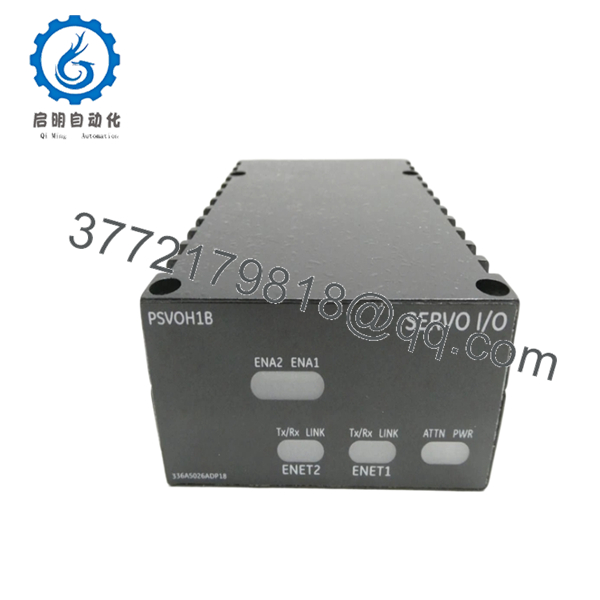
- Part Number: IS220PSVOH1B
- Product Family: Mark VIe
- Module Type: Servo Control I/O Pack
- Interface: Dual I/O Ethernet networks
- Terminal Board Interface: TSVO servo terminal board
- Power Input: 28 V DC from terminal board
- Feedback Support: 8 LVDT feedback inputs
- Output Range: Five servo valve output currents, 10 to 120 mA DC
- Ambient Rating: -40 to 70 C
- Revision Requirement: Firmware V04.09 or later
- Status: Legacy/limited stock
- Product Introduction
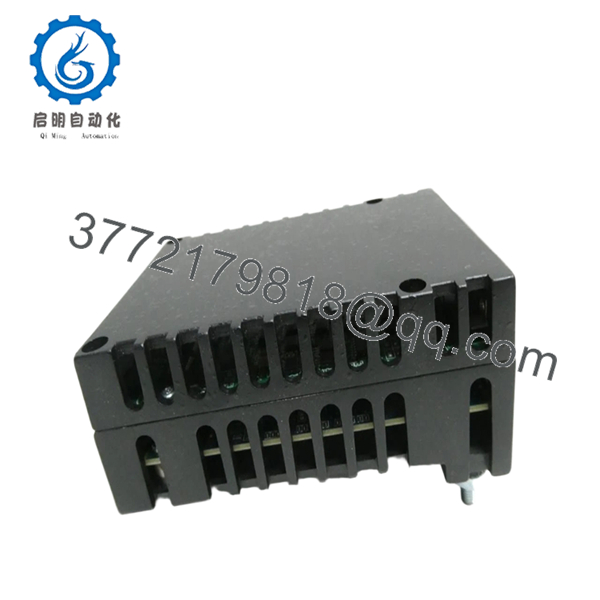
GE IS220PSVOH1B is a Mark VIe servo control I/O pack used in GE turbine control systems. It connects dual I/O Ethernet networks to a TSVO servo terminal board and handles servo valve position loop control in legacy GE installations.
This unit is selected when the existing Mark VIe architecture needs an exact replacement with the same servo interface behavior. Pay attention to firmware version, terminal board type, and revision differences, because IS220PSVOH1B is not a drop-in part if the system is mismatched.

- IS220PSVOH1B
- IS220PSVOH1B
- Troubleshooting Quick Reference
| Symptom | Possible Cause | Relevance to This Part | Quick Check Method | Recommendation |
|---|---|---|---|---|
| Power LED off | No 28 V DC feed from terminal board | ✅ High | Measure 28 V DC at the terminal board supply points | Check rack power and wiring before replacing the pack |
| Attention LED on | Configuration, firmware, or network fault | ✅ High | Read the Mark VIe diagnostic log and check firmware revision | Verify V04.09 or later and confirm configuration |
| ENet1/ENet2 link not active | Ethernet cabling, switch, or network setup issue | ✅ High | Test link on both Ethernet ports and check LEDs | Inspect network path before assuming module failure |
| Servo loop unstable | Terminal board, WSVO driver, or field wiring issue | ✅ Medium | Compare loop response at the terminal board and check signals | Isolate the full servo loop, not just the I/O pack |
| No servo output current | Output stage fault or incorrect configuration | ✅ High | Verify command signal and output current with a meter | Confirm setup and replacement compatibility |
| Intermittent resets | Poor seating, unstable supply, or overheating | ✅ Medium | Reseat the unit and monitor cabinet temperature | Check mechanical fit and enclosure cooling first |
If you are stuck, contact technical support with photos of the label, rack slot, and diagnostic logs.
- Frequently Asked Questions (FAQ)
Q: Is IS220PSVOH1B the same as IS220PSVOH1A?
A: No, not always. The B revision adds differences that can include processor and firmware requirements, so do not swap by assumption.
Q: Is this a hot-swappable module?
A: Do not count on it. In a control cabinet, I would power down or follow the OEM maintenance procedure before touching the pack.
Q: What should I check before ordering?
A: Confirm the exact part number, revision suffix, terminal board type, firmware version, and whether your system uses the TSVO/WSVO setup. That is where most install mistakes happen.
Q: Why is this part cheaper than factory new?
A: Because most available stock is surplus or refurbished, not current OEM production. The lower price reflects legacy availability and source, not a different operating spec.
Q: Will this keep my existing servo configuration?
A: Usually the system can auto-reconfigure, but that is not something I would trust blindly. Back up the site configuration and record the old board settings before replacement.
Q: What makes this part fail in the field?
A: Most failures I see are not the pack itself; they are power, Ethernet, terminal board, or configuration problems. Check the system around the module before condemning the card.



