
 WhatsApp: +86 16626708626
 Email:
  Phone: +86 16626708626
Description
Key Technical Specifications
| Parameter | Value |
|---|---|
| Relay model | MiCOM P141 |
| Platform | GE MiCOM P40 Agile / Agile P140 |
| Product type | Feeder management IED |
| Protection functions | 4-stage non-directional/directional phase overcurrent; 4-stage earth fault; negative-sequence overcurrent; sensitive earth fault |
| Voltage and frequency protection | 2-stage under/overvoltage; 9-stage under/overfrequency |
| Additional functions | Check synchronism, autoreclose, breaker fail, thermal overload, underpower, broken conductor, VT supervision |
| Neutral-system applications | Solidly earthed, impedance-earthed, Petersen-coil-earthed, and isolated neutral systems |
| Communications | Modbus, IEC 60870-5-103, IEC 61850; Ethernet options include redundant Ethernet, RSTP, PRP, and HSR |
| HSR ring capacity | Up to 50 nodes |
| Binary inputs | Up to 48 opto-isolated inputs, configuration-dependent |
| Control functions | Up to 8 switchgear element controls, configuration-dependent |
| Recording | Event, disturbance, and measurement recording |
| Configuration software | MiCOM S1 Agile |
| Case size | 40TE modular MiCOM Px40 case |
| Case dimensions | 206.0 × 177.0 × 243.1 mm (W × H × D) |
| Weight | Approximately 7 to 8 kg, depending on options |
| Mounting | Front-of-panel flush mounting or 19-inch rack mounting |
| Configuration note | Exact I/O count, CT/VT ratings, power supply, communications, and firmware depend on the complete order code |
The P141 is the base feeder-management model in the Agile P140 family. It provides overcurrent, earth-fault, voltage, frequency, breaker-fail, check-synchronism, and related feeder functions; autoreclose is a model-option distinction, with higher P14x variants offering expanded reclosing capability.
Product Introduction
The GE MiCOM P141 P40 Agile is a numerical feeder management IED for protection, control, and monitoring of overhead-line and underground-cable feeders. It is used as main or backup protection in MV and HV systems and supports solidly earthed, impedance-earthed, Petersen-coil-earthed, and isolated neutral arrangements.
The P141 is selected when a utility or industrial network requires dependable feeder protection with modern SCADA integration but does not need the full reclosing capability of the P142 or P143. Its IEC 61850, Modbus, and IEC 60870-5-103 communication options make it suitable for both legacy RTU installations and newer substation automation architectures.
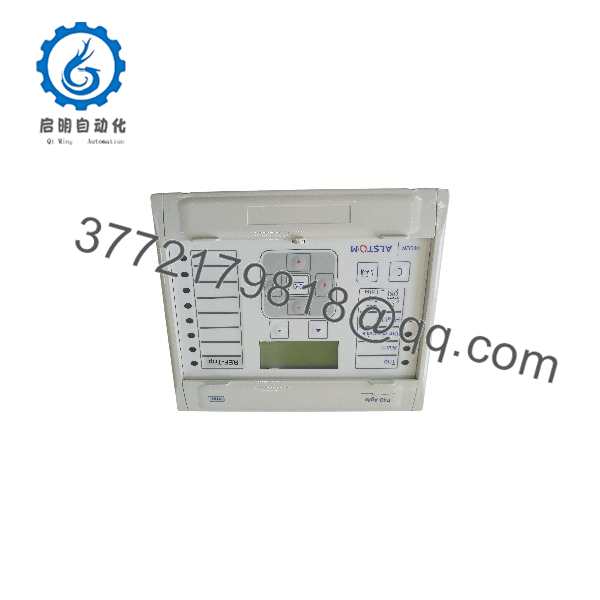
P40 AGILE MICOM P141
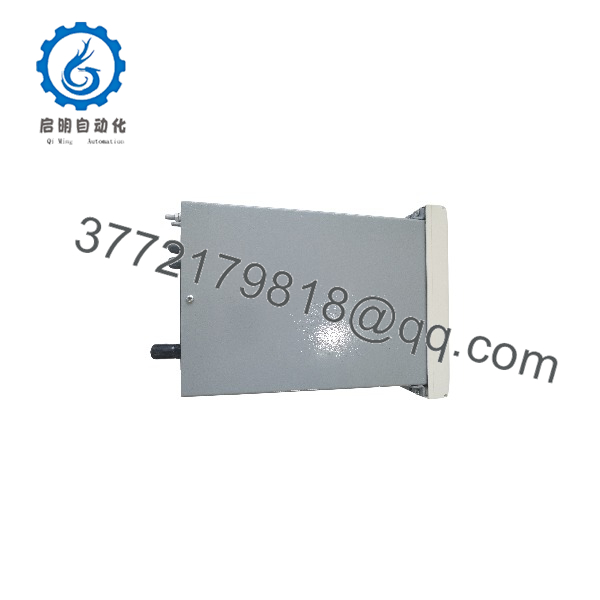
P40 AGILE MICOM P141
Installation & Configuration Guide
Stage 1: Pre-Installation Preparation
Estimated time: 30–45 minutes.
- ⚠️ Treat the relay as a protection device: obtain an outage, isolate the feeder, and confirm the primary plant is in a safe state.
- Apply lockout/tagout to the relay DC supply, AC/VT circuits, CT circuits, and trip circuits.
- ⚠️ Before disconnecting CT circuits, short the CT secondary terminals at the designated shorting block. Never open-circuit an energized CT secondary.
- Record the complete relay order code, firmware version, settings file, password level, communication addresses, and IEC 61850 configuration.
- Export the active setting file using MiCOM S1 Agile.
- Photograph the rear terminal assignments, CT/VT wiring, trip-coil supervision wiring, DIP switches, and communication-port connections.
- Verify the replacement relay’s complete order code against the original: case size, CT/VT inputs, binary I/O, power supply, communication ports, and firmware family.
⚠️ A P141 with the same base model but a different I/O or communication order code is not a transparent drop-in replacement.
Stage 2: Removing the Old Relay
Estimated time: 20–30 minutes.
- De-energize the relay auxiliary supply and verify 0 V at the power terminals.
- Confirm CT secondary circuits are shorted before opening any CT wiring.
- Disconnect VT, CT, binary-input, output-contact, communication, and power-supply wiring after labeling every terminal.
- Release the relay retaining screws or rack-mount fixings.
- Withdraw the relay straight from the panel or 19-inch rack.
- Inspect the case guides, rear terminals, CT shorting links, and panel cutout for damage or contamination.
⚠️ Keep the removed P141 energized only as required for forensic settings retrieval. Do not clear its settings or event records until the replacement is fully commissioned.
Stage 3: Installing the New Relay
Estimated time: 30–45 minutes.
- Verify the replacement P141 order code, hardware revision, firmware version, and language setting.
- Put on an ESD wrist strap before handling the relay or rear terminals.
- Mount the relay in the same panel position and orientation as the original.
- Reconnect the power supply, CT, VT, binary-input, trip, and communication wiring strictly from the labeled drawings.
- Confirm CT polarity, VT phasing, protective-earth connection, and trip-circuit supervision wiring.
- Restore CT shorting links to the normal service position only after the CT circuits are fully reconnected.
- Apply the exported settings file using MiCOM S1 Agile, then verify every protection group, curve, time delay, contact assignment, and PSL logic.
Self-checklist:
- Complete order code matches the original
- Firmware and settings compatibility verified
- CT circuits shorted during wiring work
- CT polarity and VT phasing verified
- Trip and close contacts assigned correctly
- Communication addresses and IEC 61850 SCL loaded
- Settings file restored and compared against the original
Stage 4: Commissioning & Testing
Estimated time: 1–3 hours, depending on scheme scope.
- Apply auxiliary DC power and confirm healthy relay status.
- Verify measured phase currents, residual current, phase-to-neutral voltages, frequency, and power values against a known reference.
- Perform secondary injection for phase overcurrent, earth-fault, negative-sequence, voltage, and frequency elements.
- Test directional elements with the correct CT/VT polarization and system angle settings.
- Test breaker-fail initiation, check-synchronism logic, and trip-circuit supervision where configured.
- If autoreclose is enabled, perform a staged reclose test with the breaker and interlocks in a controlled test mode.
- Validate SCADA points, alarms, event records, disturbance-record retrieval, and IEC 61850 GOOSE/MMS traffic where applicable.
- Restore the relay to service only after protection, control, communication, and trip-path checks are documented.
⚠️ Do not place a feeder protection relay in service based only on a healthy power-up LED. Complete secondary-injection and trip-path verification are mandatory.
Frequently Asked Questions (FAQ)
Can I hot-swap the GE MiCOM P141?
No. This is a protection IED wired to CTs, VTs, DC power, trip circuits, and SCADA. Isolate the feeder, short CT secondaries, de-energize the relay supply, and follow the substation switching procedure.
Is the P141 the same as the P142 or P143?
No. The P141 is the base feeder-management IED. The P142 adds four-shot three-pole autoreclose and additional I/O capability, while the P143 provides further functionality. Confirm the complete order code before using one as a replacement.
Can a P141 replace an older MiCOM P141?
Sometimes, but not automatically. Verify the full order code, CT/VT ratings, binary I/O count, power-supply range, communication interfaces, firmware family, and PSL logic. GE’s S1 Agile includes conversion utilities for older MiCOM setting files, but converted settings still require engineering review and commissioning tests.
Does the P141 support IEC 61850?
Yes, depending on the ordered communication option. Supported options can include IEC 61850 Ethernet, redundant Ethernet, RSTP, PRP, and HSR; HSR supports up to 50 nodes in a ring.
Will the relay retain settings after a power loss?
Yes, settings and event records are retained in nonvolatile relay memory. Still, export and archive the active settings file before replacement or firmware work.
What should I verify before ordering a replacement?
Provide the complete P141 order code, firmware version, CT/VT secondary ratings, auxiliary supply voltage, binary I/O count, communication protocols, case size, and required reclosing functions. The base model number alone is insufficient for a protection-grade replacement.
Why does P141 pricing vary widely?
The P141 is configured through a long order code. Price varies with I/O count, Ethernet/IEC 61850 hardware, power-supply variant, condition, firmware version, testing scope, and whether configuration migration or commissioning support is included.



