
 WhatsApp: +86 16626708626
 Email:
  Phone: +86 16626708626
Description
Key Technical Specifications
- Form Factor: VME 6U single slot
- Inputs: 32 optically coupled, voltage sensing or contact sensing
- Input Voltage Range: 5 to 125 VDC
- Outputs: 32 optically coupled, 300 mA current sinking
- Isolation: 1 kV sustained, 3.5 kV pulsed (field to VMEbus backplane)
- Data Transfers: 8-bit, 16-bit, 32-bit
- Addressing: Standard data or short I/O (A16 or A24)
- Built-in Test: Yes, for both inputs and outputs
- I/O Interface: Front panel
- Operating Temperature: 0°C to 60°C (typical for this series)
- Storage Temperature: -25°C to 70°C
- Power Requirements: Standard VMEbus backplane power

- MIVME-2536
Product Introduction
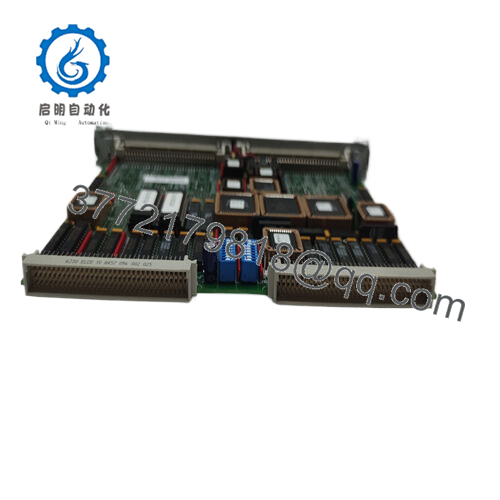
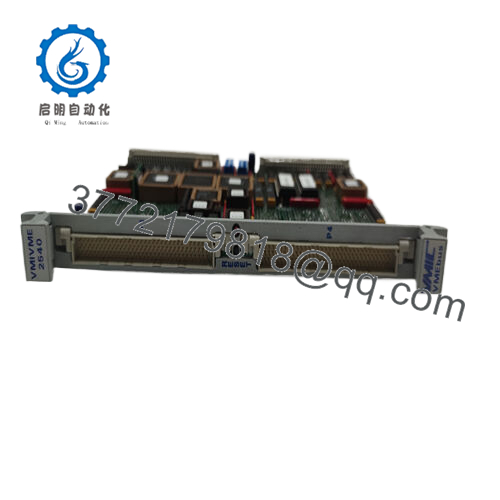
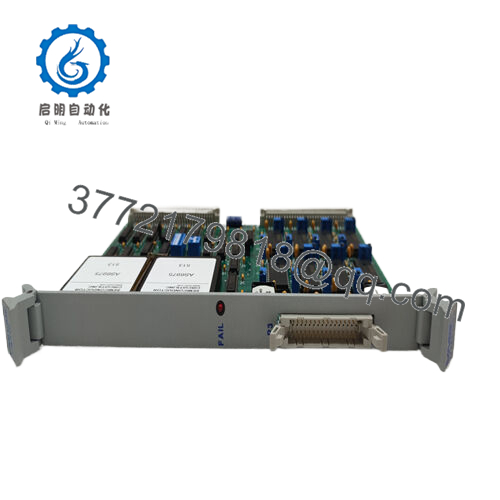
The GE VMIVME-2536 is a 6U VMEbus digital I/O board with 32 optically coupled inputs and 32 optically coupled outputs. It provides high isolation between field signals and the VMEbus backplane, along with built-in test capability for verification of I/O circuitry.
In field deployments of VME systems, this board handles mixed voltage digital signals reliably in industrial and embedded applications. Engineers choose it for the optical isolation that protects the bus and the straightforward data transfer support across 8-, 16-, and 32-bit modes. It serves as a direct drop-in replacement in existing VMIC/GE VME racks where isolated I/O is required.
Installation & Configuration Guide
Stage 1: Pre-Installation Preparation (10-15 minutes) ⚠️ Safety First: Notify operations of scheduled downtime. Verify the system is in a safe state, perform lock out/tag out on power supplies, and wait 5 minutes for capacitor discharge. Tools Required: Grounded ESD wrist strap, PH1 or PH2 screwdriver, digital multimeter, wire labels, smartphone for photos. Data Backup: Photograph all front panel connections and any configuration jumpers. Note the current base address and interrupt settings in your VME controller software. Export any relevant test or diagnostic data.
Stage 2: Removing the Old Module
- Remove the front bezel or cover if present.
- Label each wire or connector before disconnection to avoid mix-ups. Disconnect wiring carefully without forcing terminals.
- Release the VME rack locking tabs or ejectors and pull the board straight out to protect backplane pins.
- Inspect the backplane connectors for bent pins, corrosion, or dust buildup.
⚠️ Keep the old module aside as a reference until the new unit runs without issues.
Stage 3: Installing the New Module (10 minutes)
- Put on your ESD strap and work on an ESD-safe surface. Confirm the replacement carries the exact VMIVME-2536 part number and revision.
- Configuration Clone (Crucial): This board has minimal jumpers. Match any address or mode settings exactly from your photos of the old unit.
- Align the board with the slot guides and insert firmly into the VME rack until it seats fully (listen for the connectors to engage). Secure the front panel screws or locking tabs.
- Reattach all wiring using the labels and apply proper torque to terminal screws.
Self-Checklist: [ ] Model and revision match, [ ] Board fully seated with tabs locked, [ ] All wiring secured and labeled.
Stage 4: Power-On & Testing (15-20 minutes) Pre-Power Check: Use a multimeter to verify no shorts on the +5V or other VME power rails. Power-On Steps:
- Apply power to the VME rack only (leave field devices disconnected initially).
- Observe the board LEDs or status indicators for normal operation.
- Connect your VME host or programming software. Verify board detection at the configured address.
- Run built-in test routines to confirm input and output channels.
- Reconnect field wiring and perform a dry-run test of the I/O signals.
⚠️ Troubleshooting Note: If the board does not respond, double-check the base address and data transfer mode settings. Communication failures often trace back to mismatched addressing or loose backplane seating. If built-in test fails on specific channels, inspect field wiring for shorts or incorrect voltage levels.
Frequently Asked Questions (FAQ)
Can this module be hot-swapped under power? No. The VMIVME-2536 is not designed for hot-swap. Removing or inserting it while the VMEbus is powered risks damage to the backplane or the board itself. Always remove power from the rack first.
Is the VMIVME-2536 obsolete, and is the stock genuinely new? Yes, this is a legacy VMIC/GE Fanuc design now supported under Abaco Systems. Units offered as New Original or New Surplus come from verified OEM channels with full traceability. We perform inbound inspection, functional testing on a VME rack, and provide test reports. Verify exact revision compatibility with your system before ordering.
What serves as a direct replacement if this board is out of stock? Abaco Systems may list the current equivalent as VME-2536. Confirm pin-for-pin and software compatibility, as minor revisions can affect isolation ratings or BIT behavior. In many legacy racks, the VMIVME-2536 remains the preferred choice due to exact form, fit, and function.
Will I lose my programming or configuration when I replace the I/O board? No. The VMIVME-2536 is a passive I/O module. Your application logic, addressing, and interrupt settings reside in the VME processor or controller. After physical swap and address verification, the existing software should recognize the board without reloading logic.
Why is the price lower than current OEM list pricing? These are new surplus units from factory-sealed inventory or authorized excess stock. We do not charge full current-production markups on legacy parts. All units undergo the same inbound verification, live functional testing on a VMEbus rack, and electrical checks that we apply to active stock.
Does the board support contact sensing inputs? Yes. The 32 inputs accept either voltage sensing (5-125 VDC) or dry contact sensing, depending on your field wiring configuration. Consult the hardware reference manual for exact threshold details.
How long is the warranty on this module? We provide a 1-year warranty from shipment date on tested New Surplus or New Original units. This covers functional failure under normal operating conditions. Test videos and photos are available upon request before shipment.



