
 WhatsApp: +86 16626708626
 Email:
  Phone: +86 16626708626
Description
Key Technical Specifications
- Model: VMIVME-3113A-100
- Function: Scanning 12-bit analog-to-digital converter
- Channel Count: 64 differential or 64 single-ended inputs
- Resolution: 12 bits
- Input Ranges: 0 to +10 V, ±5 V, ±10 V
- Gain Settings: 1, 10, 100, 200, 500
- Conversion Rate: Up to 33 kHz at G = 1, 10, 100, 200; 23 kHz at G = 500
- Bus Interface: VMEbus A16/D16
- Interrupts: IRQ1 through IRQ7
- Power Requirement: +5 V DC, 2.5 A maximum
- Operating Temperature: 0 to 55 C
- Board Form Factor: Standard VME double-height, 160 x 233.5 mm
Product Introduction
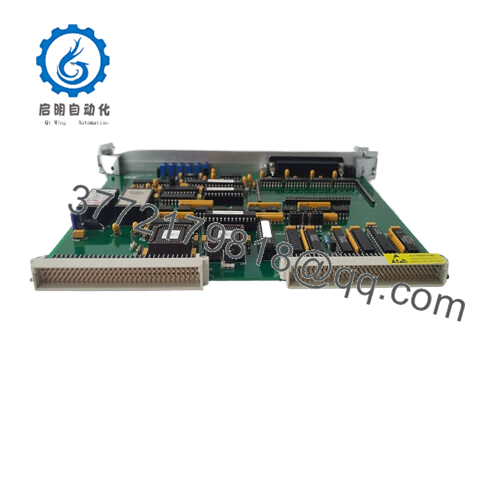
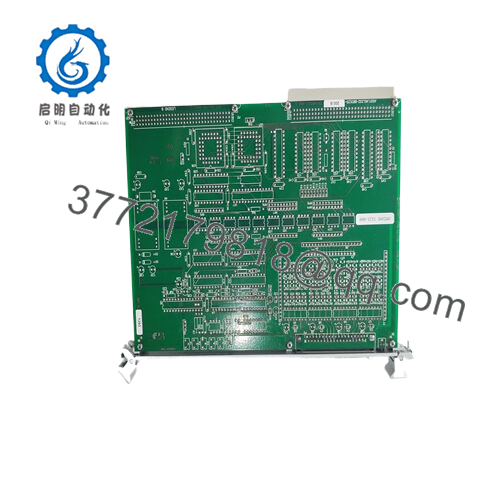
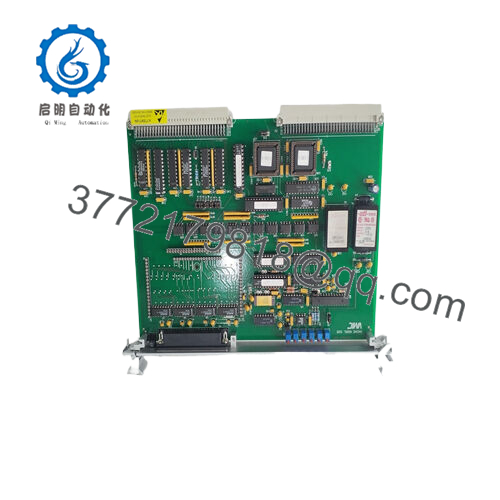
GE VMIVME-3113A-100 is a 64-channel, 12-bit VME A/D converter module used for industrial data acquisition and process monitoring. It accepts differential or single-ended analog inputs and fits VMEbus systems that need repeated scan conversion from field signals.
Engineers choose this board when they need a known VME replacement with jumper-selectable gain, built-in autoscanning, and simple A16/D16 integration. It is a practical fit for legacy control racks where signal range, channel count, and rack compatibility matter more than software complexity.

- VMIVME-3113A-100
Troubleshooting Quick Reference
| Symptom | Possible Cause | Relevance to This Part | Quick Check Method | Recommendation |
|---|---|---|---|---|
| No scan data in the host system | VME backplane issue, address conflict, or missing initialization | ✅ High | Check VME address modifiers, board seating, and readback from the CPU | Reseat the card, verify jumpers, and confirm the VME driver configuration |
| Inputs read zero or stuck values | Signal wiring issue, wrong input range, or bad common reference | ✅ High | Measure the field signal at the terminal side with a multimeter | Verify wiring, signal range, and analog ground before blaming the board |
| Values clip at the top or bottom | Gain or range mismatch | ✅ High | Confirm jumper gain and selected input range against the process signal | Match the gain and range to the actual field input |
| Random channel noise | Shielding, grounding, or pickup on long analog runs | ✅ Medium | Inspect cable shield termination and check for unstable source signals | Review cable routing and grounding practice |
| Board does not respond after install | Power rail problem, poor seating, or damaged connector | ✅ High | Measure +5 V at the backplane and inspect the edge connector | Check rack power first, then test the board in a known-good slot |
| Scan timing looks wrong | Wrong mode selection or channel count setup | ✅ Medium | Verify scan configuration and check the channel count jumpers | Confirm the scan mode before assuming hardware failure |
If you are stuck, contact technical support with board photos, jumper settings, VME slot details, and any diagnostic logs.
Frequently Asked Questions (FAQ)
Q: Is the VMIVME-3113A-100 hot-swappable?
A: No. Kill rack power before pulling or inserting it. Hot-swapping a VME analog card can damage the backplane or the module.
Q: What makes this a direct replacement?
A: The key match points are model number, VME form factor, input range, channel count, and jumper configuration. Verify the exact suffix and rack compatibility before ordering.
Q: Will my existing software keep working after a swap?
A: Usually yes, if the board address, interrupts, gain settings, and scan mode match the old unit. I would still back up the old configuration before removal.
Q: Is this new, refurbished, or surplus?
A: This listing is treated as New Surplus. That means it is unused inventory from legacy stock, not factory fresh production.
Q: Why is it cheaper than factory-new stock?
A: This part is legacy hardware and often comes from remaining inventory, so pricing is driven by availability rather than current production cost.
Q: What should I verify before installing it?
A: Check the input range, jumper gain, channel wiring, grounding, and rack power budget. Also confirm the VME backplane address and interrupt setup.
Q: What if my old board had a different firmware or revision?
A: Compare the exact revision and configuration before swapping. A small mismatch in settings can create scan or communication problems even when the part number looks close.



