
 WhatsApp: +86 16626708626
 Email:
  Phone: +86 16626708626
Description
3. Key Technical Specifications
| Parameter | Value |
|---|---|
| Processor | Intel Pentium III up to 1.26 GHz (512 KB cache) |
| Chipset | Intel 815E, 133 MHz front-side bus |
| Memory | Up to 512 MB PC133 SDRAM (SODIMM) |
| Graphics | Integrated SVGA with 4 MB display cache |
| Networking | Dual 10/100 Ethernet |
| Expansion | One PMC site |
| VMEbus Interface | Tundra Universe II PCI-to-VME bridge |
| Form Factor | Single-slot 6U Eurocard, passively cooled |
| Additional Features | Dual USB, dual serial, IDE, optional CompactFlash, watchdog timer, 32 KB NVRAM |
| Status | Discontinued |
4. Product Introduction & Supply Chain Strategy
The GE / VMIC VMIVME-7750 is a full-featured Pentium III-based VME single-board computer in a single-slot, passively cooled Eurocard form factor. Built around the Intel 815E chipset, it delivers desktop-class performance with dual Ethernet, integrated graphics, PMC expansion, and a transparent PCI-to-VME bridge, making it suitable as either a system controller or peripheral CPU in multi-processor VME systems.
Securing this board as New Surplus protects Total Cost of Ownership on installed VME platforms. Genuine new-surplus units avoid the reliability risks of refurbished boards (degraded capacitors, battery failure, connector wear). Because the board is discontinued, holding 1–2 units of buffer stock eliminates long lead-time exposure and supports planned last-time-buy decisions across multiple systems or sites.
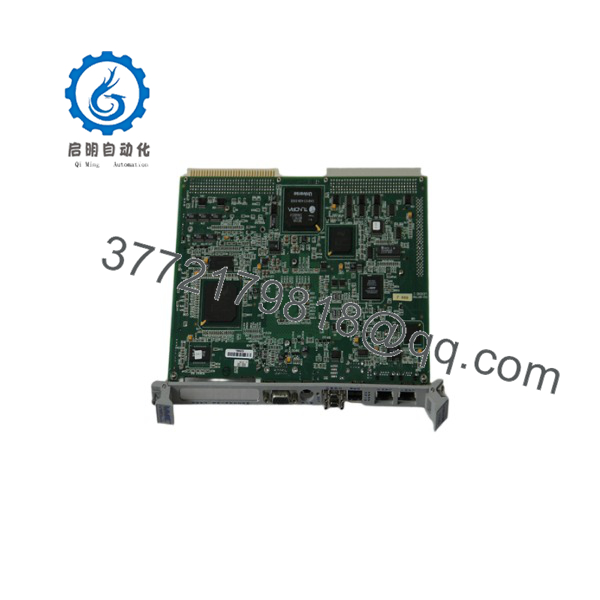
VMIVME-7750
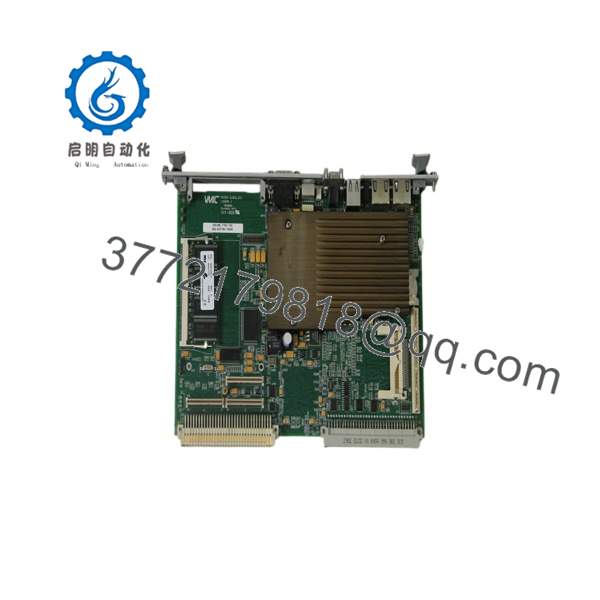
VMIVME-7750
5. Installation & Configuration Guide
Stage 1: Pre-Installation (Prep & Safety)
Perform full lock-out/tag-out on the VME chassis power. Wear a grounded ESD wrist strap. Photograph the existing board’s front-panel connectors, any PMC modules installed, cabling, and jumper or switch settings. Confirm the replacement is New Surplus and free of bent pins or physical damage.
Stage 2: Removal
Power down the chassis completely. Remove any PMC modules if they will be transferred. Extract the board carefully using the ejector handles, avoiding contact with backplane pins.
Stage 3: Installation (Clone & Seat)
Install the same memory SODIMM and any PMC modules used on the original board. Align the board with the VME guides and seat it firmly into the P1/P2 backplane connectors. Secure the front-panel ejectors and reconnect front-panel cables (Ethernet, serial, video, USB, keyboard/mouse).
Stage 4: Power-On & Testing
Restore chassis power. Observe front-panel indicators and verify the board completes POST / BIOS initialization. Confirm dual Ethernet link status, video output, and communication with other VME modules or the host system before returning the chassis to service.
6. Firmware/Software Versions & Upgrade Notes
The board uses Phoenix BIOS stored in reprogrammable flash. Application software and operating systems (Windows, Linux, VxWorks, etc.) are loaded from CompactFlash, network, or external media.
Document the existing BIOS revision and any custom boot parameters before replacement. A mismatched BIOS level or incorrect memory configuration can prevent proper boot or PMC recognition. Do not upgrade BIOS during a simple hardware swap unless the entire system is re-validated. Retain original PMC configuration and any custom drivers.
7. Frequently Asked Questions (FAQ)
Q: Is this truly New Surplus or refurbished?
A: Brand New Surplus only. Original manufacturing, unused, with zero operating hours. Not pulled or repaired.
Q: Why is the price higher than used boards but lower than any remaining OEM list?
A: Pricing reflects genuine New Surplus inventory of a discontinued VME SBC. It avoids the secondary failure risk of refurbished boards while remaining substantially below historical list pricing.
Q: Is the VMIVME-7750 still in production?
A: No. It is a discontinued legacy board. Strategic buffer stock of 1–2 units is the recommended approach for plants still operating VMIVME-7750-based systems.
Q: Can the board be hot-swapped in a live VME chassis?
A: No. Always power down the chassis completely. Live insertion risks backplane damage and system faults.
Q: Will the new board require software or configuration changes?
A: In most cases the original OS image, drivers, and PMC modules can be retained. Verify BIOS settings and memory size match the previous board.
Q: What warranty is provided?
A: Standard 1-year warranty covering manufacturing defects. Visual inspection and basic power-on verification are performed prior to shipment.
Q: Do you support last-time-buy or multi-site consolidation for this EOL VME board?
A: Yes. For facilities running multiple VMIVME-7750 systems we can coordinate consolidated New Surplus holdings to minimize total carrying cost while protecting against stock-outs.



