

 WhatsApp: +86 16626708626
 Email:
  Phone: +86 16626708626
Description
Key Technical Specifications
| Parameter | Value |
|---|---|
| Processor | Intel Pentium III (up to 1.26 GHz) |
| Memory | Up to 512 MB PC133 SDRAM |
| Chipset | Intel 815E with 133 MHz FSB |
| Storage | Flash + optional CompactFlash expansion |
| Ethernet | Dual 10/100Base-T Ethernet |
| Interfaces | VMEbus, PCI/PMC expansion, serial ports |
| Form Factor | 6U VME single-slot module |
| Graphics | Integrated AGP SVGA controller |
| OS Support | Windows, VxWorks, QNX, Linux |
| Power Supply | +5 V DC (VME backplane) |
| Cooling | Passive (no fan) |
| Application Role | System controller or embedded CPU node |
4. Product Introduction & Supply Chain Strategy
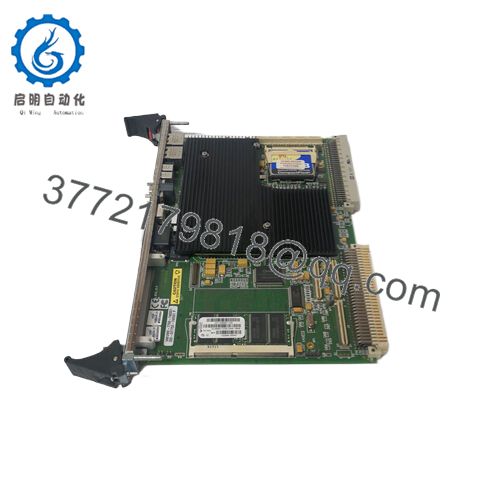
The GE VMIVME-7750-74 is a VMEbus single board computer that acts as the primary processor in legacy distributed control and real-time automation systems. It executes control logic, manages I/O communication, and bridges field data to SCADA or HMI layers in turbine control, simulation rigs, and industrial test platforms.
This product is a Brand New Surplus unit. It is not used, not pulled from a decommissioned plant, and not refurbished. Given the aging VME ecosystem, lead time variability is increasing and OEM production is constrained. Securing New Surplus units reduces Total Cost of Ownership (TCO) by avoiding unplanned downtime and eliminating the failure risk associated with refurbished CPUs. A controlled buffer stock and planned last-time-buy are essential.

- VMIVME-7750-74
5. Installation & Configuration Guide
Stage 1: Pre-Installation (Prep & Safety)
- Perform lock-out/tag-out on the VME rack.
- Use ESD grounding protection.
- Capture photos of DIP settings, boot configuration, and cable routing.
- Verify power supply headroom (minimum 20% buffer).
Stage 2: Removal
- Open ejector levers evenly.
- Extract the board straight out to protect VME connectors.
- Label Ethernet and serial connections.
Stage 3: Installation (Clone & Seat)
- Replicate DIP switch and BIOS/boot configuration exactly.
- Insert the module into the 6U slot and fully seat connectors.
- Lock ejector handles securely.
- Reconnect Ethernet and PMC peripherals if applicable.
Stage 4: Power-On & Testing
- Power up and monitor status LEDs.
- Confirm CPU boot sequence and OS load.
- Validate network communication and I/O scan cycles.
6. Firmware/Software Versions & Upgrade Notes
- Recommended Firmware/BIOS: Match the existing system BIOS and OS image (commonly tied to VxWorks or legacy Windows builds).
- Compatibility Risk:
- Newer BIOS revisions may conflict with legacy drivers or PMC modules.
- OS image mismatches can prevent boot or cause watchdog faults.
- Critical Warning:
- Avoid upgrading firmware during emergency replacement.
- Maintain identical firmware across redundant CPU nodes.
- Best Practice: Clone the original CompactFlash or boot media before replacement to ensure deterministic recovery.
7. Frequently Asked Questions (FAQ)
Q1: Is this unit genuinely new or surplus from old systems?
It is New Surplus. The board comes from original OEM production channels, with no prior field use, no repairs, and no connector wear.
Q2: Why not use refurbished CPU boards to save cost?
Refurbished SBCs often contain aged capacitors and thermal fatigue. A CPU failure can halt the entire rack. Saving 1,000 upfront can lead to 50,000+ downtime exposure. New Surplus eliminates that risk.
Q3: Is VMIVME-7750-74 obsolete?
It is in a late lifecycle phase. OEM support is limited, and supply is tightening. A last-time-buy combined with buffer stock (1–2 units minimum per critical system) is strongly recommended.
Q4: Can I hot-swap this CPU module?
No. VME CPU boards require a full power-down. Hot insertion risks backplane damage and system instability.
Q5: Will the replacement retain my application program?
Only if the boot media (Flash/CF) is preserved or cloned. Always back up before removal.
Q6: What is the optimal inventory strategy for this module?
- Critical node: Keep 1–2 units on-site (insurance policy)
- Multi-plant: Enable cross-site sharing to reduce total stock value
- Low usage: Consider vendor-managed inventory to control carrying cost
Q7: What warranty and QC controls are included?
Each unit includes 12 months warranty, serial traceability, and full QC validation (power-on test, communication verification, and interface checks) prior to shipment.



