
 WhatsApp: +86 16626708626
 Email:
  Phone: +86 16626708626
Description
3. Key Technical Specifications
| Parameter | Specification |
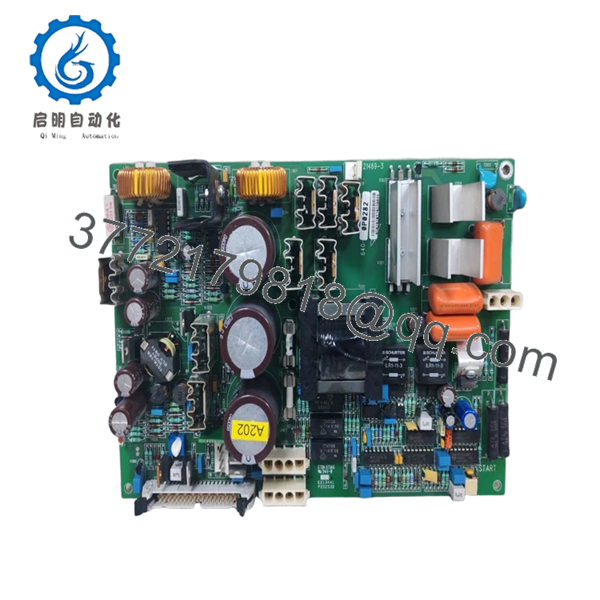
| Gutor Part Number | 0P0282 / 21469-3 -640-0398 |
| Hardware Revision | Rev.03 (Optimized Logic) |
| Application | PXP/PDW Series Rectifier and Inverter Control |
| Logic Supply | Typically +15V / -15V / +5V DC Rails |
| Communication | RS-485 / Modbus / Internal Parallel Bus |
| I/O Capacity | High-speed PWM gate drive signals |
| Diagnostic Interface | Multi-point Test Terminals |
| Mounting | Card Cage / Swing-frame Rack Mount |
| Coating | Conformal coated for industrial environments |
| Operating Temp | -10 to +60°C (14 to 140°F) |
4. Product Introduction & Supply Chain Strategy
The Gutor 0P0282 is the primary logic engine for Gutor’s industrial-grade Uninterruptible Power Supply (UPS) systems. This board manages the complex pulse-width modulation (PWM) signals required for both the rectifier and inverter stages, ensuring that the UPS provides seamless, high-quality power to critical infrastructure. Revision 03 incorporates enhanced noise immunity and thermal stability, making it the preferred version for high-reliability deployments in the energy and heavy industrial sectors.
From a supply chain perspective, the 0P0282 is a “Zero-Failure” component. In an industrial UPS, the logic board is the single most important factor in the system’s ability to switch to battery power during a utility outage. Buying this as “New Surplus” eliminates the “Aging Gate” risk found in refurbished boards. Used Gutor cards often have thermal fatigue around the signal processors due to years of 24/7 operation in warm cabinet environments. By utilizing New Surplus stock, you secure a board with 100% of its design life remaining, ensuring your Total Cost of Ownership (TCO) remains low by avoiding the catastrophic costs of a critical load drop.
5. Installation & Configuration Guide
Stage 1: Pre-Installation (Prep & Safety)
Bypass the UPS to “Manual Bypass” or “Static Bypass” mode to ensure the critical load is supported while the control logic is isolated. Follow all LOTO procedures for the DC battery bank and AC inputs. Wear a grounded ESD wrist strap. Use a high-impedance multimeter to verify that all capacitors on the board’s power rails have discharged.
Stage 2: Removal
Label and disconnect all ribbon cables and wiring harnesses from the 0P0282 headers. Remove the retaining screws from the corners of the board. Carefully extract the board from the swing-frame or rack, ensuring no contact is made with adjacent high-voltage components.
Stage 3: Installation (Clone & Seat)
Verify that the DIP switches and any “solder jumpers” on the new 0P0282 match the old board exactly. These settings often define the UPS capacity, voltage, and frequency (50/60 Hz). Secure the board with the mounting screws and reconnect all cables, ensuring the locking clips on the ribbon connectors are fully engaged.
Stage 4: Power-On & Testing
Energize the control power supply only. Verify that the diagnostic LEDs on the 0P0282 initialize correctly. Check the UPS display panel for “Communication OK” status. Perform a functional test in bypass mode before transferring the load back to the inverter to ensure the new board is correctly modulating the gate drives.

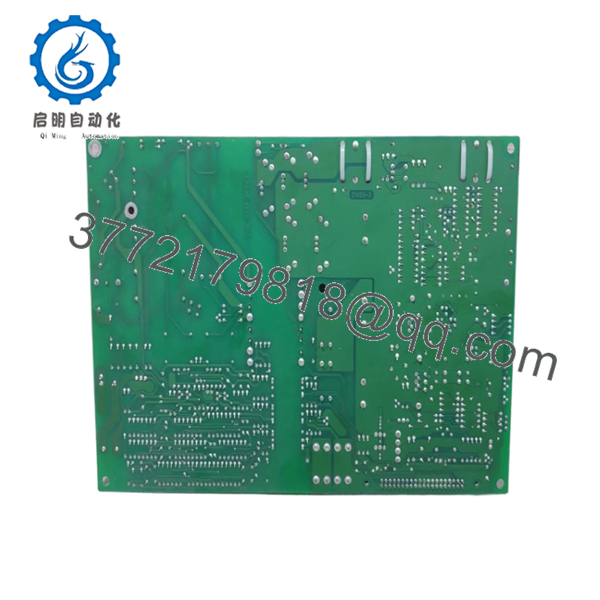
- 0P0282 21469-3 -640-0398 Rev.03
- 0P0282 21469-3 -640-0398 Rev.03
6. Firmware/Software Versions & Upgrade Notes
- Revision Consistency: The Rev.03 board is generally backward compatible with systems using Rev.01 or Rev.02, but it is highly recommended to update the UPS system firmware to the latest stable version to leverage the hardware improvements in Rev.03.
- Calibration Data: Some 0P0282 boards store calibration constants for voltage and current sensing. After replacement, a standard re-calibration of the UPS output and battery charging voltages may be necessary via the Gutor service interface.
- Warning: Never mix different revision levels if the UPS is part of a parallel-redundant system. All parallel units must use the same hardware revision to ensure identical load-sharing performance.
7. Frequently Asked Questions (FAQ)
Does this board ship with the system firmware pre-loaded?
Our New Surplus 0P0282 boards typically contain the base Gutor firmware. However, depending on your specific UPS model (PXP vs. PDW) and kVA rating, you may need to upload your site-specific parameter file using the Gutor service tool.
Why is Rev.03 significant for my Gutor UPS?
Revision 03 includes updated components that address earlier lifecycle issues, such as specific component obsolescence and thermal drift in the analog-to-digital conversion circuits. It is the most reliable version for mission-critical apps.
Can I use a “used” 0P0282 if it’s tested?
We do not recommend used boards for Gutor systems. The cost of a refurbished board might be lower, but the risk of a “hidden failure” during a power transition is too high for industrial applications where downtime is measured in thousands of dollars per minute.
What is the shelf life of this board?
Stored in its original anti-static packaging in a climate-controlled environment, this board has an indefinite shelf life. We ensure all New Surplus stock is maintained in optimal conditions to prevent capacitor degradation or trace oxidation.
What happens if the board is installed with incorrect DIP switch settings?
The UPS may fail to initialize, or worse, it may output the incorrect voltage or frequency, potentially damaging the critical load. Always document and mirror the original settings before powering up.



