
 WhatsApp: +86 16626708626
 Email:
  Phone: +86 16626708626
Description
3. Key Technical Specifications
- Manufacturer: Gutor
- Part Number: 0P0396AA
- Associated Number: 640-0580A
- Revision: Rev 07
- Product Type: PCB board / controller board
- Platform: Gutor SDC / UPS control system
- Function: Control and signal interface board
- Obsolescence: Listed as discontinued in reseller inventory
- Supply Condition: Commonly sold as new surplus / open box in the market
- Compatibility Note: Verify exact board match against the removed unit before installation
4. Product Introduction
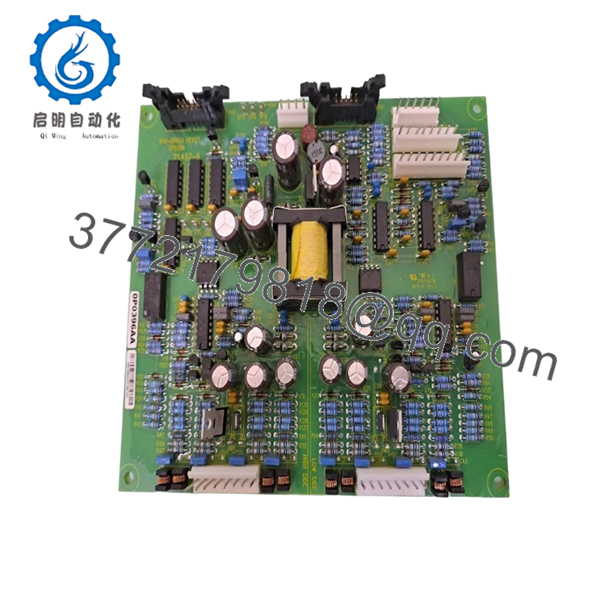
Gutor 0P0396AA / 640-0580A Rev 07 is a control PCB used in Gutor SDC and UPS-related power systems. It handles control logic and signal interfacing inside the equipment rack, so it is bought as a direct replacement for failed boards or as a spare for aging installations.
Buyers usually choose this part when they need the exact board revision and do not want to risk a pinout or firmware mismatch. The part is widely listed as discontinued, so matching the full number and revision matters more than brand-level compatibility claims.
5. Troubleshooting Quick Reference
| Symptom | Possible Cause | Relevance to this Part | Quick Check Method | Recommendation |
|---|---|---|---|---|
| No startup indication on the control section | Incoming supply fault, blown fuse, or upstream PSU issue | ❌ Low | Measure DC supply at the board input terminals with a multimeter | Check the PSU, fuses, and wiring before replacing the board |
| Status LEDs behave normally, but system still faults | External interlock, sensor, or communication issue | ❌ Low | Read the alarm code from the host system and inspect the diagnostic log | Confirm the fault is not coming from another module |
| Repeated control faults after swap | Wrong revision, wrong board family, or configuration mismatch | ✅ High | Compare the old board label, suffix, and revision before install | Replace only with the exact match, including Rev 07 |
| Unit powers up but does not communicate | Interface mismatch or damaged signal path | ✅ High | Check connector seating and continuity on the harness | Inspect wiring and connector pins before blaming the PCB |
| Intermittent failure after warm-up | Thermal stress, aged solder joints, or borderline component failure | ✅ High | Run the unit under load and monitor board temperature | If the issue repeats with verified power and wiring, replacement is justified |
Contact technical support with photos of the label, connector side, and fault log if the diagnosis is still unclear.

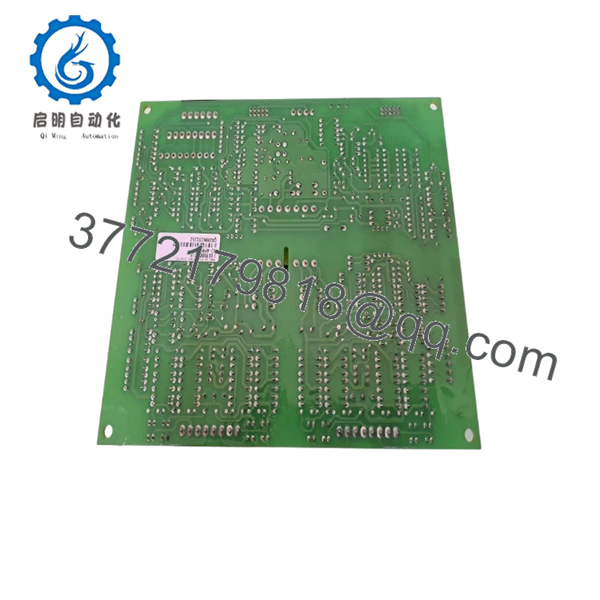
- 0P0396AA 640-0580A Rev 07
- 0P0396AA 640-0580A Rev 07
6. Frequently Asked Questions
Q: Is this the exact replacement for 0P0396AA 640-0580A Rev 07?
A: It should be matched by the full part number and revision, but you still need to verify the connector layout, label, and site configuration before installing it. On old Gutor gear, small revision differences can break compatibility.
Q: Is this item new or refurbished?
A: In the surplus market, this part is commonly offered as new surplus or open box. For a sales listing, state the condition clearly and do not leave it vague.
Q: Why is this cheaper than buying from the factory?
A: Because it is typically sold from surplus stock, not from current OEM production. That lower price usually reflects availability, not a different electrical spec.
Q: Can I hot-swap this board?
A: No, not unless the OEM manual explicitly says it is safe. Kill power first, lock out the system, and confirm the discharge state before removing the board.
Q: Will my existing configuration stay intact after replacement?
A: Not automatically. If the board stores parameters or depends on DIP settings, document the old setup before removal and duplicate it on the replacement.
Q: What should I check before ordering?
A: Photograph the old label, record the full number, confirm Rev 07, and verify the connector and mounting style. I have seen more downtime caused by wrong revision swaps than by dead boards.



