
 WhatsApp: +86 16626708626
 Email:
  Phone: +86 16626708626
Description
3. Key Technical Specifications
| Parameter | Value |
| Input Voltage | 24 V DC (Nominal) |
| Logic Type | Microprocessor-based control |
| Compatibility | Gutor PXP, PEW, and PDW series UPS |
| Mounting | Standard Card Rack / Chassis Mount |
| Signal Interface | RS-232 / Dry Contact / Analog Input |
| Operating Temp | -10 to +55 °C |
| Storage Temp | -20 to +70 °C |
| Humidity | 0 to 95% non-condensing |
| Dimensions | Standard Gutor Control Card Profile |
4. Product Introduction & Supply Chain Strategy
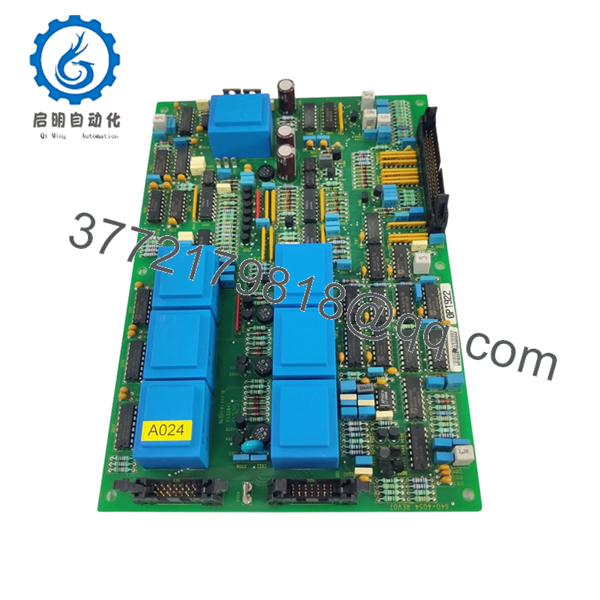
The GUTOR 0P1922 is a core control interface module found within specialized industrial Uninterruptible Power Supply (UPS) systems. It manages the critical handshake between the rectifier, inverter, and bypass stages, ensuring seamless power transition for oil and gas or nuclear facilities. In these environments, the 0P1922 is the “brain” that prevents catastrophic load loss during a grid fluctuation.
From a supply chain strategy perspective, the 0P1922 is now an End-of-Life (EOL) component. Relying on refurbished boards for a UPS is a high-risk gamble; a single degraded capacitor on a used board can cause a system-wide trip, leading to millions in lost production. Securing New Surplus inventory provides the only viable path to maintaining a 100% uptime SLA without the massive Total Cost of Ownership (TCO) associated with a full system forklift upgrade.
5. Installation & Configuration Guide
1.Pre-Installation (Prep & Safety):15 min.
Ensure the UPS is moved to Manual Bypass mode to isolate the electronics while maintaining the load. Utilize a grounded ESD wrist strap before handling the 0P1922. Document all existing cable positions and take clear photos of any jumper settings or DIP switches on the current board.
2.Removal:5 min.
Loosen the retaining screws on the card faceplate. Gently pull the ejector levers to unseat the board from the backplane. Avoid touching the gold-plated contact pins to prevent oil contamination or static discharge.
3.Installation (Clone & Seat):10 min.
Mirror the jumper configurations from the old module onto the New Surplus 0P1922 exactly. Slide the module into the card guides, ensuring it is perfectly aligned with the backplane connector. Apply firm, even pressure until the faceplate is flush with the rack.
4.Power-On & Testing:20 min.
Initiate the UPS logic power-up sequence. Monitor the LED status indicators on the 0P1922—a green “RUN” or “OK” LED should illuminate. Verify communication with the UPS display panel before transitioning the system back from Manual Bypass to Normal Operation.

- 0P1922
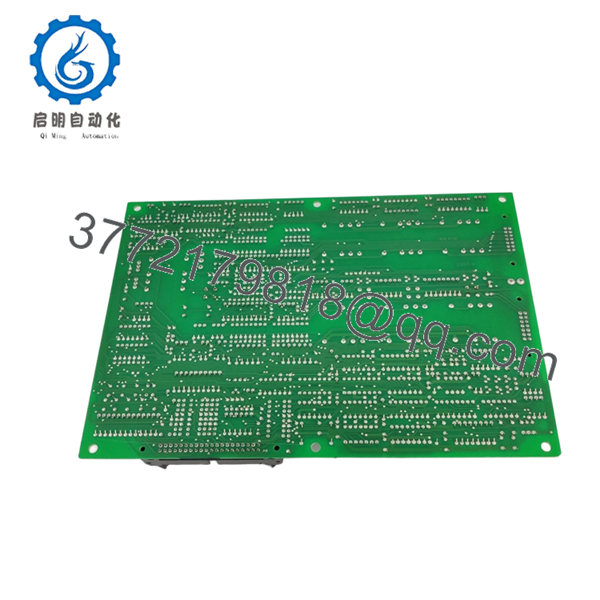
- 0P1922
6. Firmware/Software Versions & Upgrade Notes
The 0P1922 often carries onboard EEPROM or firmware chips that must align with the UPS system’s global software version.
- Compatibility: Ensure the firmware revision matches your existing system (typically V2.x or V3.x).
- Version Mismatch: A mismatch between the 0P1922 and the main controller board can trigger “Communication Lost” alarms or prevent the inverter from synchronizing with the bypass.
- Warning: Do not attempt to flash firmware onto a New Surplus board in the field without a verified OEM binary and a stable DC power source; a failed flash will brick the module.
7. Frequently Asked Questions (FAQ)
Is this 0P1922 truly new, or is it a “cleaned up” used part?
This is 100% New Surplus. It has never been installed in a machine or energized in a field environment. Unlike “refurbished” parts that have undergone thermal stress and component aging, this board offers the full original factory lifespan.
Why is your price higher than the listings I see on auction sites?
Auction sites typically sell “pulled” parts from decommissioned plants. Those boards have been running 24/7 for years. Our price reflects the cost of sourcing, verifying, and climate-controlling genuine New Surplus stock that guarantees reliability for critical infrastructure.
Can I hot-swap this board while the UPS is supporting a live load?
No. Even if the UPS supports it, hot-swapping a control board carries a risk of arcing or logic glitches that could drop the load. Always move the UPS to Manual Bypass before replacement.
Does this board come with the configuration already set?
No. The 0P1922 is a hardware replacement. You must manually move the jumpers and potentially transfer the firmware chip or configuration parameters from your old board to the new one.
What happens if the board doesn’t work after installation?
We provide a comprehensive warranty on all New Surplus items. If the board fails our QC verification or doesn’t communicate upon arrival, we offer a direct replacement or refund, unlike the “as-is” terms of used equipment sellers.



