
 WhatsApp: +86 16626708626
 Email:
  Phone: +86 16626708626
Description
3. Key Technical Specifications
| Parameter | Value |
| Primary Model Number | 0P2556B |
| Secondary Part Number | 640-2556B |
| Input Voltage | 24 V DC Nominal |
| Microprocessor Type | High-speed industrial logic processor |
| Communication Protocols | RS-232, RS-485, Modbus (specific to firmware) |
| I/O Capacity | Integrated Digital and Analog Handshaking |
| Operating Environment | −10 to +55 °C |
| Storage Conditions | ESD-safe shielding required |
| Weight | 0.85 kg (Approximate) |
4. Product Introduction & Supply Chain Strategy
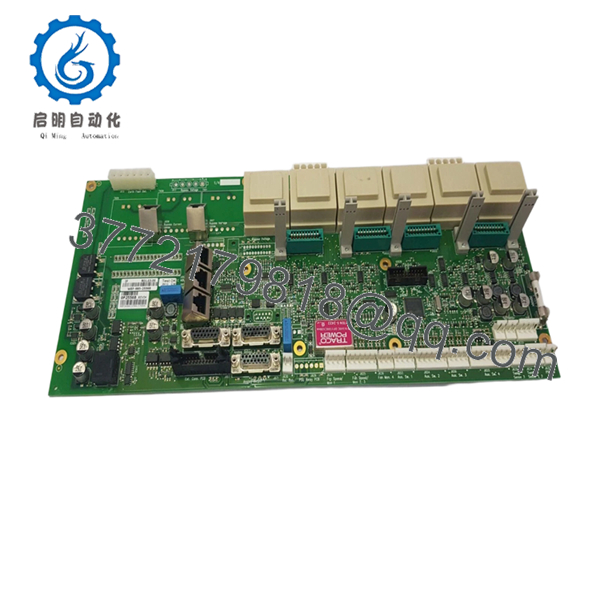
The GUTOR 0P2556B (640-2556B) is the primary logic engine for heavy industrial Uninterruptible Power Supply (UPS) systems. This module coordinates the firing pulses for the power electronics and manages the synchronization between the inverter and the utility bypass. Used extensively in mission-critical sectors like petrochemical processing and nuclear power generation, the 0P2556B is the single most important component for maintaining system intelligence and alarm monitoring.
From a procurement strategy standpoint, the 0P2556B is an EOL (End-of-Life) component that presents a significant stock-out risk. Purchasing “New Surplus” is the only method to avoid the inherent dangers of refurbished logic boards, which often suffer from microscopic solder fatigue or dried-out electrolytic capacitors. By maintaining 1–2 units of New Surplus stock, plant managers secure a 10–15 year operational buffer, effectively mitigating the multi-million dollar risk of unplanned facility downtime.
5. Installation & Configuration Guide
Stage 1: Pre-Installation (Prep & Safety)
Ensure the UPS is in “Manual Bypass” mode to keep the load energized while the control cabinet is worked on. Wear a grounded ESD wrist strap to prevent static damage to the microprocessor. Photograph all cable connections and document the exact positions of the DIP switches and any removable EPROM chips.
Stage 2: Removal
Disconnect the ribbon cables and terminal blocks carefully. Loosen the mounting standoffs or card-cage screws. Slide the module out of the slot, ensuring no contact with adjacent high-voltage components.
Stage 3: Installation (Clone & Seat)
Verify that the DIP switch settings on the new 0P2556B match the old module exactly. If the new board does not include firmware, transfer the socketed EPROM from the old board to the new one using an IC extraction tool. Align the board with the mounting rails and seat it firmly into the backplane.
Stage 4: Power-On & Testing
Restore logic power (24 V DC) and observe the initialization sequence on the UPS display. Verify that no “Internal Comm Error” or “CPU Fault” messages appear. Perform a lamp test on the LEDs to confirm the “RUN” indicator is active before transferring the load back to the inverter.

- 0P2556B 640-2556B
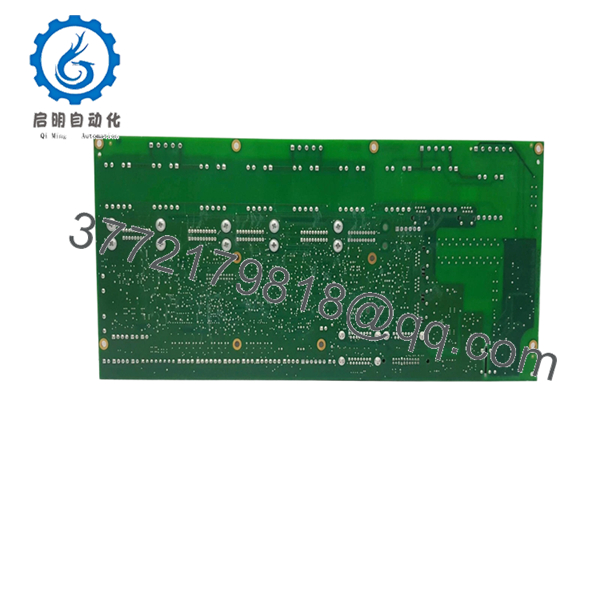
- 0P2556B 640-2556B
6. Firmware/Software Versions & Upgrade Notes
The 0P2556B 640-2556B is highly dependent on the firmware version installed in the onboard memory sockets.
- Firmware Continuity: Always verify if your system requires a specific revision (e.g., V4.2). Mixing different firmware versions between the main board and peripheral interface boards can cause “Inverter-Bypass Non-Synchronous” errors.
- Compatibility: This board is typically backward compatible with older chassis, provided the correct EPROM is utilized.
- Warning: Swapping hardware without transferring the original system parameters/chips may result in a “Default Factory Settings” state, which could be dangerous for customized power profiles.
7. Frequently Asked Questions (FAQ)
Is the 0P2556B and 640-2556B the same board?
Yes. The 0P2556B is the Gutor part designation, while 640-2556B is the manufacturer’s board number printed on the PCB. They are functionally and physically identical.
Why should I avoid a cheaper refurbished version of this board?
Refurbished logic boards are often “cleaned” used parts. In a UPS, a failure of the control logic can lead to a “dropped load” event. Saving 1,000 on a used part can result in 100,000 per hour in downtime costs. Our New Surplus units have zero hours of operational wear.
Does this board come with the firmware pre-installed?
Most New Surplus units are “blank” or contain generic factory firmware. We recommend transferring your existing socketed firmware chips to the new board to ensure all site-specific settings are retained.
What is the shelf life of this module if kept as a spare?
When stored in an ESD-safe, climate-controlled environment, these boards have a shelf life exceeding 10 years. We recommend a “spare rotation” policy where the spare is tested every 3–5 years.
Is this part eligible for a warranty despite being obsolete?
Yes. We provide a full 1-year warranty on all New Surplus GUTOR modules. This covers functional defects and ensures the board meets original OEM performance standards.



