
 WhatsApp: +86 16626708626
 Email:
  Phone: +86 16626708626
Description
Key Technical Specifications
| Parameter | Value |
|---|---|
| Brand | Gutor (Schneider Electric) |
| Model / MPN | 0P6257 |
| Alternate Marking | OP6257 |
| Reference Number | 21430-3 |
| Product Type | Control unit PCB card |
| Application | Three-phase UPS control system |
| Mounting | Card/module, backplane-slot insertion (standard Gutor UPS chassis) |
| Voltage Rating | Not publicly documented — verify against nameplate/schematic |
| Firmware Revision | Not publicly documented — verify against unit’s current firmware label |
| Country of Manufacture | Not confirmed |
| Typical Lead Time (OEM new) | Extended — legacy/EOL part class |
I’m not going to guess at the blank rows — those need to come from your OEM documentation, the physical card, or Schneider/Gutor support, since wrong voltage or firmware data on a UPS control card is a real safety and uptime risk.
Product Introduction & Supply Chain Strategy
The Gutor 0P6257 is a control unit card used in Gutor three-phase UPS platforms, handling system monitoring and control functions within the UPS control chain. It’s a legacy Schneider Electric/Gutor part, meaning OEM new-build stock is limited and lead times run long.
Sourcing 0P6257 as new surplus avoids the multi-week-to-multi-month OEM lead time on a discontinued line and sidesteps the reliability gamble of an unverified refurbished board. For a single-point-of-failure control card, TCO favors holding one verified spare on-site over waiting on an emergency OEM order during an outage.
Installation & Configuration Guide
Stage 1 — Pre-Installation (Prep & Safety)
Lock out/tag out the UPS per your site procedure before opening any control cabinet. Put on a grounded ESD wrist strap before handling the card. Photograph the existing card’s slot position, any DIP switches or jumpers, and all wiring terminations before disturbing anything.
Stage 2 — Removal
Release any card retention clips or screws before pulling. Extract the card straight out along its guide rails — rocking it side to side risks bending backplane pins.
Stage 3 — Installation (Clone & Seat)
Match any DIP switch or jumper settings to your photos from Stage 1 before inserting the replacement. Seat the card fully and evenly along the guide rails until it engages the backplane connector; confirm retention clips or screws are secured.
Stage 4 — Power-On & Testing
Before powering up, verify there’s no short across the control rails. On power-up, check the card’s status LEDs against the UPS documentation (run/fault indication varies by firmware and hardware revision — confirm against your unit’s manual rather than assuming a generic RUN/ERR scheme). Confirm the UPS returns to normal monitoring/control state before returning it to service.
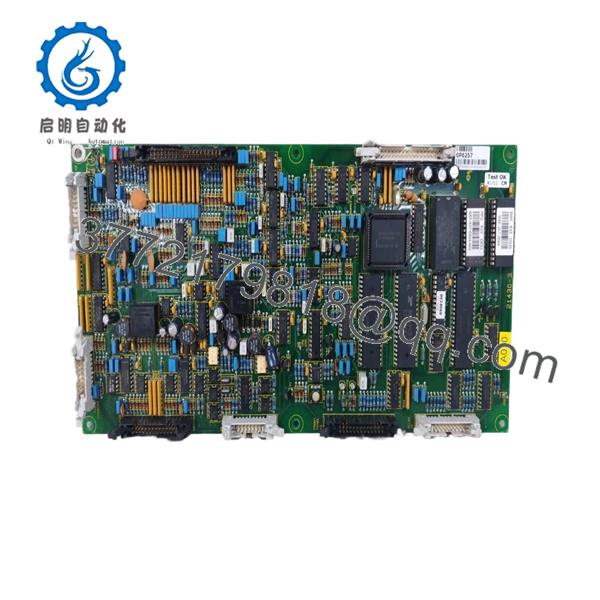
0P6257
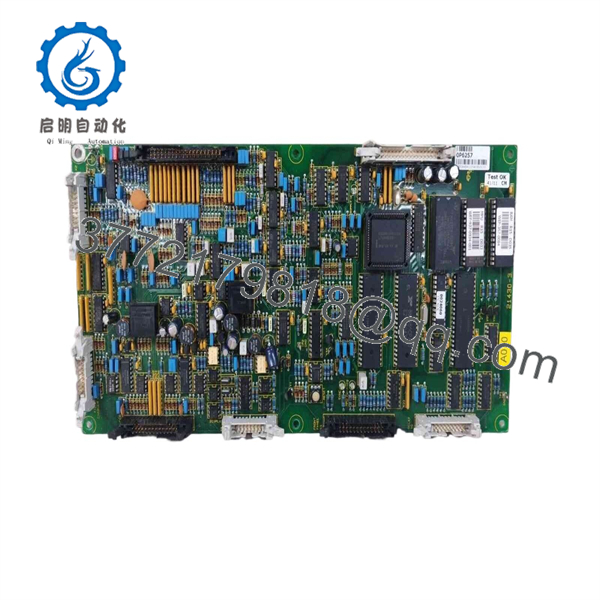
0P6257
Firmware/Software Versions & Upgrade Notes
I don’t have verified OEM data on which firmware revisions ship with 0P6257 or compatibility notes across Gutor UPS generations, so I won’t invent version numbers here. Before installing: read and record the firmware revision on the card you’re pulling, and confirm with Schneider Electric/Gutor support or your OEM documentation whether the replacement card’s firmware matches. On legacy control cards, mismatched firmware between the control card and the rest of the UPS control chain can cause communication or protection-logic faults — don’t assume forward/backward compatibility without confirming it.
FAQ
Is this really new, or is it refurbished?
Be direct with your buyers here rather than using a blanket claim — state the actual condition of your specific stock lot (new surplus, new open packing, etc.) rather than asserting “brand new sealed” if that’s not accurate to what you’re shipping.
Why isn’t this available direct from Schneider/Gutor as new-build stock?
Gutor’s control card line for this UPS generation is legacy production; OEM new-build availability is limited or has lapsed, which is why surplus sourcing exists for this part number.
Will this card retain my UPS’s existing configuration?
Configuration typically lives in DIP switches/jumpers on the card itself or in separate parameter storage depending on the UPS generation — confirm which applies to your unit before assuming settings carry over automatically.
Is hot-swapping this card safe?
Don’t hot-swap a UPS control card unless your specific Gutor model’s documentation explicitly permits it — control cards on UPS platforms commonly require the unit to be de-energized or bypassed first.
What warranty do you offer on this part?
State your actual warranty terms here — I’d rather leave this blank than invent a “1-2 year” figure that doesn’t match what you’re actually able to honor.
How do I confirm this is the correct replacement for my UPS?
Match the full part number and any suffix/revision letter against the card you’re pulling, and cross-check against your UPS model’s approved spares list if you have access to one.



