
 WhatsApp: +86 16626708626
 Email:
  Phone: +86 16626708626
Description
Key Technical Specifications
| Parameter | Value |
|---|---|
| Product Type | I/O Communication Module |
| Brand | HARLAND SIMON |
| Series | H4893 |
| Supply Voltage | 24 VDC (typical for HARLAND SIMON PLC systems) |
| Function | Bridges backplane I/O to industrial fieldbus networks |
| Mounting | DIN rail or chassis backplane |
| Condition | New Original / New Surplus |
| Warranty | 2 years |
Product Introduction & Supply Chain Strategy
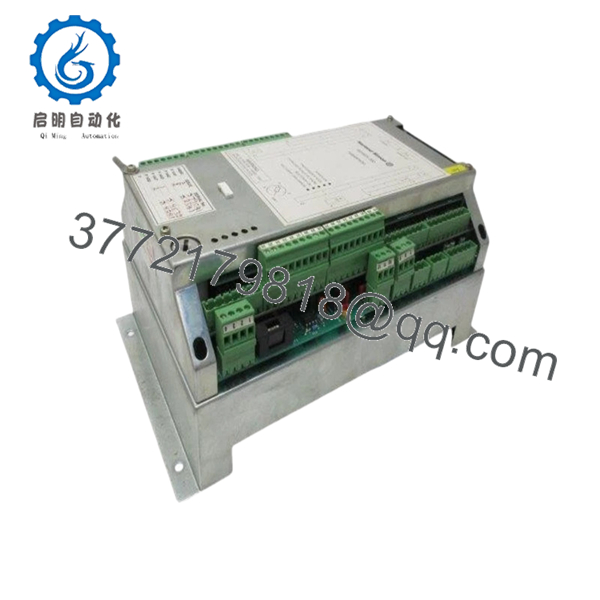
The HARLAND SIMON H4893P4051 is an I/O communication module designed to bridge local I/O racks to industrial fieldbus networks. This module acts as the gateway between HARLAND SIMON backplane I/O and higher-level control systems, enabling distributed I/O architectures in automated production lines. Common applications include material handling, conveyor systems, packaging machinery, and assembly cells.
Buying this communication module as New Surplus protects your control network from single-point-of-failure risks. OEM lead times for H4893 series components have shown variability. Refurbished units introduce hidden risks: degraded network transceivers, corrupted communication firmware, or intermittent bus errors that cause dropped I/O packets. A single failed communication module on a critical fieldbus segment can halt an entire production line. Downtime costs typically exceed $10,000 per hour in automotive or packaging applications. Our new surplus stock delivers 10-15 year expected service life, verifiable serial numbers, and a 2-year warranty. For plants with legacy H4893 installations, we recommend strategic hoarding of 1-2 spare communication modules before HARLAND SIMON declares official end-of-life (EOL).
Installation & Configuration Guide
Stage 1: Pre-Installation (Prep & Safety)
- Lock out and tag out (LOTO) the 24 VDC control power to the entire rack.
- Tools: ESD wrist strap grounded to rack, small flathead screwdriver, camera.
- Document the exact rack slot position. Backplane addressing may be slot-dependent.
- Take clear photos of any DIP switches, rotary dials (node address, baud rate), and configuration jumpers.
- Photograph network cabling (fieldbus connector type and pinout). Mark which cable is IN versus OUT if the module has a pass-through port.
Stage 2: Removal
- Release the top and bottom retention levers simultaneously.
- Pull the module straight out. Do NOT rock side-to-side – bent backplane pins are difficult to repair.
- Inspect the backplane connector for bent pins, corrosion, or debris.
Stage 3: Installation (Clone & Seat)
- Replicate DIP switch and jumper settings exactly from the old module. Node address and baud rate must match to rejoin the fieldbus network.
- Align the H4893P4051 with backplane guide rails.
- Push firmly and evenly until both retention levers click into locked position.
- Reconnect fieldbus cables exactly as photographed.
Stage 4: Power-On & Testing
- Re-energize 24 VDC bus.
- Observe power-up LED sequence: typically a self-test (all LEDs flash, then settle).
- Check status LEDs:
- PWR (Power): Solid green = supply voltage OK.
- RUN/ACTIVE: Green blinking = normal communication.
- ERR (Error): Off = no faults. Solid or blinking red = configuration or bus error.
- BUS (Network): Flashing = fieldbus traffic detected.
- Verify fieldbus communication: The master controller (PLC or DCS) should see the module online with the correct node address.
- Monitor for I/O update rates matching pre-replacement performance.

- H4893P4051
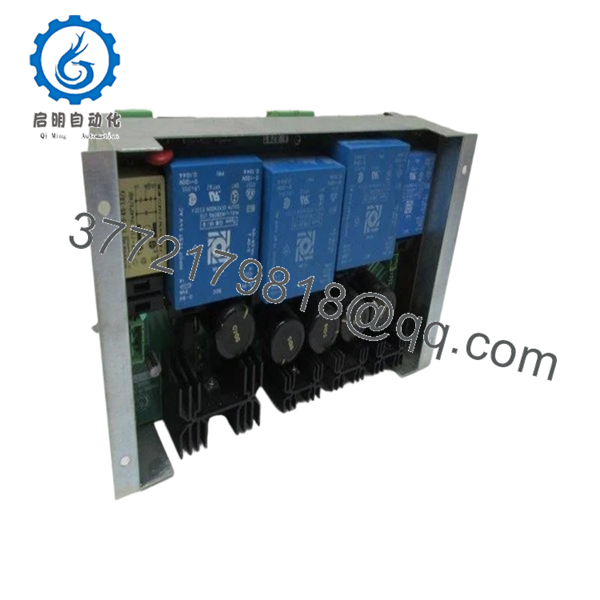
- H4893P4051
Firmware/Software Versions & Upgrade Notes
Critical Warning: Firmware mismatch is a leading cause of network integration failure.
- Document old firmware: Record firmware version from the old module’s label or software readout before removal.
- Compare with new module: Replacement H4893P4051 units may ship with newer firmware.
- Compatibility check:
- Newer firmware may introduce timing changes or protocol updates.
- Older network masters (PLCs, scanners) may not support newer firmware features.
- Do NOT downgrade arbitrarily: Downgrading communication module firmware is often impossible or voids the warranty.
- Action plan:
- Compare old and new firmware revisions.
- Consult OEM documentation for compatibility matrices.
- If incompatible, upgrade the network master firmware or procure a matching revision unit.
Configuration retention: Network parameters (node address, baud rate, I/O mapping) are typically stored on the module. Replacement requires re-configuring these settings via DIP switches or software tool.
Frequently Asked Questions (FAQ)
Q: Why is this cheaper than OEM direct but more expensive than refurbished units?
A: OEM sells at full list price. We sell new surplus from authorized overstock channels – same factory-sealed units, no dealer markup. Refurbished units are pulled from decommissioned plants, have unknown operating hours, and often have degraded network transceivers. A refurbished communication module can drop packets intermittently, causing random I/O faults that take weeks to diagnose. You don’t save money when the network fails unpredictably.
Q: Are these really new, or are they pulls from decommissioned machines?
A: New original. Factory-sealed anti-static packaging. Zero hours on the module. OEM packing slips available upon request. We never sell used, pulled, or repaired inventory.
Q: Is the H4893P4051 obsolete or end-of-life?
A: Not officially declared by HARLAND SIMON, but H4893 series components are legacy products. Lead times have shown variability. We recommend treating this as EOL-sensitive. Strategic hoarding of 1-2 spare communication modules per critical fieldbus segment is prudent for risk management.
Q: Will the new module retain the old unit’s network settings?
A: No. Network parameters (node address, baud rate, I/O configuration) are stored on the module. You must replicate DIP switch settings or use configuration software to program the new unit. Document all settings before removal.
Q: Can I hot-swap this module while the rack is powered?
A: Not recommended. Hot-swapping a communication module during active network traffic can corrupt the fieldbus and require a master controller reset. Power down the 24 VDC bus. Total downtime for safe replacement: 15-20 minutes including configuration verification.
Q: What is your warranty?
A: 2 years from invoice date. Covers manufacturing defects – failed components, non-functional network ports, dead processor. Does not cover damage from ESD, incorrect installation, reverse polarity, overvoltage, or fieldbus wiring errors.
Q: Do you provide test reports?
A: Yes. Every H4893P4051 ships with a QC Test Report including: power-on self-test pass, backplane communication handshake, LED function verification, and documented firmware version. Signed by the testing technician.
Q: Can your team help me find alternatives if this is unavailable?
A: Yes. Contact our technical sales desk for cross-reference support or HARLAND SIMON replacement recommendations. We can help identify compatible fieldbus gateways or migration paths to newer platforms.



