
 WhatsApp: +86 16626708626
 Email:
  Phone: +86 16626708626
Description
3. Key Technical Specifications
| Parameter | Specification / Value |
| Safety Integrity Level | IEC 61508 SIL 3 |
| Processor Architecture | Dual-channel, hardware-implemented fault tolerance |
| Communication Ports | 4x RJ45 Ethernet interfaces (10/100/1000 Base-T) |
| Protocols Supported | safeethernet, Modbus TCP, PROFINET IO, EtherNet/IP |
| Input Voltage | 24 V DC, separate supply paths |
| Current Consumption | 1.5 A at 24 V DC |
| Memory Capacity | 256 MB non-volatile flash for logic, 512 MB SDRAM |
| Configuration Software | SILworX version 3.0 or higher |
| Operating Temperature | 0 to +60°C |
| Storage Temperature | −40 to +85°C |
| Relative Humidity | 95% max, non-condensing |
4. Product Introduction & Supply Chain Strategy
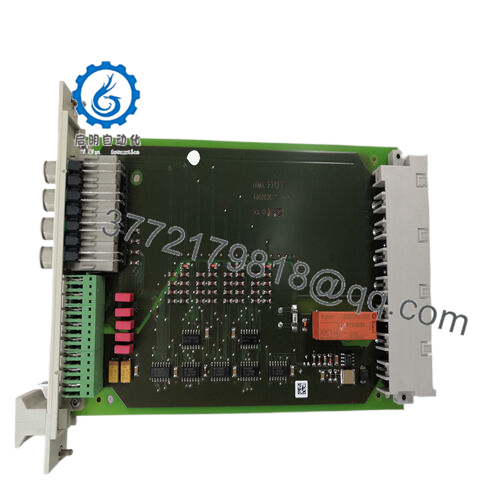
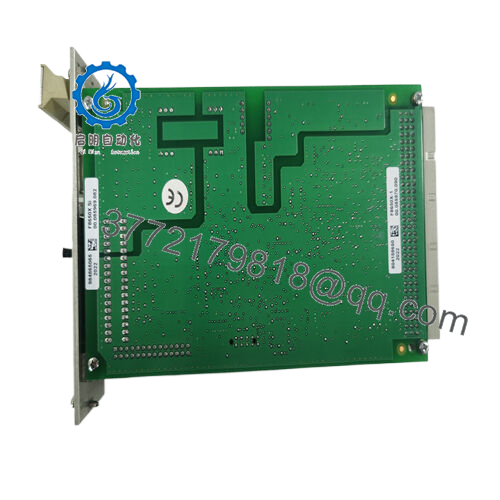
The HIMA F20 010 10 is the core central processing unit for the HIMax safety system, designed to handle critical emergency shutdown (ESD), burner management systems (BMS), and fire and gas (F&G) loops. Operating on a dual-channel architecture, this controller processes complex safety logic with diagnostic coverage exceeding 99% to prevent dangerous failures. It executes safety-critical code via the SILworX programming environment, maintaining zero-downtime operations through fast hardware loops and dedicated network interfaces.
Procuring this component as New Surplus provides a strategic alternative to long OEM lead times and high list prices. Because this processor protects multi-million dollar assets, relying on refurbished components exposes your plant to catastrophic risks like latent capacitor degradation or corrupted firmware layers. Maintaining 1–2 factory-sealed units as safety stock mitigates lead time variability and prevents thousands of dollars per minute in lost production during unexpected hardware faults.

- F20 010 10
5. Installation & Configuration Guide
Stage 1: Pre-Installation (Prep & Safety)
- Isolate Power: Verify the rack power supply is isolated or that the slot is safe for maintenance according to your specific plant safety matrix.
- Wear ESD Protection: Attach a grounded wrist strap to your wrist and connect the other end to the bare metal frame of the system enclosure.
- Document the Target: Use a mobile device to photograph the existing module faceplate, LED statuses, and any physical DIP switches or system card positions.
Stage 2: Removal
- Loosen Retaining Screws: Use a standardized precision screwdriver to release the upper and lower faceplate locking screws on the faulty processor.
- Extract Straight out: Disengage the module handles smoothly, pulling the unit straight along the plastic guide rails to prevent bending the delicate high-density backplane connector pins.
- Store Securely: Place the removed module inside an ESD-shielded bag immediately for forensic analysis.
Stage 3: Installation (Clone & Seat)
- Inspect the New Module: Remove the new F20 010 10 from its sealed anti-static bag and check the backplane connector for debris or bent pins.
- Match Hardware ID Switches: Set any physical rotary or DIP switches on the side or rear of the module to mirror the original unit exactly.
- Seat the Unit: Align the module with the card guide rails and slide it smoothly into the slot until the backplane connectors engage securely. Tighten the faceplate locking screws.
Stage 4: Power-On & Testing
- Monitor the 24V Rail: Energize the slot or rack and verify that input voltage remains stable at 24 V DC (±5%).
- Observe Startup LEDs: Watch the initialization sequence; the RUN LED should flash during boot-up and the system should not trip an ERR indicator.
- Connect and Sync: Establish communication via SILworX, verify the hardware revision matches, and download the validated safety logic to synchronize the CPU with the redundant partner module.
6. Firmware/Software Versions & Upgrade Notes
Critical Compatibility Warning: The HIMA F20 010 10 requires strict coordination between hardware revisions and your compiled SILworX software project version.
- Target Version: This processor ships pre-loaded with firmware optimized for SILworX version 5.x and higher environments.
- Backward Compatibility: If your existing application runs an older engineering suite (such as SILworX V3.x or V4.x), installing this CPU without adjusting firmware will trigger a “Firmware Incompatibility” fault on the system bus, halting safe communication.
- Risk Evaluation: Never upgrade firmware on a live running system during a hardware swap. Downgrading a new module’s firmware to match an active legacy rack must be performed on an isolated test bench to prevent configuration corruption or loss of the system’s strict SIL 3 certification status.
7. Frequently Asked Questions (FAQ)
Q: Why is this product priced lower than OEM factory orders but higher than secondary market options?
A: This unit is certified New Surplus. It has never seen service in an active plant or been subjected to thermal cycles, degraded capacitors, or soldering iron modifications. While used or repaired items are cheap, they carry high failure rates. Our pricing reflects verified, factory-sealed OEM inventory available instantly—bypassing long manufacturer lead times without the systemic risks of used hardware.
Q: Is this specific F20 010 10 unit an obsolete or active product?
A: The F20 010 10 resides in the legacy lifecycle phase of high-reliability automation. While HIMA supports the active user base, direct factory access can involve extensive wait windows and high premium charges. Stocking this unit provides an immediate insurance policy against extended lead times.
Q: Can I hot-swap this processor module while the plant is online?
A: Yes, if your HIMax rack configuration is configured for physical or system-level CPU redundancy. However, the redundant partner module must be completely healthy (showing a solid RUN status with no active faults). If you are running a single-channel simplex configuration, removing this CPU will drop the safety loops and trigger an emergency plant shutdown.
Q: Does this CPU retain its programming when system power is disconnected?
A: Yes. The module saves your compiled safety program to its internal non-volatile flash memory. It does not rely on volatile RAM backed by external batteries for long-term project retention, protecting your application logic from being wiped out during extended warehouse storage or plant power outages.
Q: What type of warranty or verification comes with this surplus module?
A: We back this item with a complete 1-year warranty from the date of procurement. Every single module goes through our multi-point visual, electrical, and communication handshake check on real testing racks to confirm the serial numbers match and that the hardware registers correctly in the configuration software before it leaves our facility.



