
 WhatsApp: +86 16626708626
 Email:
  Phone: +86 16626708626
Description
3. Key Technical Specifications
| Parameter | Specification / Value |
| Interface Type | BD-COM (Bus Driver Communication) |
| Transmission Protocol | safeethernet (Proprietary HIMA Safety Protocol) |
| Physical Medium | Coaxial cable (75 Ohm impedance matching) |
| Transmission Distance | Up to 1,000 meters depending on cable attenuation specs |
| Safety Integrity Level | Certified for use in loops up to IEC 61508 SIL 3 |
| Diagnostic Capabilities | Internal loopback tests, link activity monitoring |
| Current Consumption | Max 250 mA at 24 V DC backplane supply |
| Power Dissipation | ≤ 2.5 W under continuous network load |
| Operating Temperature | 0 to +60°C |
| Storage Temperature | −40 to +85°C |
4. Product Introduction & Supply Chain Strategy
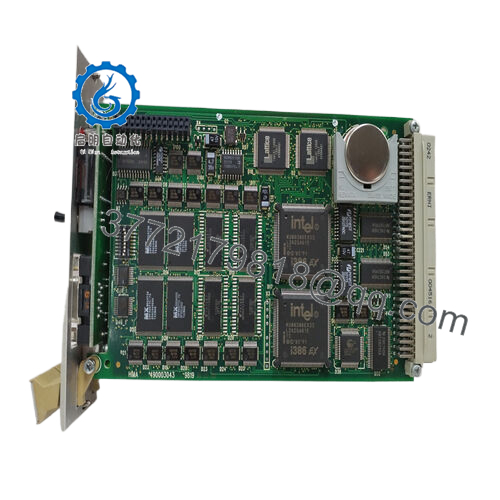
The HIMA F8601 is a specialized communication transceiver module designed for the HIMax safety platform. Operating at the network architecture layer, this module establishes safeethernet data links across distinct physical subracks using high-shielding coaxial cabling. By managing real-time packet transmission and diagnostic handshakes, the F8601 allows distributed safety controllers to share interlock variables seamlessly. This capability is vital for managing synchronized emergency shutdowns (ESD) or fire and gas (F&G) response strategies across large industrial processing plants.
From a procurement and inventory standpoint, securing a New Surplus F8601 is an essential risk-mitigation step. Communication interfaces are vulnerable to external network events like ground potential variations, localized surge transients, and lightning strikes on exposed cable runs. Utilizing a refurbished or second-hand network transceiver introduces unpredictable jitter and packet loss, which can cause spurious safety trips. Maintaining factory-sealed, unused spares on-site ensures your facility bypasses long manufacturer lead times and avoids costly, unplanned plant shutdowns caused by network infrastructure failure.

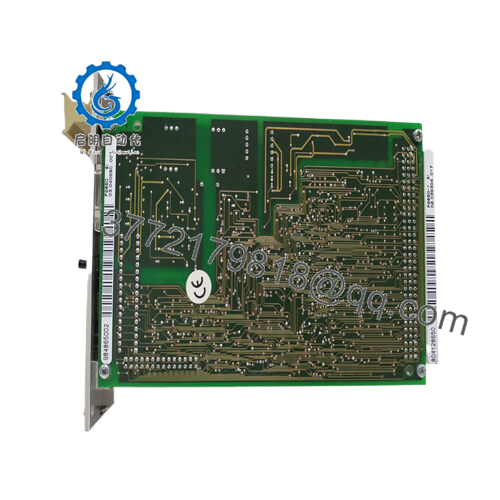
- F8601
5. Installation & Configuration Guide
Stage 1: Pre-Installation (Prep & Safety)
- Verify Redundancy Paths: Confirm that parallel network communication paths are fully functional and active before touching the target link card.
- Employ Static Protection: Wear a calibrated, grounded ESD wrist strap attached to an unpainted part of the system frame throughout the replacement procedure.
- Examine Cable Shielding: Verify that the terminating coaxial connectors and cables are labeled correctly and free from physical tension or outer jacket damage.
Stage 2: Removal
- Disconnect Coaxial Feeds: Carefully unscrew and disconnect the coaxial cable terminals from the front faceplate of the F8601 module. Avoid pulling the bare cable core.
- Unfasten Faceplate Anchors: Back out the upper and lower panel retention screws using a standardized precision screwdriver.
- Smooth Rail Extraction: Grip the module pull handles and slide the unit straight out along its guide tracks. Do not force or rock the board horizontally to avoid bending any backplane interface pins.
Stage 3: Installation (Clone & Seat)
- Verify Address/Jumper Matrix: Inspect the side of the new F8601 module for any rotary dials or hardware DIP switches. Set these options to replicate the configuration of the old unit exactly.
- Seat the Transceiver Card: Align the module edges with the slot tracks and slide it steadily into the chassis until the rear bus connector pins sit flush against the backplane plane.
- Lock the Hardware: Securely tighten the faceplate screws to establish a grounding loop with the cabinet framework. Reconnect the coaxial network cables.
Stage 4: Power-On & Testing
- Check Status Indicators: Apply power or verify backplane initialization. Monitor the module front faceplate LEDs; the Link/Act light should flash rapidly, indicating real-time data traffic.
- Run Bus Diagnostics: Access the SILworX diagnostic panel to check network health parameters. Ensure there are no active safeethernet error flags or high packet retry rates.
- Confirm Loop Integrity: Validate that inter-rack safety data blocks are synchronizing smoothly across the network tier without triggering timing drops.
6. Firmware/Software Versions & Upgrade Notes
Configuration Note: The HIMA F8601 module operates primarily as a physical network interface card, but its system integration depends heavily on the firmware of the associated central processor.
- Project Alignment: The module functions transparently across most SILworX programming frameworks. However, the hardware revision level of the F8601 must match the network driver configurations specified inside your active SILworX project file.
- Incompatibility Risks: Mixing mismatched hardware revisions with older CPU operating systems can cause safeethernet packet timeouts, resulting in a sudden system trip.
- Safe Replacement Protocol: When executing a hardware swap, always confirm that the revision suffix (e.g., Rev 1.0 vs Rev 2.0) printed on the unit label matches the original module to prevent unexpected driver execution faults.
7. Frequently Asked Questions (FAQ)
Q: Can this communication module be hot-swapped while the HIMax safety system is online?
A: Yes, provided your safety network utilizes dual, fully redundant safeethernet routing loops. If the system is running a single non-redundant network link, removing the F8601 will instantly break communications between the connected subracks, which can trip a whole-system emergency shutdown.
Q: Why choose a New Surplus F8601 over a cheaper refurbished alternative?
A: Network modules like the F8601 are highly sensitive to line transients and chip fatigue. Refurbished cards often pass basic power-on bench tests but can fail under high network loads or exhibit high packet drop rates under thermal stress. A genuine New Surplus card provides a full factory life expectancy and total data reliability.
Q: What is the maximum distance supported by the F8601 coaxial link?
A: Under optimal plant conditions using double-shielded, low-attenuation 75 Ohm coaxial cabling, the module supports link distances up to 1,000 meters without requiring external signal repeaters or intermediate line boosters.
Q: Does the F8601 require a separate IP address configuration in SILworX?
A: No, the F8601 acts as a physical transceiver interface layer for the BD-COM bus. The actual network IP mapping and safety node configurations are assigned directly to the master central processor or communication module controlling the slot.
Q: How do you verify this module is functional before it leaves your warehouse?
A: Every New Surplus F8601 module undergoes functional loopback and signal transmission testing on our specialized HIMA test racks. We measure packet transmission integrity and transceiver continuity across full simulated operating distances to guarantee it functions within OEM specifications.



