
 WhatsApp: +86 16626708626
 Email:
  Phone: +86 16626708626
Description
Key Technical Specifications
- Form Factor: 19-inch rack module, 3 height units (HU), 4 width units (WU)
- Network Interface: 100 Base-T, RJ45 connector
- Safety Protocol: safeethernet — safe communication between H41q/H51q systems
- Non-Safe Protocols: OPC DA via HIMA OPC server, OPC A&E via HIMA OPC server, MODBUS-TCP slave
- Programming Support: ELOP II programming over Ethernet, requires ELOP II software V4.1 or later
- Compatible CPUs: F8650X / F8652X (safe CPU) and F8651X / F8653X (non-safe CPU), H41q/H51q systems
- Companion Module: F8628X (Profibus DP slave variant, 9-pole Sub-D connector) — same rack, different protocol
- Predecessor Modules: Earlier F8627 / F8628 (non-X suffix) remain in HIMA’s portfolio alongside this revision
- ⚠️ Input voltage, current draw, weight, and precise housing dimensions vary significantly across third-party listings for this part — treat those numbers as unverified until confirmed against HIMA’s official F8627X/F8628X datasheet.
Product Introduction
The HIMA F8627X is a communication module built for H41q and H51q safety controller racks, pairing with the F8650X/F8652X safe CPU or F8651X/F8653X non-safe CPU. It handles Ethernet-based safeethernet communication between HIMA safety systems and adds OPC DA, OPC A&E, and Modbus-TCP slave connectivity on the same 100 Base-T interface.
Plants running ELOP II-programmed HIMA systems use the F8627X because it moves CPU programming onto Ethernet (ELOP II V4.1+), cutting reliance on older serial connections. It sits alongside the F8628X, which handles Profibus DP instead — so a rack can run either or both depending on which fieldbus the rest of the plant is standardized on.
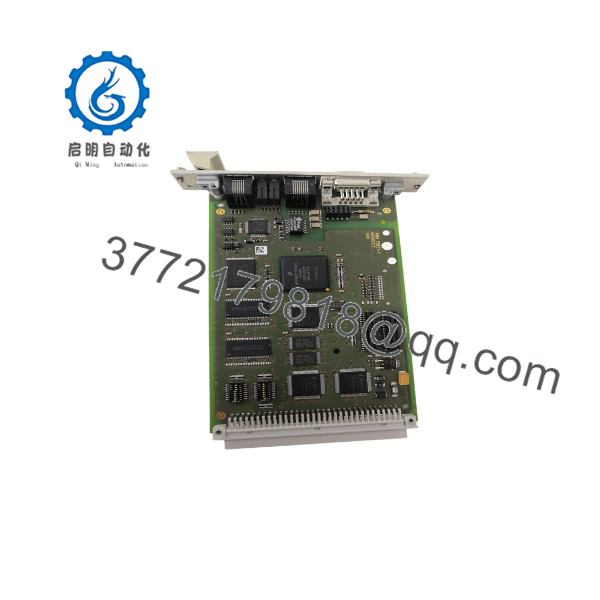
F8627X
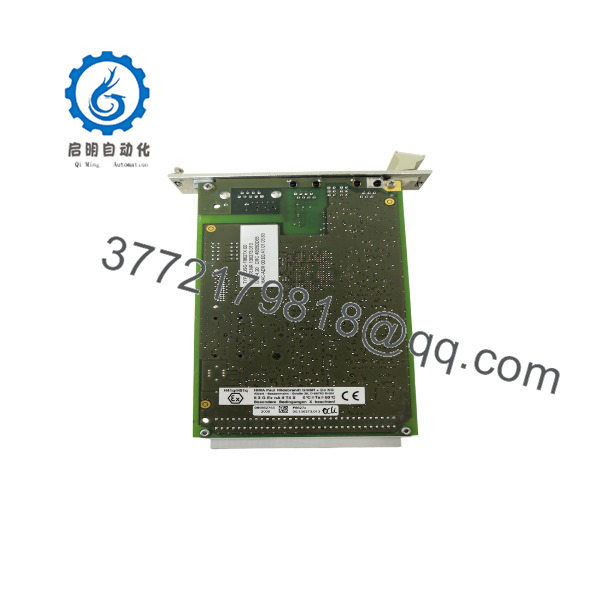
F8627X
Troubleshooting Quick Reference
| Symptom | Possible Cause | Relevance to this Part | Quick Check Method | Recommendation |
|---|---|---|---|---|
| No Ethernet link light on RJ45 port | Bad cable, switch port, or link speed mismatch | ❌ Low | Swap the patch cable and test on a known-good switch port | Rule out cabling and network gear before suspecting the module |
| ELOP II can’t connect over Ethernet | ELOP II software older than V4.1 | ✅ High | Check installed ELOP II version against the V4.1 minimum requirement | Update ELOP II software — this is a documented version dependency, not a fault |
| safeethernet communication drops between systems | Backplane seating issue or CPU compatibility mismatch | ✅ Moderate | Reseat the module in the rack; confirm it’s paired with a supported F865xX CPU | Verify CPU/module compatibility against the HIMA system manual |
| Modbus-TCP slave not responding to master polls | Wrong IP configuration or protocol not enabled at CPU level | ❌ Low-Moderate | Check module IP settings and confirm Modbus-TCP is enabled in the CPU configuration | Configuration issue more often than hardware fault |
| Module fails power-on self-test / no status LEDs | Backplane power fault or module hardware failure | ✅ High | Check rack backplane voltage at the slot before condemning the module | If backplane power is confirmed good, this points to module failure |
If none of these checks resolve it, send us the module’s diagnostic LED pattern and the ELOP II event log — that combination usually tells us within minutes whether it’s the F8627X itself or something upstream in the rack.
Frequently Asked Questions (FAQ)
Can I run the F8627X and F8628X in the same rack?
Yes — they’re designed as companion modules on the same H41q/H51q platform. The F8627X handles safeethernet/Ethernet communication while the F8628X handles Profibus DP, so plenty of installs run both side by side depending on which fieldbus segments need coverage.
Does this module require a specific CPU?
It’s built to pair with the F8650X/F8652X safe CPU or the F8651X/F8653X non-safe CPU on H41q/H51q systems. If you’re running an older or different CPU family, confirm compatibility with HIMA or your integrator before ordering — this isn’t a universal drop-in across every HIMA CPU generation.
Is this the same as the older F8627 (without the X suffix)?
Related, not identical. HIMA kept the original F8627/F8628 in the portfolio alongside this X-suffix revision, which adds OPC A&E support and MODBUS-TCP slave capability on top of the original feature set. If you’re replacing an existing F8627, check whether your system configuration depends on features specific to one revision.
Do I need to reprogram anything after swapping this module in?
The module itself doesn’t hold your safety application logic — that lives in the CPU. But if you’re changing from serial to Ethernet-based ELOP II programming as part of this swap, you’ll need ELOP II V4.1 or later on the programming PC, and you’ll want to verify your network path to the module before assuming the swap alone fixed connectivity.
Why do specs for this part vary so much between sellers?
Good question, and worth being upfront about: several listings we checked for this exact part number show conflicting voltage, weight, and dimension figures — the kind of inconsistency that shows up on generic reseller pages rather than pages sourced from an actual datasheet. Ask whoever you’re buying from to confirm specs against HIMA’s own /F8628X documentation rather than trusting a marketplace listing at face value.
Is this new or used stock?
That depends on the specific seller and lot — this part circulates through OEM channels, authorized resellers, and secondary/surplus markets simultaneously since it’s part of a legacy HIMA platform. Get a clear condition statement (new, refurbished-and-tested, or as-is used) in writing before you commit to a purchase.



