
 WhatsApp: +86 16626708626
 Email:
  Phone: +86 16626708626
Description
Key Technical Specifications
| Parameter | Value |
| Manufacturer | HIMA Paul Hildebrandt GmbH |
| Model Number | F8641 |
| Part Number Cross-Reference | 984864102 |
| System Compatibility | HIQuad / H41q and H51q Safety-Related PLC Systems |
| Module Type | Central I/O Bus Coupler / Extension Board |
| Safety Integrity Level | Up to SIL 3 (Dependent on overall system layout and programming configuration) |
| Bus Topology | High-speed parallel hardware link backplane expansion |
| Hardware Form Factor | Standard 19-inch Subrack Card, 3 HU (Height Units), 4 WU (Width Units) |
| Current Consumption | 5 V DC logic rail: ~120 mA derived directly via backplane assembly |
| Operating Temperature | 0 to +60°C (32 to 140°F) |
| Storage Temperature | −40 to +85°C (−40 to 185°F) |
| Net Weight | 0.44 lbs (0.20 kg) |
Product Introduction
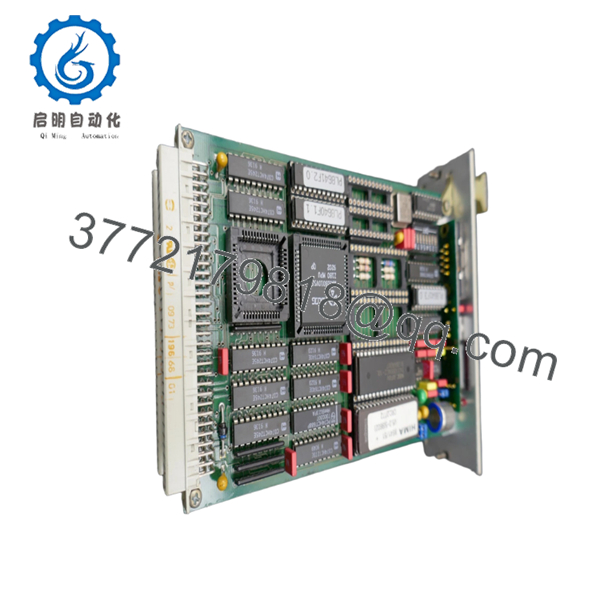
The HIMA F8641 is a safety-related I/O bus coupling module engineered specifically for the HIQuad H41q and H51q safety controller families. Acting as a critical high-speed hardware bridge, this board extends the internal parallel backplane communication lines from the central processor rack out to secondary expansion I/O subracks. It enables seamless distribution of critical safety data points without introducing signal propagation delays that could compromise system safety times.
Designed for high-availability setups like emergency shutdown (ESD) and fire and gas (F&G) protection units, the F8641 manages electrical isolation and data synchronization between multiple chassis zones. By utilizing this dedicated hardware bus extension link, plant engineers can scale up their physical safety I/O capacity while preserving the system’s underlying safety performance integrity and strict execution loop windows.

- F8641
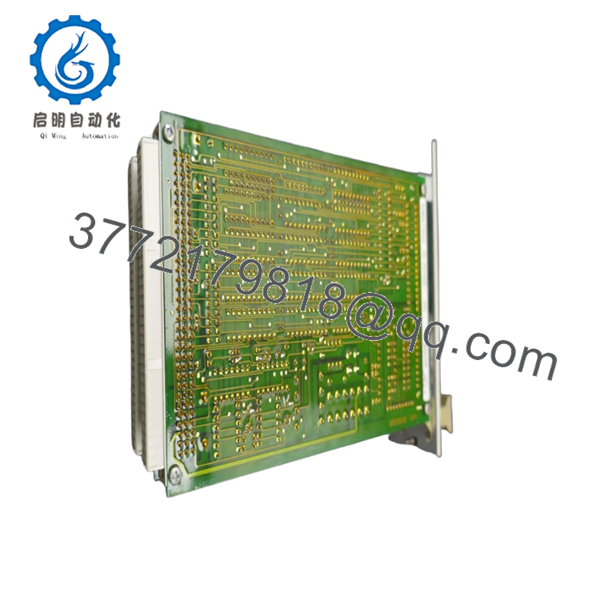
- F8641
Troubleshooting Quick Reference
| Symptom | Possible Cause | Relevance to this Part | Quick Check Method | Recommendation |
| Expansion rack completely dropped offline (All remote I/O flashing errors) | Master cable detachment or total logic power loss at the expansion rack | ❌ Low | Check external interconnection bus cables. Measure the local 5 V DC logic distribution line inside the target subrack using a Fluke 115 multimeter. | Reseat all external physical data links and confirm power supply sanity before replacing module components. |
| Frequent “Bus Timeout” or parity faults logged on specific expansion slots | Oxidized card edge connections or compromised parallel bus transceiver chips | ✅ High | Examine the controller diagnostic buffer via ELOP II software logs. Note if faults isolate strictly around the expansion interface interface boundary. | Lightly clean the gold card fingers using an electronics contact cleaner solvent and soft lint-free cloth; replace the F8641 card if the errors persist. |
| Module fails to initialize (Faceplate status indicators remain dead) | Main central subrack 5 V DC rail drop below minimum operating limit | ✅ High | Measure logic power distribution directly at the central rack test terminals. Ensure it sits steadily within 4.75 to 5.25 V DC. | If central rack power is steady but the card fails to execute its initial power-on self-test loop, swap out the module. |
| Intermittent communication dropouts under vibration or plant load changes | Damaged physical retention clips or poorly seated external termination blocks | ❌ Low | Inspect structural subrack framing. Ensure card securing screws are fully engaged and terminating plugs are tight. | Re-torque all physical mechanical assemblies to eliminate micro-disconnections before condemning hardware components. |
Note: For deeper bus traffic tracking or hardware configuration analysis, capture your ELOP II system error dumps and contact our application support team.
Frequently Asked Questions (FAQ)
Does the HIMA F8641 require an individual IP address or local node configuration settings?
No, the F8641 does not operate on a standard serial or Ethernet network layer like communication modules. It is a raw parallel backplane extension board. This means it lacks software IP settings or firmware-driven node maps. Its behavior is dictated solely by its physical position within the rack and the configuration of the external interconnecting bus cables and terminating jumpers.
Can I pull the F8641 bus coupling card out of the subrack while the control system is powered on?
Absolutely not. Hot-swapping the F8641 while the system is energized will interrupt the main internal parallel logic bus. This immediate loss of connection will cause the central safety processors (like the F8650X) to fault out due to a sudden watchdog timeout, tripping your entire safety loop and initiating a full process shutdown. Always isolate all power to the subrack before replacing this card.
What is the functional difference between the F8641 and an Ethernet router module within a HIQuad setup?
The modules serve entirely different infrastructure roles. An Ethernet router module (such as the F8627 or F8628) handles serial, Modbus, or TCP communication links out to external, non-safety systems like SCADA or DCS hosts. The F8641 is a proprietary, hardwired parallel bus extension that binds HIMA subracks together into a single, cohesive local computing assembly.
How do you ensure these obsolete units work reliably when pulled from surplus stock?
Every F8641 module from our New Surplus inventory is processed through a strict multi-point verification script. We perform thorough visual examinations of trace routing paths and card-edge plating, followed by a continuous power-on test loop inside a live HIQuad rack to verify full parallel data transceiver performance across expansion interfaces. The module ships sealed in ESD shielding with a 1-year replacement warranty.
Are special tools or cables required to bridge two racks using this card?
Yes, the F8641 works in pairs—one module positioned in the central subrack and a companion card placed in the remote expansion rack. They require specialized high-shielded HIMA parallel bus cables designed to maintain noise immunity in high-EMI plant environments. Ensure your cable length parameters match the exact installation specification to keep signal timing tightly balanced.



