
 WhatsApp: +86 16626708626
 Email:
  Phone: +86 16626708626
Description
Key Technical Specifications
| Parameter | Value |
|---|---|
| Model Family | F8650 |
| Manufacturer | HIMA Paul Hildebrandt GmbH |
| Product Family | HIQuad PES H51q |
| Product Type | Safety-related central module / CPU |
| Primary Function | Executes validated safety application and coordinates I/O diagnostics |
| Compatible Systems | PES H51q-MS, H51q-HS, and H51q-HRS |
| Safety Integrity Capability | Up to SIL 3 per IEC 61508, application dependent |
| Safety Requirement Class | AK 1 through AK 6 |
| Processor Architecture | Two clock-synchronized, lockstep microprocessors |
| Processor Type | Intel 386EX, 32-bit |
| Clock Frequency | 25 MHz per processor |
| Operating-System Memory | 1 MB Flash EPROM per processor |
| User Program Memory | 1 MB Flash EPROM per processor |
| Data Memory | 1 MB SRAM per processor |
| Serial Interfaces | 2 × galvanically isolated RS-485 |
| Default Serial Baud Rates | 9,600 or 57,600 bps, setting and software dependent |
| Diagnostic Display | Four-digit matrix display with selectable information |
| General Fault Indications | CPU and I/O diagnostic LEDs |
| Watchdog Output | Safety-related 24 V DC output; 500 mA maximum; short-circuit protected |
| Typical Operating Supply | 5 V DC, 2 A from rack backplane |
| Module Width | 8 SU |
| Construction | Two Eurocard-format PCBs; one display board |
| Buffer Battery | CR2477N lithium battery; HIMA part number 44 0000018 |
| Battery Life Without Supply | Up to 1,000 days at 25 °C; up to 200 days at 60 °C |
| Recommended Battery Replacement | At least every 6 years, or within 3 months of BATI indication |
| Lifecycle Status | Legacy HIQuad CPU; limited New Surplus and tested stock availability |
The F8650 is the central safety CPU for H51q systems, not a remote I/O module, power supply, or Ethernet card. The related F8650X is an enhanced variant with its own hardware, firmware, and upgrade requirements; HIMA documentation specifically notes that upgrading an F8650 to an F8650X also requires changing the fan concept. Do not assume the two units are direct drop-in equivalents.
Product Introduction
The HIMA F8650 is a central processing module for legacy PES H51q safety systems used in emergency shutdown, burner management, fire and gas, turbine trip, and process interlock applications. Its two clock-synchronized Intel 386EX processors execute the validated safety application while supervising system inputs, outputs, diagnostics, and safety shutdown behavior.
Use an F8650 only as an exact, engineered replacement within a compatible H51q-MS, H51q-HS, or H51q-HRS system. It provides isolated RS-485 communications, a four-digit diagnostic display, and a safety watchdog output. Confirm the full CPU suffix, operating-system version, ELOP II project, rack configuration, firmware, battery condition, and cooling arrangement before installation.
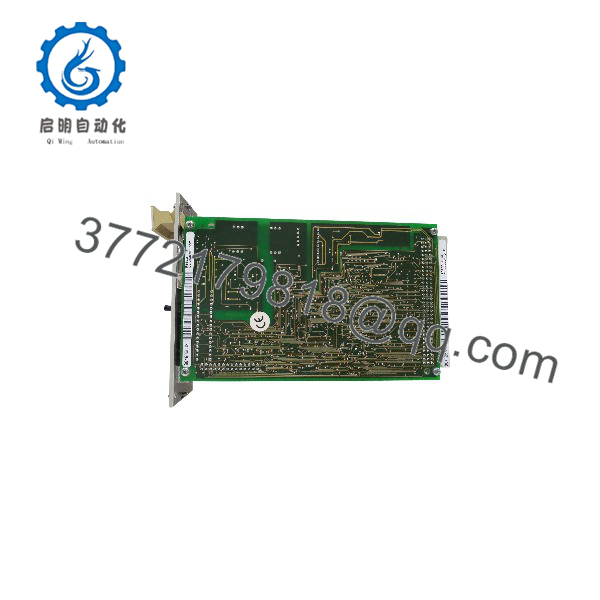
F8650
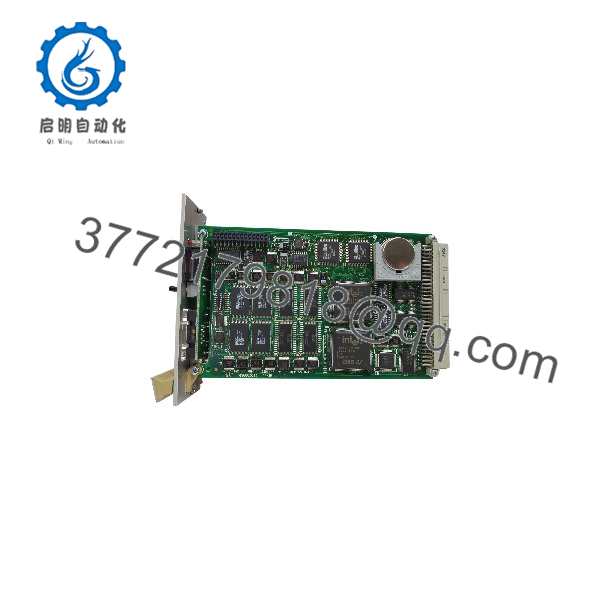
F8650
Troubleshooting Quick Reference
| Symptom | Possible Cause | Relevance to This Part | Quick Check Method | Recommendation |
|---|---|---|---|---|
| No CPU display or LEDs after energization | Missing 5 V DC rack supply, failed F7126 power module, loose CPU seating, backplane fault | ❌ Low until rack supply is verified | Measure the 5 V DC rail at the rack test point; verify power-supply status, fuses, CPU seating, and backplane connectors | Restore stable rack power before replacing the F8650 |
| CPU display shows BATI | Buffer battery nearing end of life, battery missing, battery connection issue | ❌ Usually battery-related | Read display and system diagnostics; inspect battery condition under approved procedure; verify battery type is CR2477N or specified equivalent | Replace the battery while CPU remains operational if the approved procedure permits; complete backup and verify retained data |
| CPU remains in STOP or safe state | Active safety trip, configuration issue, project mismatch, watchdog fault, I/O diagnostics active | ❌ Usually application or field-side | Use ELOP II diagnostics to find the first active trip or configuration fault; confirm all safety permissives and reset sequence conditions | Correct the initiating condition. Never bypass safety logic to force a RUN state |
| CPU fault after replacement | Incorrect variant, incompatible operating system, wrong ELOP II project, incorrect rack configuration, missing licensing data | ✅ High | Compare old and replacement CPU labels, OS version, project compatibility message, rack configuration, and diagnostic display | Use the validated project and an exact compatible CPU. Do not load an unverified application into a live safety rack |
| CPU restarts intermittently | 5 V DC rail droop, loose rack connection, overheating, failing buffer battery, unstable cabinet power | ✅ Medium | Trend 5 V DC at the rack under load, inspect F7126 output, check cabinet temperature, and record event timestamps | Correct power and cooling issues first. Replace CPU only if a known-good rack confirms the fault |
| I/O diagnostics fault but CPU appears normal | Failed input/output module, field wiring fault, loss of 24 V DC field power, remote rack fault | ❌ Usually not the CPU | Identify which I/O module or channel reports fault; inspect field wiring and module diagnostics | Troubleshoot the affected I/O circuit. A healthy CPU will report external faults |
| RS-485 communication failure | Incorrect station number, baud-rate mismatch, broken cable, missing termination, reversed A/B conductors, configuration mismatch | ❌ Usually external or configuration | Compare station number and baud settings with the approved network record; inspect RS-485 cable continuity, A/B polarity, shield, and termination | Correct network settings and wiring before replacing the CPU |
| Engineering workstation cannot communicate | Wrong ELOP II version, serial-port setting mismatch, cable fault, access configuration problem | ❌ Usually software or cable related | Verify PC interface, serial cable, COM-port configuration, CPU station number, and baud rate | Use the documented engineering setup. Do not change live configuration without formal change control |
| Watchdog output does not energize | CPU not in valid operating state, active fault, output overloaded, wiring fault, watchdog channel fault | ✅ Medium | Review CPU diagnostics; measure watchdog output with approved test conditions; confirm connected load is no more than 500 mA | Correct CPU fault and load issues first. Replace CPU only if output fails under a known-good rated load |
| Watchdog output remains active after a fault | Incorrect safety wiring, external relay welded, backfeed from another 24 V source, output channel fault | ❌ Usually external | Under lockout/tagout, verify whether the CPU’s watchdog terminal actually drops voltage; isolate the external relay and check for backfeed | If CPU output drops but the final device remains active, repair the external circuit |
| CPU overheats or diagnostics worsen during hot weather | Cabinet ambient too high, fan failure, blocked airflow, incorrect fan configuration after CPU upgrade | ✅ Medium | Measure cabinet temperature, inspect fans and airflow, and compare hardware arrangement to HIMA documentation | Restore correct cooling. Do not upgrade to F8650X without changing the fan concept where required |
| New CPU does not retain settings after power removal | Weak battery, incorrect battery installation, configuration not backed up, OS/project storage issue | ✅ Medium | Verify battery status, project backup, and retained-memory behavior under controlled power-cycle test | Replace battery and restore validated project. Do not rely on unverified retention in a safety system |
| CPU does not recognize a communication module | Wrong module type, rack slot issue, insufficient 5 V capacity, incompatible firmware or OS | ❌ Usually compatibility-related | Verify F8627/F8627X module type, rack slot, supply capacity, OS version, and controller diagnostics | Confirm compatible module and operating-system versions before replacing the CPU |
| CPU display reports error after cabinet work | Poor module seating, ESD damage, moved connectors, changed switch settings, field wiring fault | ✅ Medium | Compare pre-work photos, rack slot positions, switch settings, and diagnostic history; inspect seating and connectors | Restore the original configuration and use ESD controls. Replace hardware only after controlled checks confirm a defect |
❗ CPU-suffix warning: “” is not enough for a replacement decision. Match the entire label, including any E, X, coating, or order-code variant; operating-system version; installed engineering software; rack architecture; and cooling arrangement. An F8650X is not a no-risk substitute for an . HIMA’s own F8650X documentation calls out a required fan-concept change for that upgrade.
❗ Project warning: Export and secure the approved ELOP II application, CPU diagnostics, rack configuration, battery status, and communications settings before removal. I have seen a plant lose a full shift because a healthy replacement CPU was installed without the matching project and the team only had an outdated backup.
❗ Battery warning: The buffer battery supports memory retention during power loss. HIMA documentation identifies up to 1,000 days without supply at 25 °C, but that falls to about 200 days at 60 °C. Replace it on schedule—at least every six years or within three months of a BATI indication—not after retention has already failed.
❗ Safety warning: Replacing an affects the logic solver of a safety instrumented system. Follow management of change, lockout/tagout, application backup, peer review, and post-change proof-test requirements. A CPU in RUN mode does not prove that shutdown valves, relays, trips, or emergency stops function correctly.
If diagnostics remain unclear, contact technical support with full CPU nameplate photos, rack type, operating-system version, ELOP II version, CPU display code, battery status, 5 V rail measurement, project compatibility message, serial network settings, and exported diagnostic logs. Keep these checks in mind and you will save yourself most of the usual rework time.
Frequently Asked Questions
What is the HIMA ?
The is a central processing module for HIMA PES H51q safety systems. It runs the validated safety application, monitors system diagnostics, communicates through isolated RS-485 interfaces, and provides a safety-related watchdog output. Its dual clock-synchronized 32-bit Intel 386EX processors support safety applications up to SIL 3 when the complete system is designed, validated, and maintained accordingly.
Is the a standalone safety PLC?
It is the central logic component within an H51q safety-system architecture, not a standalone DIN-rail controller in the modern compact-PLC sense. It requires the correct H51q rack, 5 V DC rack supply, compatible I/O modules, wiring, configuration, and validated ELOP II safety application. It may participate in H51q-MS, H51q-HS, or H51q-HRS arrangements.
What is the difference between and F8650X?
The is an enhanced central-module variant. It retains the dual Intel 386EX, 25 MHz, 1 MB OS flash, 1 MB user-program flash, 1 MB data SRAM, two isolated RS-485 interfaces, four-digit diagnostic display, and 24 V DC safety watchdog architecture described in its datasheet. However, HIMA documents separate upgrade requirements, including a change to the fan concept when moving from to .
Match the exact CPU type, firmware, operating system, cooling arrangement, engineering software, and project before a substitution.
Can I hot-swap an CPU?
No. Do not treat a central safety CPU as hot-swappable. Removing or reseating it can stop safety application execution, de-energize watchdog output, interrupt I/O and communications, initiate a process trip, and leave equipment in a safe but unplanned state.
Place the process in a safe condition and follow the approved maintenance procedure. Back up the project and diagnostics, isolate power as required, replace the module, then complete the required startup and proof testing.
Will I lose the safety program when replacing the ?
Do not assume program retention. The correct answer depends on the original CPU version, buffer-battery condition, operating system, project storage method, and replacement commissioning procedure. Make an approved, verified ELOP II project backup before work begins and record all hardware and communications settings.
After installation, confirm the CPU accepts the correct application, completes diagnostics, enters the approved state, communicates with all required I/O, and passes functional tests of every affected safety loop.
Why does the show BATI?
BATI indicates that the CPU buffer battery needs attention. The documentation identifies a CR2477N lithium battery, HIMA part number 44 0000018, and recommends replacement at least every six years or within three months after BATI appears. Replace it according to the approved HIMA and site procedure, then verify diagnostic status and data retention.
Is the obsolete?
The is a legacy H51q central module. It is generally sourced through New Surplus, tested used, refurbished inventory, or a documented migration solution. HIMA offers later variants such as the , but a migration is an engineered project, not a same-day catalog swap. Maintain a validated spare strategy, complete ELOP II archives, compatible engineering hardware, spare batteries, rack documentation, and a lifecycle plan.
How should a New Surplus be tested before shipment?
Start with traceability and inspection: verify the exact suffix, serial number, processor-board and display-board condition, backplane contacts, RS-485 connectors, switches, battery status, heat sinks, and any coating or fan-related hardware. Inspect for corrosion, damaged connector pins, heat discoloration, rework marks, or physical impact.
For functional testing, install the CPU in a compatible H51q test rack with a known-good F7126 5 V DC supply, correct I/O modules, and the matching ELOP II engineering environment. Confirm normal boot, four-digit display behavior, system diagnostics, project download or verification, and stable execution of a controlled safety test application. Exercise the two isolated RS-485 interfaces at documented baud settings, verify station addressing, and test the safety watchdog output with a monitored load no greater than 500 mA.
Run the CPU under representative I/O and communications load for more than 24 hours while logging supply voltage, temperature, diagnostic messages, watchdog behavior, communication stability, and unexpected resets. Confirm battery condition and retention under a controlled power-cycle procedure where authorized. Record rack model, OS version, ELOP II version, firmware identification, serial settings, test project reference, watchdog result, battery result, test duration, and final QC sign-off.
Package the CPU in ESD-safe material, protect the display and connectors, and ship it in foam-supported heavy-duty corrugated packaging. Test photos and video should be available upon request. The technical documentation describes the related H51q CPU architecture as dual 25 MHz Intel 386EX processors with 1 MB each of OS, user-program, and data memory, two isolated RS-485 ports, a four-digit diagnostic display, 5 V DC/2 A operating power, and a 24 V DC watchdog output rated to 500 mA. Confirm exact —not —specifications against the unit nameplate and approved HIMA documentation before installation.



