
 WhatsApp: +86 16626708626
 Email:
  Phone: +86 16626708626
Description
Key Technical Specifications
| Parameter | Value |
|---|---|
| Manufacturer | HIMA Paul Hildebrandt GmbH |
| Model | F8650E |
| Product Type | Safety central processing module |
| System Compatibility | HIMA PES H51q-MS, H51q-HS, H51q-HRS |
| Safety Classification | SIL 1–3 according to IEC 61508; AK 1–6 |
| Processor Architecture | 2 × clock-synchronized Intel 386EX 32-bit processors |
| CPU Clock Frequency | 25 MHz |
| Operating System Memory | 1 MB Flash-EPROM per processor |
| User Program Memory | Up to 1 MB Flash-EPROM (OS dependent) |
| Data Memory | Up to 1 MB SRAM (OS dependent) |
| Communication Interfaces | 2 × RS485 serial interfaces |
| RS485 Isolation | Galvanically isolated |
| Diagnostic Display | 4-digit matrix display |
| Watchdog Output | 24 VDC safety shutdown output, up to 500 mA, short-circuit protected |
| Operating Voltage | 5 VDC |
| Current Consumption | Approximately 2 A |
| Rack Requirement | H51q central rack |
| Space Requirement | 8 TE / 8 SU |
| Construction | Two European standard PCBs + diagnostic display PCB |
| Backup Battery | Lithium battery backup, replacement interval depends on operating conditions |
| Operating Temperature | Typically -20 °C to +60 °C |
Product Introduction
The HIMA F8650E is a central CPU module for PES H51q safety systems, including H51q-MS, H51q-HS, and H51q-HRS configurations. It executes safety application programs, manages I/O communication, and provides diagnostic processing through a dual Intel 386EX processor architecture. The module supports SIL 3 safety applications according to IEC 61508.
The F8650E is commonly maintained in existing process safety installations where H51q migration is not yet planned. Replacement requires verification of operating system version, application compatibility, rack configuration, battery condition, and communication settings before commissioning.
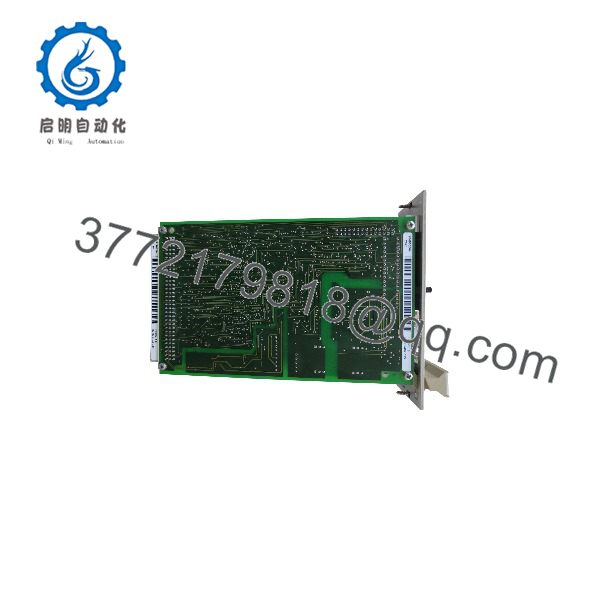
F8650E
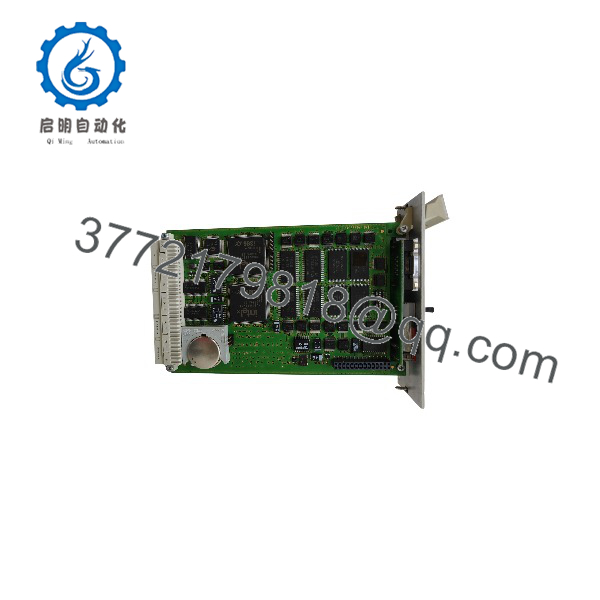
F8650E
Installation & Configuration Guide
Stage 1: Pre-Installation Preparation (Approx. 20 minutes)
⚠️ Safety First
- Notify plant operations before replacing the HIMA central module.
- Confirm the safety system can enter an approved maintenance state.
- Apply lockout/tagout procedures to the H51q cabinet power supply.
- Wait at least 5 minutes for stored energy discharge.
- Verify the 5 VDC rack supply is isolated before removing the module.
Tools Required
- ESD wrist strap
- PH1 screwdriver
- Digital multimeter
- Wire labels
- Smartphone for photos
- HIMA ELOP II engineering documentation
Data Backup
Before removal:
- Save the current safety application configuration.
- Record:
- HIMA operating system version
- Application program version
- Rack location
- CPU module position
- Communication parameters
- Photograph:
- Front panel display
- Switch settings
- Battery position
- Module installation position
- Document:
- RS485 station address
- Baud rate settings
- Connected communication modules
Stage 2: Removing the Old Module (Approx. 15 minutes)
- Remove cabinet access panels if required.
- Label all communication cables.
- Disconnect RS485 connections carefully.
- Release module retaining screws.
- Pull the F8650E straight out from the H51q rack.
Inspect:
- Backplane connector pins
- Rack contacts
- Cooling arrangement
- Battery condition
- Signs of overheating
⚠️ Note: Keep the original CPU module until the replacement has completed startup and application verification.
Stage 3: Installing the New Module (Approx. 20 minutes)
- Wear an ESD strap before handling the replacement module.
- Verify:
- Model: HIMA F8650E
- System: H51q-MS / HS / HRS
- Function: Central safety CPU
⚠️ Configuration Clone — Critical Step
- Transfer or verify:
- Operating system compatibility
- Application program version
- RS485 communication settings
- Bus station number
- Diagnostic parameters
- Insert the module into the correct H51q rack position.
- Ensure the backplane connector is fully seated.
- Tighten retaining screws.
- Reconnect communication wiring.
Self-Checklist
- Correct F8650E model verified
- H51q rack compatibility confirmed
- Firmware/OS version checked
- Battery condition verified
- Communication settings restored
Stage 4: Power-On & Testing (Approx. 30 minutes)
Pre-Power Check
- Verify 5 VDC rack supply voltage.
- Check RS485 wiring polarity.
- Confirm communication module connections.
- Verify battery installation.
Power-On Steps
- Energize the H51q rack.
- Observe front-panel diagnostic display.
- Check CPU and I/O status LEDs.
- Connect ELOP II engineering software.
- Verify:
- CPU startup sequence
- Application checksum
- I/O communication
- Diagnostic status
- Perform controlled functional testing.
⚠️ Troubleshooting Note
- CPU error after replacement: Check operating system version and application compatibility.
- Communication failure: Verify address and baud rate settings.
- Unexpected restart: Check 5 VDC stability and battery status.
Frequently Asked Questions (FAQ)
Can the HIMA be hot-swapped under power?
No. The is the central processing module of an H51q safety system. Removing it while powered can interrupt safety execution and communication. Follow the approved shutdown and replacement procedure.
What is the main function of the HIMA ?
The operates as the central CPU module for H51q safety systems. It executes safety programs, manages system communication, and provides diagnostic functions through dual synchronized processors.
Is the HIMA obsolete?
The is part of the legacy HIMA H51q platform. It is no longer a current-generation controller module, but many industrial plants continue operating H51q systems and maintain spare CPUs to avoid unplanned safety system migration.
Can the directly replace an F8650 or older HIMA CPU?
Not automatically. The is an updated H51q central module variant. Compatibility depends on hardware revision, operating system version, cooling arrangement, and installed system configuration. Verify the OEM documentation before replacement.
Will replacing the erase my safety application program?
The replacement CPU does not automatically contain the existing application. The correct HIMA operating system and approved application configuration must be loaded or restored according to site procedures.
Why is the price different from current safety controllers?
Legacy safety CPUs are commonly sourced from remaining OEM inventory, New Original stock, or tested refurbished channels. Pricing depends on condition, test documentation, availability, and warranty terms.
What should I check before ordering an HIMA ?
Verify:
- HIMA system type: H51q-MS / HS / HRS
- Exact model:
- Operating system version
- Application software version
- Rack compatibility
- communication requirements
- Power supply condition
How should a surplus module be tested before installation?
A proper inspection process should include:
- OEM label and serial number verification.
- Visual inspection for PCB damage, corrosion, and connector wear.
- Testing on a genuine HIMA H51q rack.
- Verification of 5 VDC current consumption.
- CPU startup and diagnostic display check.
- Communication interface testing.
- Functional test report generation.
Test photos and records should be retained for safety lifecycle documentation.



