
 WhatsApp: +86 16626708626
 Email:
  Phone: +86 16626708626
Description
Key Technical Specifications
| Parameter | Value |
|---|---|
| Manufacturer | HIMA |
| Model | K9202B |
| Associated Order Number | 996920261 |
| Product Type | Rack fan assembly |
| System | HIMA HIQuad X |
| Fan Configuration | 2 axial fans |
| Primary Function | Forced-air rack cooling |
| Monitoring | Fan operation monitoring |
| Design Relationship | Otherwise the same as HIMA K9203A |
| Installation | HIQuad X rack / cabinet installation |
| Supply Arrangement | Follows the K9203A configuration; verify the exact unit nameplate before replacement |
| Supply Voltage | Verify against the installed system documentation and unit nameplate |
| Airflow | Verify against the applicable HIMA documentation |
| Dimensions | Verify against the exact K9202B assembly |
| Operating Temperature | Verify against the applicable rack/system documentation |
Technical note: Do not substitute reseller specifications for the actual HIMA documentation when checking voltage, airflow, current consumption, dimensions, temperature limits, or connector details. HIMA’s certification identifies the K9202B specifically as a two-axial-fan rack fan and describes it as otherwise equivalent in configuration to the K9203A.
Product Introduction
The HIMA K9202B is a rack fan assembly for the HIMA HIQuad X modular safety system. It uses two axial fans to provide forced-air cooling for the system rack and its installed electronics. It is a thermal-management component, not a CPU, I/O module, or communication module.
For replacement work, the important distinction is the two-fan configuration. HIMA identifies the K9202B separately from the three-fan K9203A while stating that the remaining configuration is otherwise the same. Confirm the complete part number, rack arrangement, connector, and electrical ratings before installation.
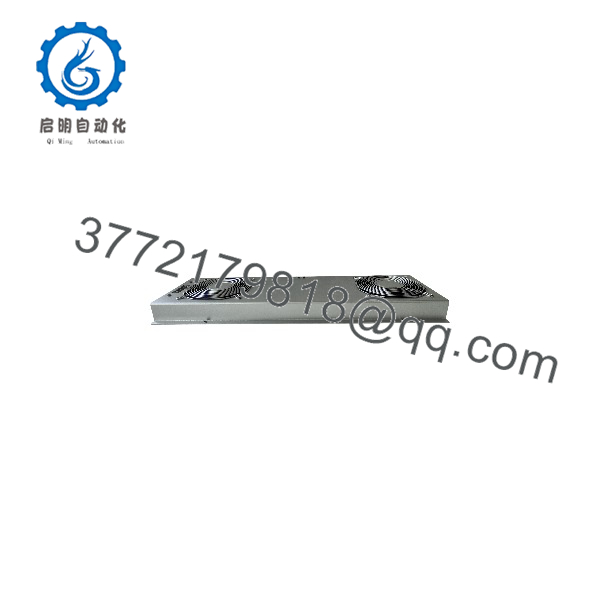
K9202B
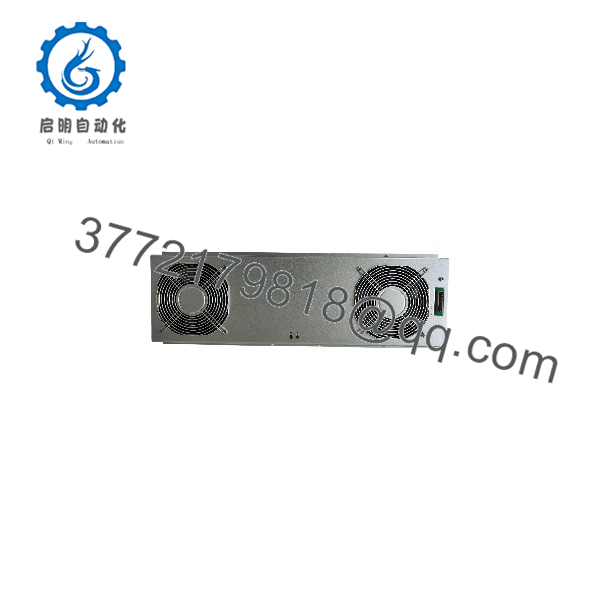
K9202B
Installation & Configuration Guide
Stage 1: Pre-Installation Preparation — Allow 5–10 Minutes
⚠️ Safety First: Notify operations before removing the rack fan. Place the affected control system in its approved maintenance state and follow the site’s lockout/tagout procedure. Do not assume the K9202B is hot-swappable unless the applicable HIMA system documentation explicitly permits live replacement.
Tools Required:
- ESD wrist strap
- Appropriate screwdriver
- Digital multimeter
- Cable/wire labels if applicable
- Smartphone or camera for documenting the existing installation
Data Backup:
- Record the installed identification and any additional order-number markings.
- Photograph the fan assembly, connector, mounting arrangement, and surrounding rack.
- Record the existing alarm or diagnostic state before shutdown.
- Verify the replacement is , not K9203A or another rack-fan variant.
- Confirm the replacement’s electrical rating against the rack documentation and nameplate.
Stage 2: Removing the Old Fan Assembly — Allow 5 Minutes
- Place the HIQuad X system in the approved maintenance condition.
- Isolate power according to the applicable HIMA installation procedure.
- Verify that the relevant supply is de-energized with a multimeter.
- Apply ESD protection before handling the assembly.
- Photograph the connector and mounting position before removal.
- Disconnect the electrical connection without pulling on the cable.
- Release the applicable mechanical retaining hardware.
- Remove the fan assembly straight and carefully to avoid damaging rack connectors or mounting hardware.
- Inspect the rack interface for bent contacts, contamination, loose hardware, or mechanical damage.
⚠️ Keep the original until commissioning is complete. It provides a useful reference if the replacement has a connector, mounting, or configuration discrepancy.
Stage 3: Installing the New — Allow 5 Minutes
- Compare the replacement against the removed unit before insertion.
- Confirm the model marking is .
- Confirm the fan count: two axial fans.
- Verify the connector and mechanical mounting arrangement.
- Check the electrical rating against the HIMA system documentation.
- Insert the assembly into its designated rack position.
- Secure all retaining hardware correctly.
- Reconnect the electrical interface without forcing the connector.
- Confirm that the airflow path is not blocked by wiring, filters, or cabinet components.
Self-Checklist:
- Correct model
- Two axial fans present
- Connector correctly seated
- Mounting hardware secured
- No damaged rack contacts
- Airflow path clear
- ESD precautions followed
Stage 4: Power-On & Testing — Allow 10 Minutes
- Perform a final visual inspection before energizing the rack.
- Restore power according to the approved system procedure.
- Verify that both axial fans start normally.
- Check the system’s available fan-operation monitoring indication.
- Check for rack or system cooling alarms.
- Allow the assembly to run long enough to confirm stable fan operation.
- Review the HIQuad X system diagnostics for new faults.
- Confirm that the system returns to its approved operating state.
⚠️ Do not diagnose a fan problem from airflow alone. A fan can rotate while still producing inadequate airflow or generating a monitoring fault. Check the system’s diagnostic indication and the physical condition of both fans.
Commissioning Note: The does not require PLC logic programming simply because the physical fan assembly has been replaced. However, system-level monitoring and diagnostic behavior must be verified after replacement.
Frequently Asked Questions (FAQ)
Can the HIMA be hot-swapped?
Do not assume it can. Treat the as a power-off replacement unless the specific HIQuad X installation documentation explicitly authorizes live replacement. The fan assembly is part of the rack’s thermal-management architecture, so an incorrect live replacement can create both electrical and thermal risks.
What is the difference between and K9203A?
The key documented difference is the fan count. HIMA identifies the with two axial fans and the with three axial fans. HIMA describes the as otherwise the same as the . Do not substitute one for the other simply because the mounting appears similar; verify the rack’s required configuration first.
Is a safety CPU or I/O module?
No. is a rack fan assembly. Its function is forced-air cooling. It does not execute the safety application, process field I/O, or provide the primary communication function of the HIQuad X system.
Is 996920261 the same product as ?
Secondary industrial-parts listings associate 996920261 with . Before ordering, compare the complete marking on the replacement with the installed unit and applicable HIMA documentation. For safety-system spare parts, the physical identification should take precedence over a reseller’s abbreviated listing.
What should I verify before ordering a replacement ?
At minimum, verify the complete model number, fan count, rack type, connector, mounting arrangement, electrical rating, and physical condition. Request clear photographs of the nameplate and connectors when purchasing surplus stock.
Is the obsolete?
The available documentation confirms the model’s identification within HIMA’s HIQuad X documentation, but it does not establish a current OEM lifecycle status. Treat availability as a procurement issue and verify current HIMA support or approved replacement information before planning a migration.
Will replacing erase my safety-program logic?
A physical fan replacement does not normally constitute a program replacement. The fan is a rack accessory rather than the application CPU. However, the control system must be placed into the site’s approved maintenance state, and post-maintenance diagnostics should be checked before returning the safety system to service.
Why can a surplus cost less than an OEM quotation?
Surplus pricing can reflect inventory source, age, packaging condition, warranty scope, and whether the item has been electrically tested. Do not compare price alone. For a safety-system rack accessory, confirm the exact model, physical condition, traceability, and test evidence before approving the purchase.



