
 WhatsApp: +86 16626708626
 Email:
  Phone: +86 16626708626
Description
Key Technical Specifications
| Parameter | Value |
|---|---|
| Manufacturer | HIMA |
| Model | X-DI3201 |
| Part Number | 985210201 |
| Product Family | HIMax |
| Product Type | Digital input module |
| Number of Inputs | 32 |
| Input Architecture | Galvanically isolated digital inputs |
| Input Grouping | 4 groups of 7 inputs + 1 group of 4 inputs |
| Group Supply | Short-circuit-protected LS+ supply |
| System | HIMax F60 modular safety system |
| Permitted F60 Slot Positions | Slots 3–8 |
| Safety Integrity | Up to SIL 3 |
| Relevant Standards | IEC 61508; IEC 61511 |
| Additional Machinery Safety Classification | Cat. 4 / PL e |
| Field Connector | 9-pole connectors |
| Status Indicators | RUN, ERR, individual channel LEDs |
| Diagnostic Functions | Short-circuit, open-circuit, cross-circuit, and earth-fault detection |
| Nominal Group Supply Detail | 20 V / 100 mA, according to available technical documentation |
| Railway Variant | DI 32 014 provides additional railway environmental qualifications |
| Railway Variant Temperature | −25 to +70 °C |
| Backplane Application | HIMax F60 subrack |
The strongest technical reference located for this exact module identifies 32 galvanically isolated channels, arranged in four groups of seven plus one group of four. It also specifies slots 3–8 of the F60 subrack and identifies the module’s safety certification and diagnostic functions.
Important: Do not assume the railway DI 32 014 environmental specifications apply to every X-DI3201 unit. That is a distinct variant.
Product Introduction
The HIMA X-DI3201 985210201 is a 32-channel digital input module for the HIMax F60 safety system. It acquires discrete field signals for safety-related control functions and provides galvanically isolated input channels with diagnostics for wiring faults.
The module is suited to applications such as emergency shutdown, process safety, and other SIS functions where input diagnostics and functional-safety architecture matter. Its documented safety capability reaches SIL 3, subject to the complete system configuration and safety application.
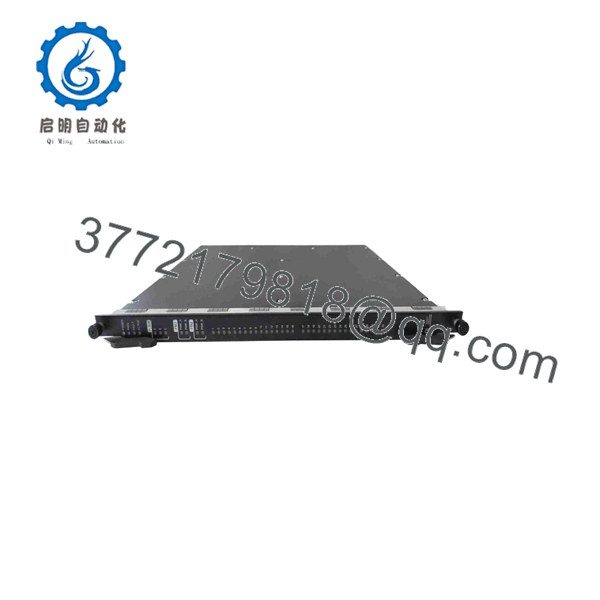
X-DI3201 985210201
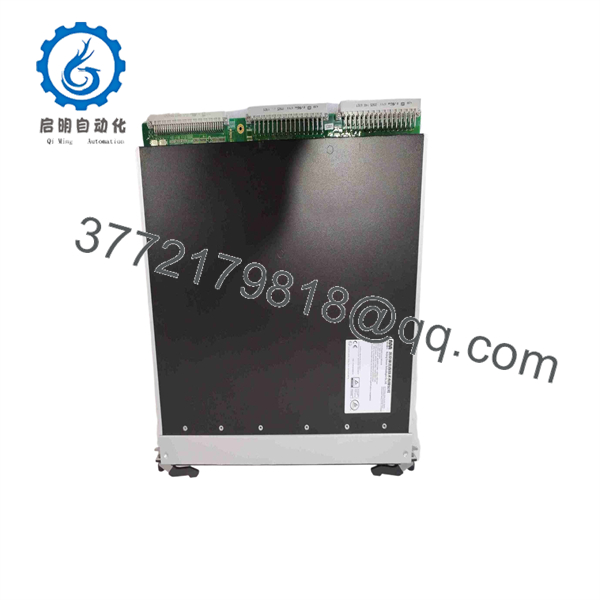
X-DI3201 985210201
Installation & Configuration Guide
Stage 1: Pre-Installation Preparation — 10–15 Minutes
⚠️ Safety First: Put the safety instrumented system into its approved maintenance state. Follow the site’s LOTO procedure and the HIMA system safety instructions. Do not treat an SIS I/O module like an ordinary PLC input card.
Tools Required
- ESD wrist strap
- Appropriate screwdriver
- Calibrated multimeter
- Wire labels
- Smartphone or camera
- Approved HIMA system documentation
- Current safety-logic/configuration backup
Data Backup
- Record X-DI3201 / 985210201 from the existing nameplate.
- Photograph the module and its exact F60 rack position.
- Photograph every field connector before removal.
- Record the current RUN/ERR and channel LED states.
- Save the current HIMax project/configuration according to site procedures.
- Record any existing diagnostics before disturbing the module.
⚠️ For an SIS installation, preserve the existing safety configuration and proof-test records. Replacing hardware does not by itself establish that the safety function remains valid.
Stage 2: Removing the Old Module — 5–10 Minutes
- Confirm that the safety function has been formally placed in its approved maintenance/bypass state.
- Verify the correct F60 rack and slot.
- Isolate power if the approved HIMA replacement procedure requires it.
- Label field connections before removal.
- Photograph connector orientation and wiring.
- Release the module retaining mechanism.
- Pull the module straight out without forcing the backplane connector.
- Inspect the backplane and connector area for contamination or mechanical damage.
⚠️ Do not move the replacement into a different F60 slot without checking the system configuration. The available technical documentation specifies slots 3 through 8 for the X-DI3201 in the F60 subrack.
Stage 3: Installing the New Module — 5–10 Minutes
- Ground yourself using the ESD strap.
- Verify X-DI3201 / 985210201 against the removed unit.
- Check the connector arrangement.
- Confirm the intended F60 slot.
- Insert the module carefully and fully seat it.
- Secure the module using the correct retaining mechanism.
- Reconnect the field connectors according to the original wiring documentation.
- Verify that each connector is fully engaged.
Self-Checklist
- X- confirmed
- 985210201 confirmed
- Correct F60 slot confirmed
- Connectors match
- Field wiring verified
- Module fully seated
- Retaining hardware secured
- Configuration backup available
Stage 4: Power-On & Testing — 10–20 Minutes
- Complete the required pre-energization safety checks.
- Restore the system according to the approved HIMA startup procedure.
- Check the module’s RUN indicator.
- Check the ERR indicator.
- Verify the individual channel LEDs against known field conditions.
- Check the HIMax diagnostics for module, wiring, or communication faults.
- Confirm that all 32 expected input channels appear correctly in the application.
- Test representative field inputs under controlled conditions.
- Verify associated interlocks and safety logic.
- Complete the required proof-test or maintenance documentation before returning the safety function to service.
The X- documentation identifies green RUN indication, red ERR indication, and individual yellow channel-status LEDs. The module also provides diagnostics for short circuits, open circuits, cross circuits, and earth faults in applicable safety-input arrangements.
⚠️ A green RUN LED does not prove that the SIS safety function is operational. Validate the complete signal path, application logic, diagnostics, and required proof-test procedure.
Frequently Asked Questions (FAQ)
Can the HIMA X- be hot-swapped?
Do not assume live replacement is permitted simply because the module is physically removable. The correct procedure depends on the HIMax system configuration and the approved maintenance procedure. For a safety system, follow the HIMA documentation and site safety-management procedure rather than using a generic PLC hot-swap procedure.
Is X- 985210201 a 32-channel module?
Yes. The technical documentation identifies the as providing 32 digital inputs, arranged into four groups of seven inputs and one group of four inputs.
What HIMax system uses this module?
The X- is documented for the HIMax F60 modular safety system. The module occupies slots 3 through 8 of the F60 subrack; slots 1 and 2 are reserved for the power and central modules.
Is the X- suitable for SIL 3 applications?
The available technical reference states that the X- is TÜV certified for safety applications up to SIL 3, with references to IEC 61508 and IEC 61511. The actual achieved safety integrity level still depends on the complete safety function, architecture, diagnostics, proof testing, and application configuration.
What happens if I install the wrong X- variant?
Do not rely on the product family name alone. Verify the complete part number, hardware revision, system compatibility, environmental requirements, and safety documentation. For example, DI 32 014 is identified as a variant with additional railway environmental qualifications; those qualifications should not automatically be attributed to a standard X-.
Does replacing the module automatically restore the SIS?
No. Hardware replacement and safety-function validation are separate tasks. After replacement, check module diagnostics, field signals, safety logic, fault detection, and the applicable proof-test requirements before placing the safety function back into normal service.
Why is the exact condition important when purchasing this module?
HIMA HIMax equipment is legacy safety-system hardware, so market inventory can include new original stock, unused surplus, and refurbished/tested units. A supplier should state the actual condition rather than simply calling every unit “original.” For a safety application, request the actual nameplate photographs, part number, hardware revision, and applicable test documentation before purchase.



