WhatsApp: +86 16626708626
 Email:
 Phone: +86 16626708626
Description
Key Technical Specifications
| Parameter | Value |
|---|---|
| Manufacturer | Hirschmann |
| Model | MM20-Z6Z6Z6Z6SBHH |
| Product family | MICE MM20 media module |
| Compatible switch bodies | Hirschmann MS20 and MS30 modular Ethernet switches |
| Port configuration | 4 × Fast Ethernet SFP slots |
| Port data rate | 100 Mbps per SFP port |
| Supported media | Single-mode or multimode fiber, depending on installed SFP |
| SFP modules | Ordered separately; not included with the media module |
| Installation | Hot-swappable media module in the MICE switch backplane |
| Power supply | Supplied through the MS20/MS30 switch backplane |
| Power consumption | 8.0 W typical |
| Heat dissipation | 27.3 BTU/h |
| Operating temperature | 0 to +60°C |
| Storage temperature | −40 to +70°C |
| Relative humidity | 10–95%, non-condensing |
| Housing protection | IP20 |
| Dimensions | 38 × 134 × 118 mm |
| Weight | Approximately 350 g |
| Hazardous-location rating | ISA 12.12.01 Class I Division 2 |
| Safety approvals | cUL 508, CE |
| Indicators | Power, link, data, and full-duplex status LEDs |
The MM20-Z6Z6Z6Z6SBHH is a four-slot Fast Ethernet SFP media module for Hirschmann’s modular MICE MS20/MS30 switch platform; SFP transceivers are separate accessories. The closely related MM20-Z6Z6Z6Z6SAHH documentation confirms the four 100 Mbps SFP ports, 8 W power draw, 0 to +60°C operating range, IP20 housing, and hot-swap capability.
Product Introduction
The Hirschmann MM20-Z6Z6Z6Z6SBHH is a modular Fast Ethernet media module for MS20 and MS30 MICE industrial switches. It provides four open SFP slots, allowing the network designer to select multimode or single-mode fiber transceivers according to distance, wavelength, and connector requirements.
Because the module installs into the switch backplane and supports hot removal, technicians can replace a failed fiber media module without shutting down the entire MS20/MS30 switch. This makes it useful for ring, redundant, and long-distance industrial Ethernet topologies where copper runs are impractical.
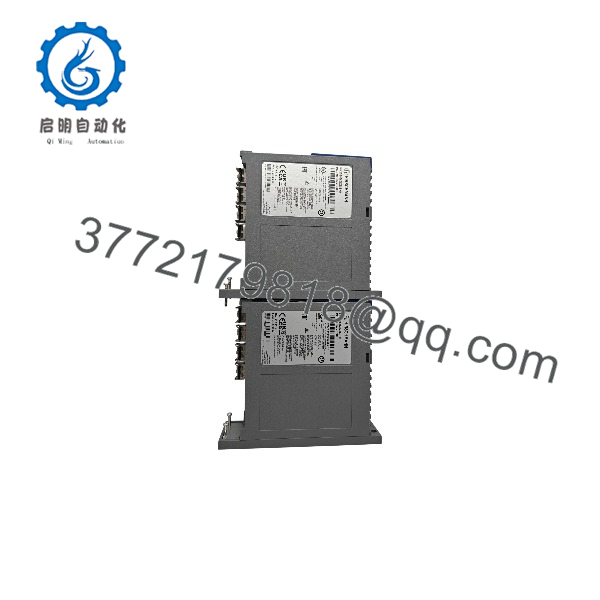
MM20-Z6Z6Z6Z6SBHH
MM20-Z6Z6Z6Z6SBHH
Troubleshooting Quick Reference
| Symptom | Possible Cause | Relevance to this Part | Quick Check Method | Recommendation |
|---|---|---|---|---|
| No link on an SFP port | Missing, incompatible, or failed SFP transceiver | ✅ High | Confirm the SFP is fully seated; swap ports or use a known-good SFP; check fiber type and wavelength match | Replace or reseat the SFP first; the MM20 slot is often not the fault |
| No LEDs on the module | MS20/MS30 switch is unpowered or the module is not fully seated | ✅ High | Verify switch power and status LEDs; power down if required and reseat the MM20 module | Check the host switch power supply before replacing the media module |
| Link comes up but data does not pass | Mismatched fiber mode, wavelength, duplex setting, or VLAN configuration | ⚠️ Medium | Verify both ends use the same fiber type and SFP wavelength; check switch port status and VLAN membership | Correct media/configuration mismatch; do not replace hardware first |
| Intermittent fiber link | Dirty or damaged fiber connectors, excessive bend radius, or poor splice quality | ⚠️ Medium | Clean and inspect connectors; check optical power if test equipment is available; inspect cable routing | Clean or replace patch cords; maintain the specified bend radius |
| Module not recognized by switch | Incompatible module revision or incomplete backplane connection | ✅ High | Check the MS20/MS30 diagnostic page or LED behavior; power down and reseat the module | Verify host-switch compatibility and firmware support before ordering |
| Port performance below 100 Mbps | Incorrect SFP, damaged fiber, or network congestion | ⚠️ Medium | Check negotiated speed/duplex and port error counters in the switch management interface | Replace the defective SFP or fiber path; review traffic and error counters |
| Module overheats or alarms | Blocked ventilation, excessive ambient temperature, or excessive SFP power draw | ⚠️ Medium | Measure cabinet temperature and verify airflow; confirm the installed SFPs meet Hirschmann specifications | Keep ambient below +60°C and use approved SFPs |
If the issue remains, send the MS20/MS30 diagnostic screenshot, SFP part numbers, fiber type and length, and photos of the module LEDs to technical support.
Frequently Asked Questions
Can I hot-swap the -Z6Z6Z6Z6SBHH?
Yes. It is designed as a hot-swappable media module for the Hirschmann MS20/MS30 MICE switch platform. Follow the switch manual’s removal procedure and use an ESD wrist strap.
Are SFP transceivers included?
No. The MM20-Z6Z6Z6Z6SBHH provides four open SFP slots; the fiber SFP modules must be purchased separately and matched to the fiber type, distance, and wavelength.
What is the maximum port speed?
Each SFP port supports Fast Ethernet at 100 Mbps. This is not a Gigabit Ethernet media module.
Can I mix multimode and single-mode SFPs on one module?
Yes, provided each fiber path uses a compatible SFP at both ends. Do not connect multimode fiber to a single-mode SFP or mix different wavelengths across a link.
Will it fit any Hirschmann switch?
No. It is intended for the modular MICE MS20 and MS30 switch bodies. Verify the host switch model, available slot, and firmware support before installation.
Why is this module listed as obsolete?
Hirschmann has discontinued older MM20 MICE media-module variants as the product family evolved. New Surplus inventory is genuine unused OEM stock, but availability is limited and replacement may require sourcing from legacy-stock suppliers.
What condition is this unit supplied in?
This listing is for New Original / New Surplus stock, not used or refurbished. Each unit is inspected, function-tested, and shipped in ESD-safe packaging with a test report; photos and test documentation are available on request.